Listening to Music from an iPhone/iPod
Press the power button on the top of the Harman Kardon Go + Play Micro system to turn the 1.
unit on.
Dock the iPhone/iPod2.
Select and play music using the controls on the iPhone/iPod or send commands to the 3.
iPhone/iPod with the remote control. Adjust the volume using the “+” and “–“ buttons located
on the top of the Harman Kardon Go + Play Micro loudspeaker.
Listening to Music from an Auxiliary Device
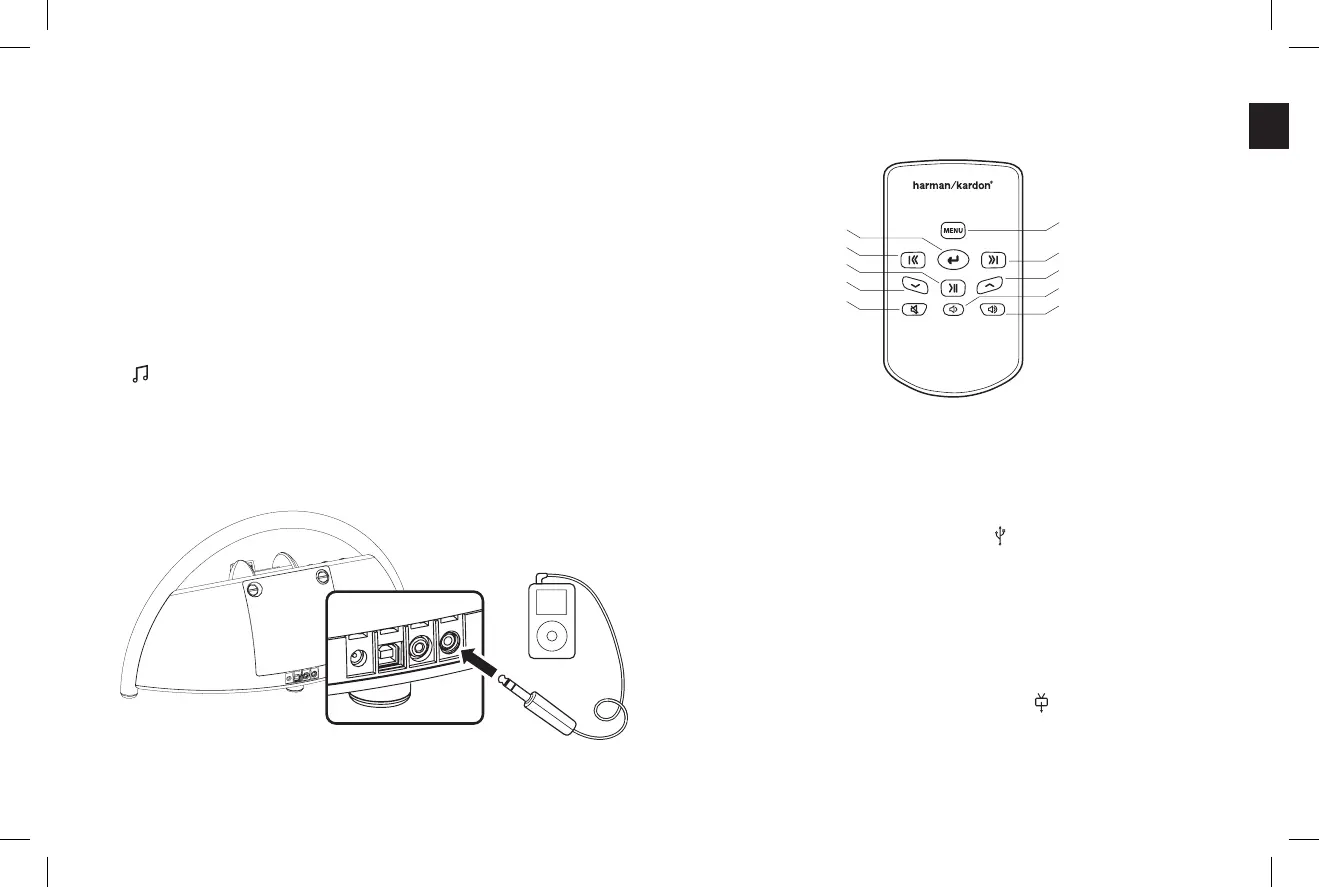
The Harman Kardon Go + Play Micro system includes a 3.5mm mini jack cable for connection to
any analog music player with either a 3.5mm or headphone output.
Connect the auxiliary device to the Harman Kardon Go + Play Micro system audio input port 1.
using a audio cable (not included).
Press the Power button on the top of the Harman Kardon Go + Play Micro system. A 2. white
light will indicate that the unit is on.
Control music playback through the auxiliary device.3.
Adjust the volume using the “+” and “–“ buttons located on the top of the Harman Kardon Go 4.
+ Play Micro loudspeaker.
Remote Functionality
USB Synchronization and Charging
The Harman Kardon Go + Play Micro system features a USB synchronization and charge port.
This feature allows synchronization of the Go + Play Micro system, with an iPhone/iPod docked,
to iTunes and provides a charge to the iPhone/iPod even when the Harman Kardon Go + Play
Micro is only under battery power.
Connect the Harman Kardon Go + Play Micro USB port 1.
to a computer using a USB cable (not
included).
Dock an iPhone/iPod into the Harman Kardon Go + Play Micro.2.
iTunes will synchronize with the iPhone/iPod. 3.
Watching Video or Photos from an iPhone/iPod
The Harman Kardon Go + Play Micro system features a video output port. This feature allows
viewing of videos or still images with a compatible iPhone or iPod
Connect the Harman Kardon Go + Play Micro video output port 1.
to a TV or video display using
a video cable (not included).
Dock an iPhone/iPod into the Harman Kardon Go + Play Micro.2.
Play either iPhone/iPod video or photo content.3.
Enter
Previous Track
Play/Pause
Scroll Down
Mute
Menu
Next Track
Scroll Up
Volume Decrease
Volume Increase
English


 To Next Page