Chapter 3 Electra 9200 Encoding Tutorial
© 2013 Harmonic Inc. All rights reserved. 20 Electra 9200 Release 01, Rev A
Configuring an Encoder with SDI Input and IP or ASI Output
Click Ok.
For information about the settings you c
an make, see the online help for this configuration page.
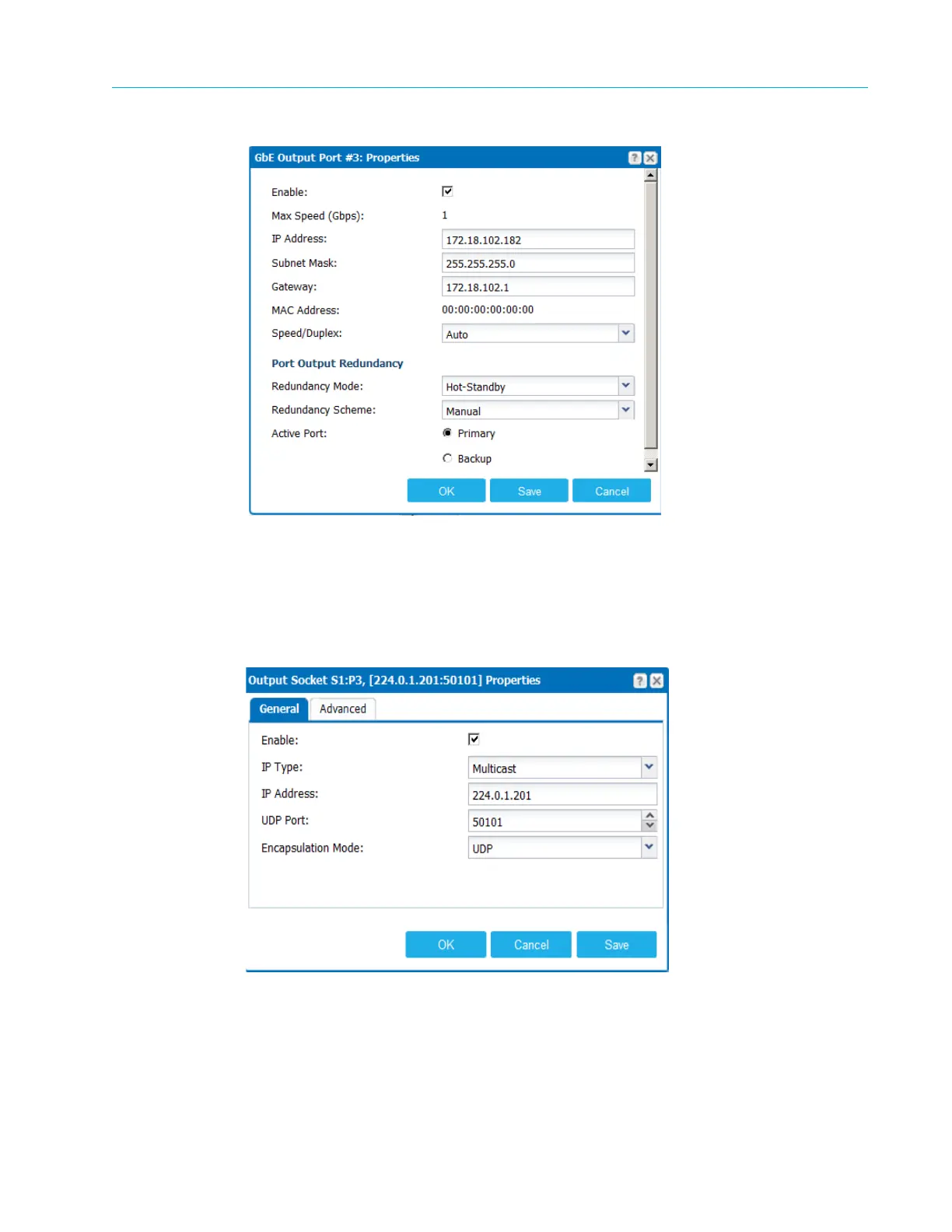
3. Now, add a socket. Right-click GbE–Port 3 again and select
Add New. Set the IP Type to
Unicast or Multicast and provide values for the IP Address and UDP Port. Note that this dialog
has General and Advanced properties.
Click Ok. The socket is added to the port, as shown in Figure 3–6.



 To Next Page