Chapter 3 Electra 9200 Encoding Tutorial
© 2013 Harmonic Inc. All rights reserved. 22 Electra 9200 Release 01, Rev A
Configuring an Encoder with SDI Input and IP or ASI Output
Configuring an ASI Port
Sending the output TS to an ASI port is very similar to sending it to an IP socket. However, the ASI
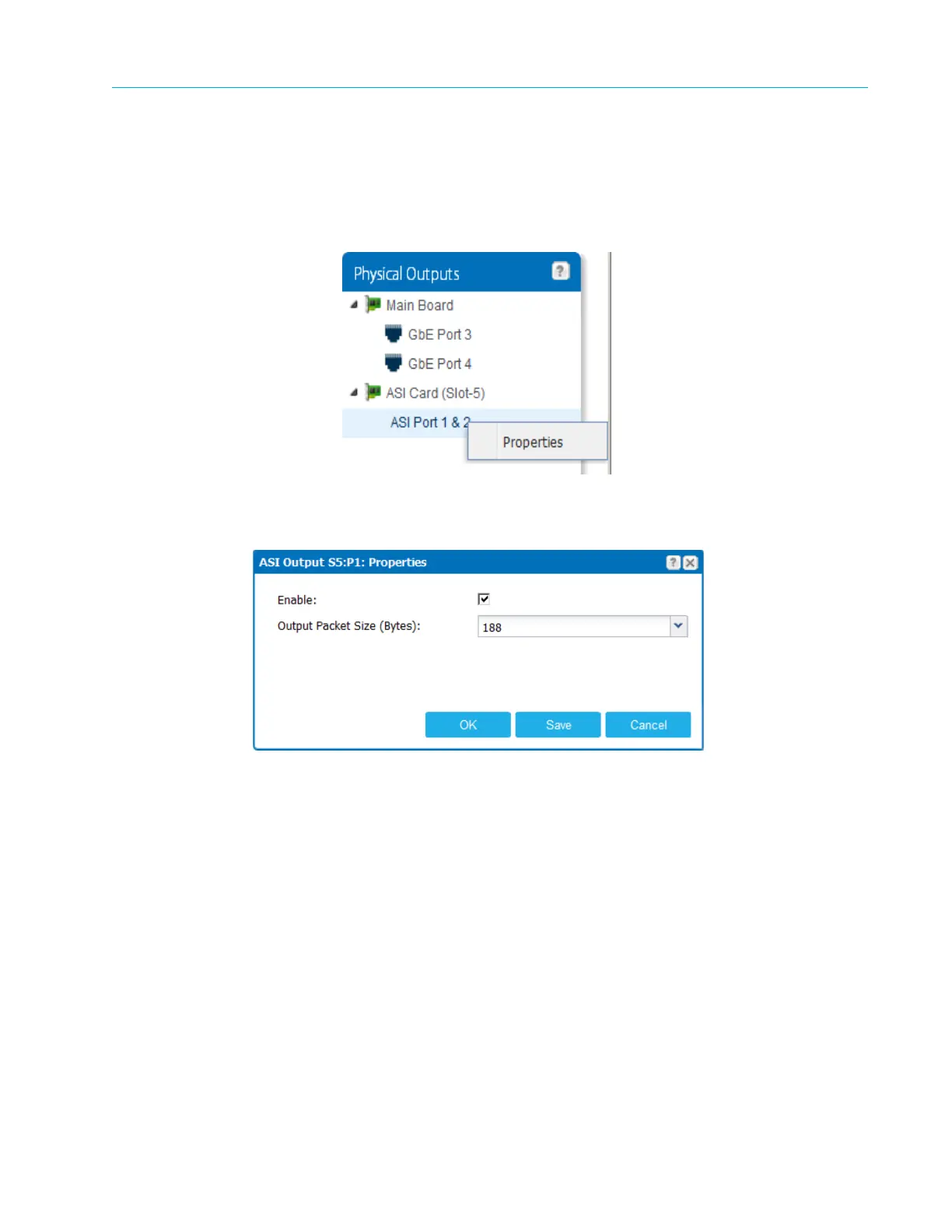
card needs no configuration, and the Ports 1 & 2 entry is already available under the card.
1. Right-click ASI Port
1 & 2 and select Properties.
Make sure the port is enabled and set the output packet size, as desired.
2. Click Ok.
3. Drag and drop TS–1 to the ASI Port 1 & 2.



 To Next Page