4
Click
OK to use the new port number and close the window.
Unplug the MicroLink modem from the USB port and then re-connect it to
allow Windows
® to update the USB device parameters.
Click OK again to close the Proper es window.
Windows Device Manager
The assigned serial COM port
number can be changed to any
available COM port using Windows
Device Manager.
Expand
Ports (COM & LPT) in the list
to see which port the converter is
assigned to.
Right click
MicroLink HART Protocol
Modem and select Properties from
the pop-up menu.
On the
Port Settings tab, click
Advanced.
Drop down the
COM Port Number list
and select the desired port number.
Using Windows Device Manager
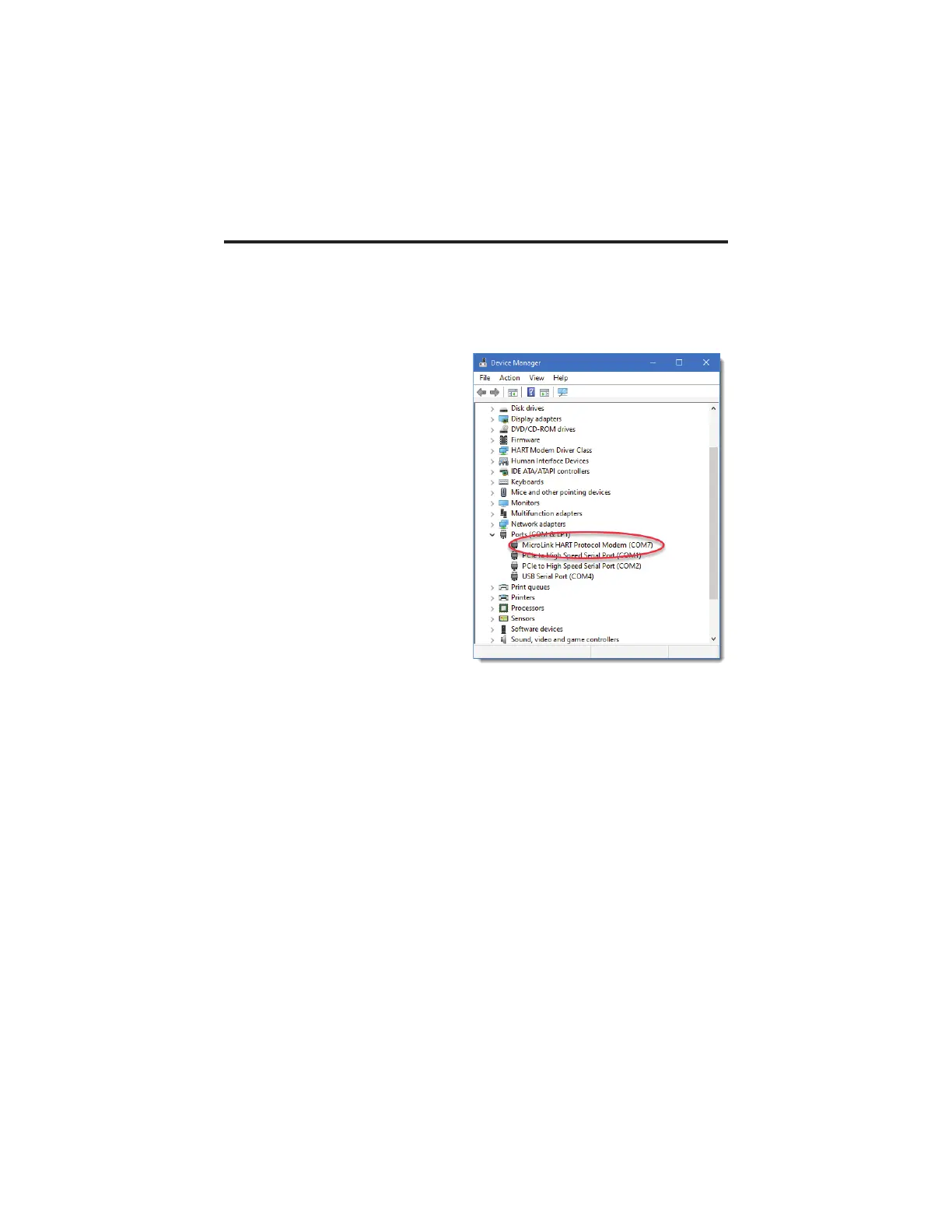
The assigned COM port number can be found using Windows Device Manager.
Open Device Manager and select View > Devices by Type.
You may need to expand the Device Manager tree under Ports (COM and LPT) to
see the converter.
In the example shown below, the modem is assigned to COM 7.



 To Next Page