EasyManua.ls Logo

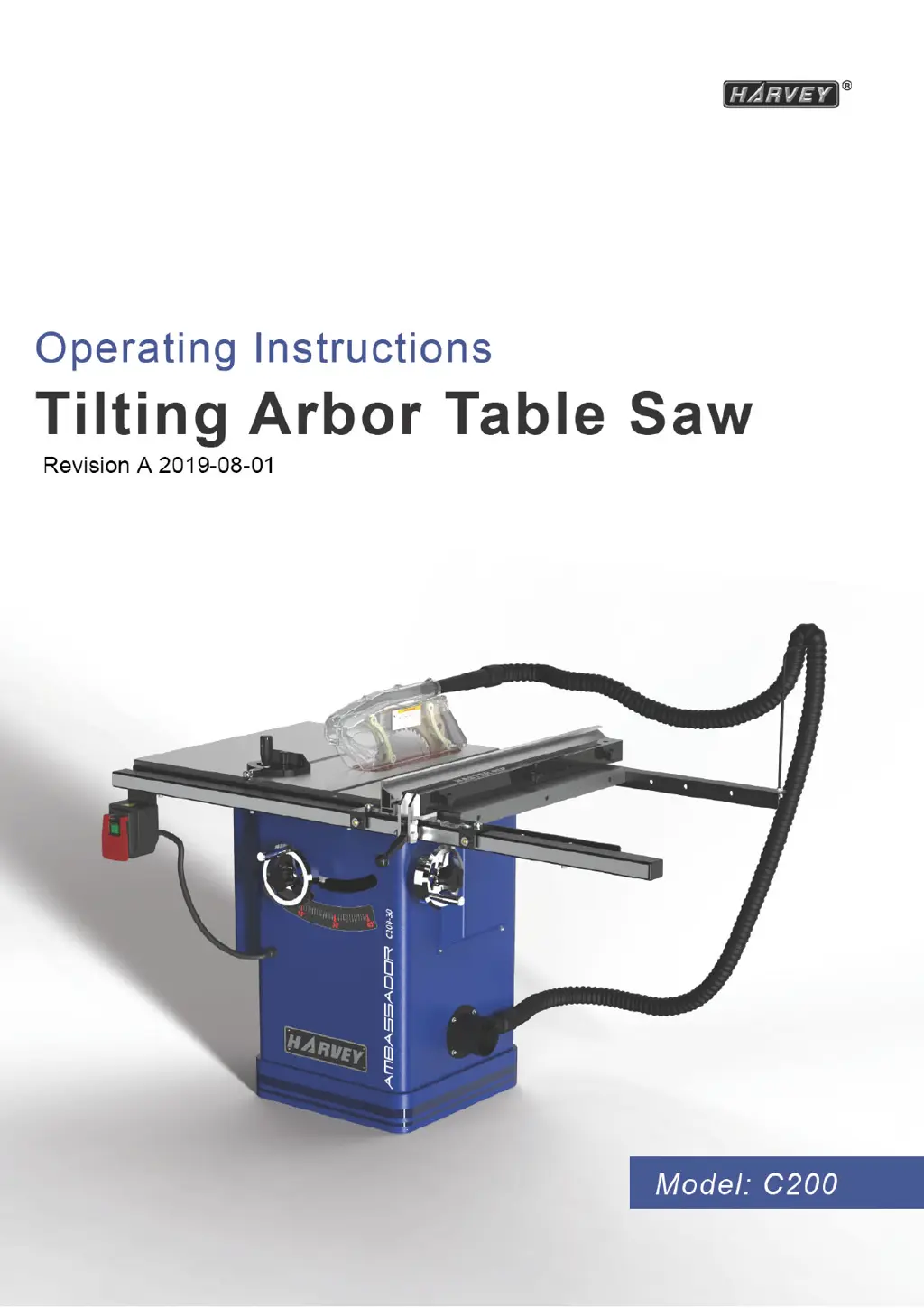
HARVEY C200 Series - User Manual

HARVEY C200 Series
34 pages
Print Icon
To Next Page IconTo Next Page
Loading...

Questions and Answers

  • C
    Casey VaughanAug 12, 2025
    What to do if my HARVEY Saw overload kicks out frequently?
    • C
      Crystal GlennAug 12, 2025
      If the overload protection activates frequently on your HARVEY Saw, several factors could be responsible. It might be due to: * Using an extension cord that is too long or has too small a gauge size. In this case, replace it with a cord of adequate size. * Feeding the material too quickly. Try feeding the stock more slowly. * A blade in poor condition (dull, warped, or gummed). Try cleaning or replacing the blade. * Blade binding due to a misaligned rip fence. Check and adjust the rip fence. * Blade binding because of warped wood. Select another piece of wood. * Low house current. Contact your electrical company.
  • M
    Molly MartinezAug 16, 2025
    Why my HARVEY Saw will not start?
    • M
      Matthew KirbyAug 16, 2025
      If your HARVEY Saw isn't starting, here are a few things to check: 1. Ensure the saw is properly plugged in. 2. Check for a blown fuse or tripped circuit breaker and replace the fuse or reset the breaker if necessary. 3. Inspect the cord for any damage and have it replaced by a certified electrician if damaged.
  • K
    Kimberly JohnsonAug 20, 2025
    Why does my HARVEY Saw make unsatisfactory cuts?
    • M
      Michelle LopezAug 20, 2025
      Unsatisfactory cuts from your HARVEY Saw can stem from several issues: * A dull blade. Replace the blade. * The blade being mounted backward. Turn the blade around. * Gum or pitch on the blade. Remove the blade and clean it with turpentine and steel wool. * Using the incorrect blade for the task. Change the blade. * Gum or pitch on the table causing erratic feed. Clean the table with turpentine and steel wool.
  • L
    lauren22Aug 25, 2025
    Why does the material pinch the blade when ripping with my HARVEY Saw?
    • G
      George WallaceAug 25, 2025
      If material pinches the blade during ripping on your HARVEY Saw, it could be due to: * The rip fence not being aligned with the blade. Check and adjust the rip fence. * Warped wood. Select another piece of wood.
  • L
    linda97Aug 27, 2025
    How to fix inaccurate 45 and 90 rip cuts on my HARVEY Saw?
    • K
      Karen PhillipsAug 27, 2025
      If your HARVEY Saw isn't making accurate 45 and 90 degree rip cuts, the issue might be: * Positive stop(s) not adjusted properly. Check the blade with a square and adjust the positive stop. * Tilt angle pointer not set properly. Check the blade with a square and adjust the pointer to zero.
  • B
    Bryan HallAug 31, 2025
    What causes excessive vibration in my HARVEY Saw?
    • R
      Ralph ScottAug 31, 2025
      Excessive vibration in your HARVEY Saw can be attributed to several factors: 1. The table not being securely mounted to the cabinet stand. Tighten all mounting hardware. 2. The stand being on an uneven floor. Reposition it on a flat, level surface. 3. A damaged saw blade. Replace the blade. 4. Bad V-belt(s). Replace the V-belt(s). 5. V-belts not tensioned properly. Adjust the V-belt tension. 6. A bent pulley. Replace the pulley. 7. Improper motor mounting. Check and adjust the motor mounting. 8. Loose hardware. Tighten all nuts, bolts, and set screws.
  • R
    Rachel ShortSep 4, 2025
    Why the blade does not come up to speed on my HARVEY Saw?
    • J
      Jeffrey MaxwellSep 4, 2025
      If the blade on your HARVEY Saw is not reaching full speed, possible causes include: * An extension cord that is too light or too long. Replace it with an adequate size extension cord. * Low house current. Contact your electric company. * The motor not wired for the correct voltage. Refer to the motor and/or nameplate.
  • C
    Christina DunnSep 7, 2025
    What to do if material binds on the splitter of my HARVEY Saw?
    • C
      christopher32Sep 7, 2025
      If material binds on the splitter of your HARVEY Saw, it is likely that the splitter is not aligned correctly with the blade kerf. You should check and align the splitter with the blade kerf.

Summary

2. Warranty Information

Limited Warranty

Details the two-year limited warranty, proof of purchase, and exclusions.

Limited Tool Warranty

Explains warranty terms, repair/replacement policy, and contact information.

3. Machine Description

3.5 Requirements of Electrical Power

Outlines the necessary electrical power specifications for the machine.

4. Safety Regulations

4.1 General Safety Instructions

Provides essential safety guidelines for operating the table saw.

4.2 Table Saw Safety Instructions

Details specific safety precautions for table saw operations.

4.3 Residual Risks

Highlights potential hazards and precautions to mitigate them.

4.4 Safety Equipments

Specifies necessary safety equipment for operation.

5. Installation of the Machine

5.4 Safety Measure before Installation

5.5 Installation

5.5.10 Electrical installation

Rewiring for 230 V Power

6. Adjustment

7. Operations

7.2 Safety Precautions before Operations

General safety advice before starting operations.

7.4 Crosscutting

Detailed instructions for performing crosscuts.

7.5 Ripping

Detailed instructions for performing rip cuts.

8. Maintenance

9. Trouble Shooting

HARVEY C200 Series Specifications

General IconGeneral
BrandHARVEY
ModelC200 Series
CategorySaw
LanguageEnglish

Related product manuals