EasyManua.ls Logo

Hasbro NERF N-Strike LongShot CS-6 - User Manual

Hasbro NERF N-Strike LongShot CS-6
2 pages
Print Icon
To Next Page IconTo Next Page
Loading...
EXTENSION BLASTER
2. Slide the Cocking Mechanism
backwards.
3. Pull the Trigger 1 to launch 1
STREAMLINE DART
.
CLEARING A JAM
1. Pull Bolt Mechanism back. If Bolt
Mechanism seems stuck, try pulling
the trigger first.
2. Remove the Clip before attempting to
remove the jammed dart.
1. Load dart into lower muzzle.
4.
Replace Clip and slide Bolt
Mechanism
forward. This should load another dart.
3. Open the Jam Clearing Door and
remove the jammed dart. Close door.
Questions? Call: 1-800-327-8264
Thank you for purchasing the NERF
N-Strike LongShot CS-6
blaster. Be sure to read and follow all instructions carefully before
using this product.
AGES 6+
61983
N-Strike
LongShot CS-6
Do not aim at eyes or face.
CAUTION:
TO AVOID INJURY:
Use only darts designed for this product.
Do not modify darts or dart blasters.
N-STRIKE LONGSHOT CS-6
WITH 12 STREAMLINE DARTS
Use both blasters separately or snap them together to create the
N-Strike LONGSHOT CS-6.
© 2006 Hasbro. All Rights Reserved.
TM &
® denote U.S. Trademarks.
U.S.Patent Nos. 6083127, 5529050 and Patent Pending.
61983 P/N 6594260000
Trigger 1
Cocking
Mechanis
m
Trigger 2
Bolt Mechanism
Product and colors may vary.
Clip Storage
Jam
Clearing
Door
Bipod
Ready Indicator
Sight
Clip
Clip Lock Button
Dart’s Holding Tube
Get user manuals: See SafeManuals.com
Question and Answer IconNeed help?

Do you have a question about the Hasbro NERF N-Strike LongShot CS-6 and is the answer not in the manual?

Summary

Product Introduction and Safety

Product Diagram and Features

Diagram illustrating the N-Strike LongShot CS-6 blaster and its key components.

Important Safety Warnings

Crucial safety instructions regarding aiming and dart usage to prevent potential injuries.

Extension Blaster Operation

Operating the Extension Blaster

Step-by-step guide for loading darts and operating the extension blaster function.

Jam Clearing Procedures

How to Clear a Jam

Detailed instructions for safely removing a jammed dart from the blaster.

Assembly and Usage

N-Strike LongShot CS-6 Assembly

Instructions for assembling the N-Strike LongShot CS-6 blaster components.

Using the LongShot CS-6

Guide on how to operate the N-Strike LongShot CS-6 blaster, including loading and firing.

Overview

The NERF N-Strike LongShot CS-6 is a blaster designed for ages 6 and up, offering both standalone and combined play options. Users can operate two blasters separately or snap them together to create the N-Strike LongShot CS-6.

Function Description:

The primary function of the LongShot CS-6 is to launch STREAMLINE DARTS™. It features a spring-powered firing mechanism that requires manual cocking before each shot. The blaster can be configured in various ways, allowing for customization and different play styles. It includes a main blaster unit, an extension blaster, a stock, a grip, a sight, a bipod, and a clip for dart storage.

Important Technical Specifications:

  • Dart Type: STREAMLINE DARTS™
  • Clip Capacity: Each clip can hold up to 6 STREAMLINE DARTS™. The LongShot CS-6 comes with 12 STREAMLINE DARTS™.
  • Firing Mechanism: Manual spring-action with a cocking mechanism.
  • Assembly: Modular design allowing for attachment and detachment of various components like the extension, stock, grip, sight, and bipod.
  • Safety: Features a "Ready Indicator" that changes from black to red when the bolt mechanism is pulled back, indicating the blaster is ready to fire.
  • Dimensions (assembled): Not explicitly stated, but the modular nature suggests a variable length depending on configuration.

Usage Features:

Assembly and Configuration:

  1. Bolt Insertion: Insert the bolt into the mechanism and plug it onto the other end of the bolt.
  2. Stock Extension: The stock extends to provide a more stable firing platform.
  3. Sight Attachment: Slide and snap the sight onto the blaster, locking it into place for improved aiming.
  4. Grip Insertion: Insert the grip and slide it back to snap into place, enhancing handling.
  5. Extension Attachment: Attach the extension to the main unit by sliding it into place and then twisting it 90 degrees to lock it securely.
  6. Bipod Deployment: The bipod flips down, providing a stable rest for the blaster, especially useful when using the LongShot CS-6 in its combined configuration.

Loading and Firing (Extension Blaster):

  1. Load Dart: Load a STREAMLINE DART™ into the lower muzzle of the extension blaster.
  2. Cock Mechanism: Slide the cocking mechanism backwards.
  3. Fire: Pull Trigger 1 to launch one STREAMLINE DART™.

Loading and Firing (Main Blaster - LongShot CS-6):

  1. Pull Bolt Mechanism Back: Pull the bolt mechanism back. The Ready Indicator should change from black to red, signifying the blaster is ready for a clip.
  2. Insert Clip: Slide the clip into place.
  3. Slide Bolt Mechanism Forward: Slide the bolt mechanism forward to chamber a dart.
  4. Fire: Pull Trigger 2 to launch a STREAMLINE DART™.
  5. Reloading: To load another dart, pull the bolt mechanism all the way back and slide it forward.
  6. Loading the Clip: Load the clip by inserting one STREAMLINE DART™ at a time and pushing down. Ensure darts are inserted in the direction indicated on the clip. Each clip can hold up to 6 STREAMLINE DARTS™.
  7. Removing Clip: To reload, pull the bolt mechanism back and press the Clip Locking Button to remove the clip.

Safety Precautions:

  • CAUTION: Do not aim at eyes or face.
  • TO AVOID INJURY: Use only darts designed for this product. Do not modify darts or dart blasters.

Maintenance Features (Clearing a Jam):

  1. Pull Bolt Mechanism Back: If the bolt mechanism seems stuck, try pulling the trigger first.
  2. Remove Clip: Remove the clip before attempting to remove the jammed dart.
  3. Open Jam Clearing Door: Open the Jam Clearing Door and remove the jammed dart.
  4. Close Door: Close the Jam Clearing Door.
  5. Replace Clip and Slide Bolt Mechanism Forward: Replace the clip and slide the bolt mechanism forward. This action should load another dart, indicating the jam has been cleared and the blaster is ready for use again.

The NERF N-Strike LongShot CS-6 emphasizes modularity, allowing users to customize their blaster for different play scenarios, from a compact extension blaster to a full-length, bipod-supported sniper-style blaster. Its clear jam-clearing process ensures minimal downtime during play, while the visual ready indicator enhances user awareness of the blaster's status.

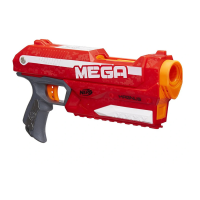
Hasbro NERF N-Strike LongShot CS-6 Specifications

General IconGeneral
BrandHasbro
ModelNERF N-Strike LongShot CS-6
CategoryToy
LanguageEnglish

Related product manuals