Installing programs, playing audio CDs,
playing DVDs, accessing data, and
recording video and data to double layer
DVD+R discs. Note: To use the double
layer capability of the double layer
recordable DVD drive, the blank DVDs
you purchase must state Double Layer,
Dual Layer, or DL. Using other types of
blank media will result in less capacity.
Inserting a CD or DVD
Inserting an optical disc
1. Turn on the computer.
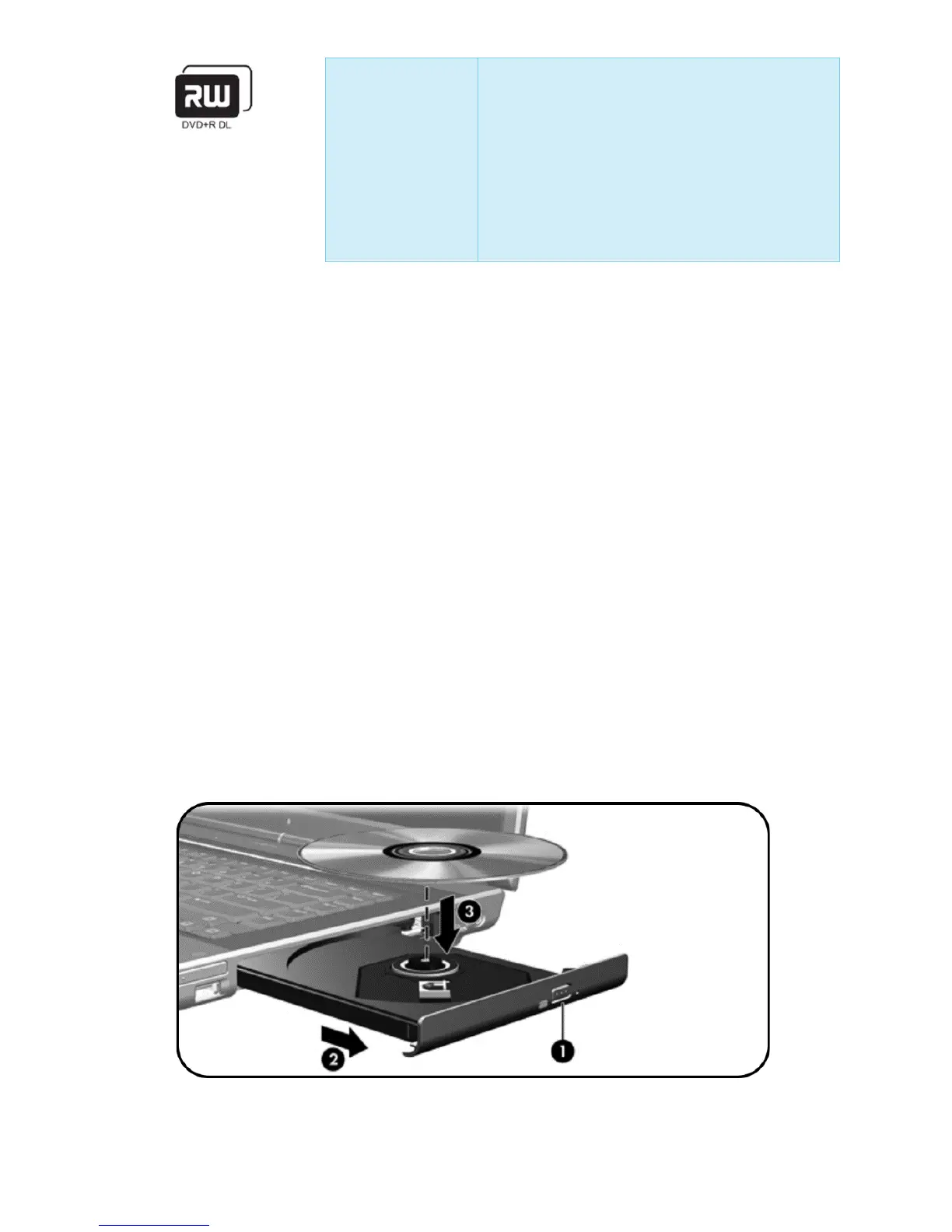
2. Press the release button (1) on the drive bezel to release the media
tray.
3. Pull out the tray (2).
4. Hold the CD or DVD by the edges to avoid touching the flat
surfaces, and position the disc over the tray spindle, with the label-
side up. NOTE If the tray is not fully accessible, tilt the disc carefully
to position it over the spindle.
5. Gently press the disc (3) down onto the tray spindle until the disc
snaps into place.


 To Next Page