
 Need help?
Do you have a question about the Hasee E486 and is the answer not in the manual?
Details the hardware components of the computer and how to view installed hardware.
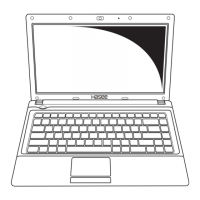
Identifies and describes the primary components of the notebook, focusing on the keyboard layout.
Step-by-step instructions for correctly installing the notebook's battery pack.
Guidance on how to connect the AC adapter for power and charging.
Instructions on how to safely open and adjust the laptop's display panel.
Procedure for powering on the notebook for the first time or after shutdown.
Explains how to use the touchpad for navigation, scrolling, and button functions.
Information about the notebook's keyboard features, including hotkeys.
Details the computer's power sources: battery and AC adapter, and their usage.
Describes optical drives (CD/DVD) and their capabilities for reading and writing discs.
Instructions on connecting and safely removing USB devices and other external peripherals.
Explains wireless capabilities like Wi-Fi and Bluetooth, and how to connect to networks.
General instructions for maintaining computer hardware for longevity and performance.
Procedures for cleaning and caring for specific components like the touchpad, keyboard, display, and drives.
Guidance on storing, handling, and disposing of the battery pack.
Steps for optimizing system performance using Disk Defragmenter, Disk Cleanup, and regular tune-ups.
Steps to diagnose and resolve issues when the computer fails to power on.
Troubleshooting steps for a blank or unresponsive display screen.
Solutions for when software applications behave unexpectedly or become unresponsive.
Procedures for handling situations where the computer is on but unresponsive.
Diagnosing and addressing issues related to the computer overheating.
Troubleshooting steps when connected external devices fail to function correctly.
Steps to resolve problems with connecting the computer to a wireless network.
 General
| Display Size | 14 inches |
|---|---|
| Display | 1366 x 768 pixels |
| Processor | Intel Core i5 |
| RAM | 4GB DDR3 |
| Storage | 500GB HDD |
| Battery | 6-cell battery |

 To Next Page