80
1
3 4
5 6
7 8
2
9 10
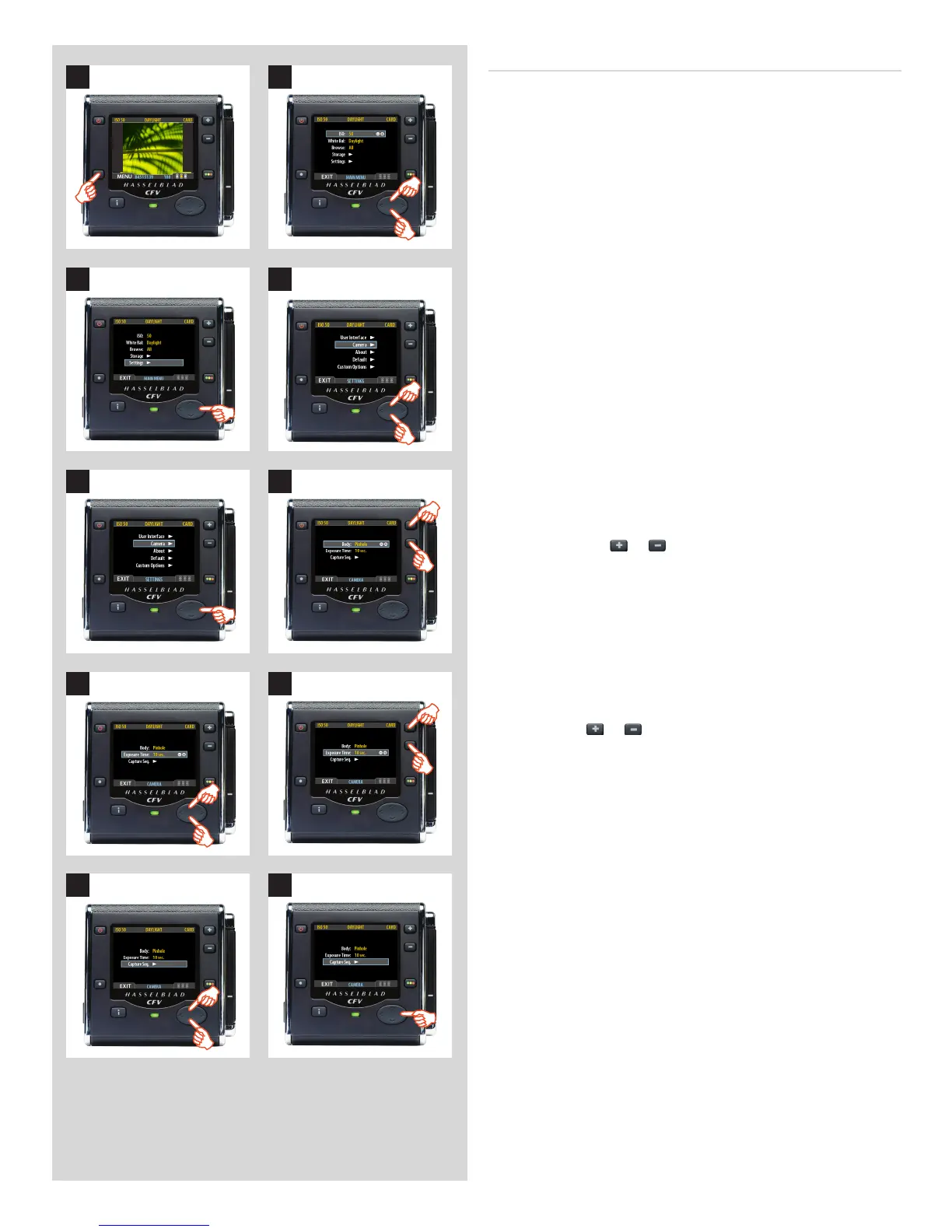
9. Press to select CAPTURE SEQUENCE.
10. Press to open the CAPTURE SEQUENCE menu.
7. Press or to select EXPOSURE TIME.
8. Press either
or to make an exposure time setting.
5. Press to open the CAMERA menu.
6. Press either the
or button to select PINHOLE.
3. Press to open the SETTINGS menu.
4. Use and to select CAMERA.
SettingEXPOSURETIMEandCAPTURESEQUENCE
Proceed as follows:
1. Press the menu (MENU) button to open the menu.
2. Use and to select the SETTINGS sub-menu.













 To Next Page