17
3.
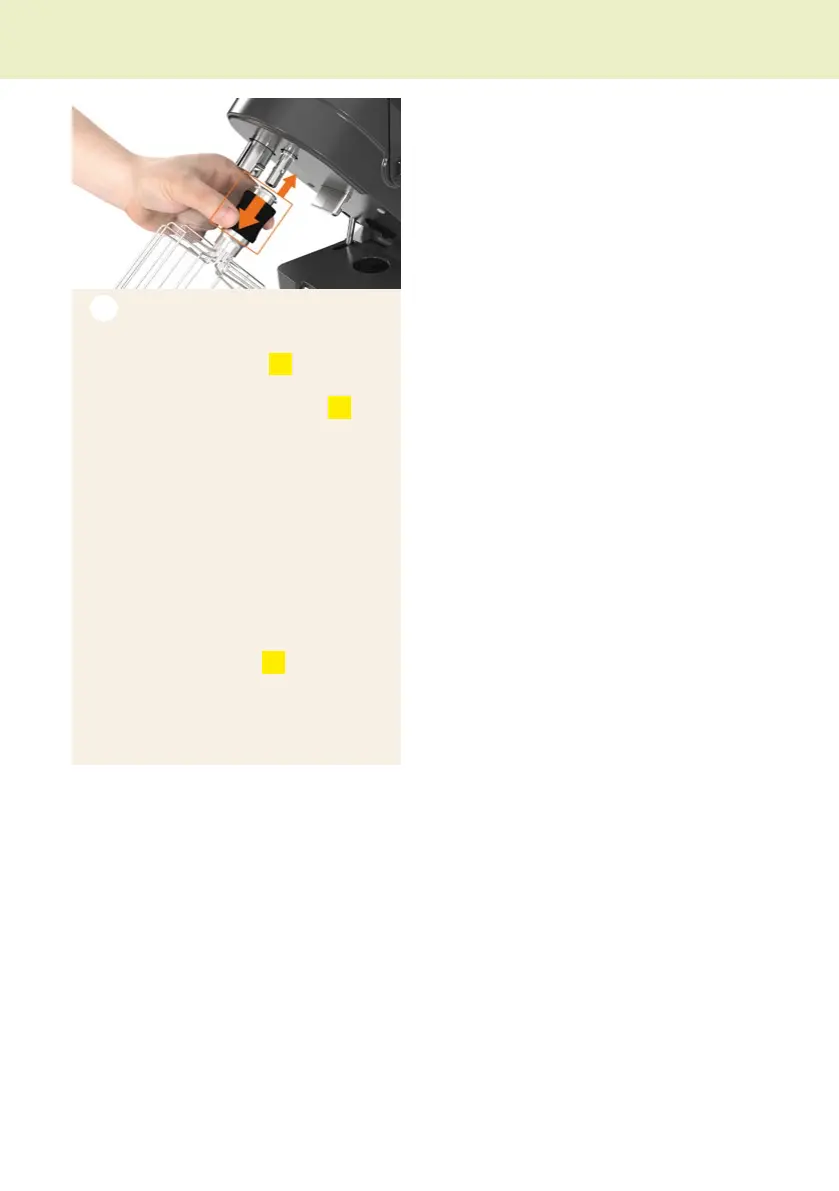
Whisk
Insert
Push the locking sleeve
V4
of the whisk
down with your ngers and guide the
whisk onto the whisk mounng
13
unl
it is in posion.
Release the locking sleeve.
If necessary, turn the whisk a lile to
the right or le unl you feel it click into
place.
iThe
locking sleeve
must be in the upper
posion again.
Removing
Hold the whisk by the sha and push
the locking sleeve
V4
of the whisk
down with your ngers. Remove the
whisk downwards.
Pung into operaon


 To Next Page