Hautec GmbH An der Molkerei 9 D-47551 Bedburg-Hau/ Hasselt Tel.: +49(0)2821-7612-3 Fax: +49(0)2821-7612-76
23.05.12 16:56 Page 5 of 36
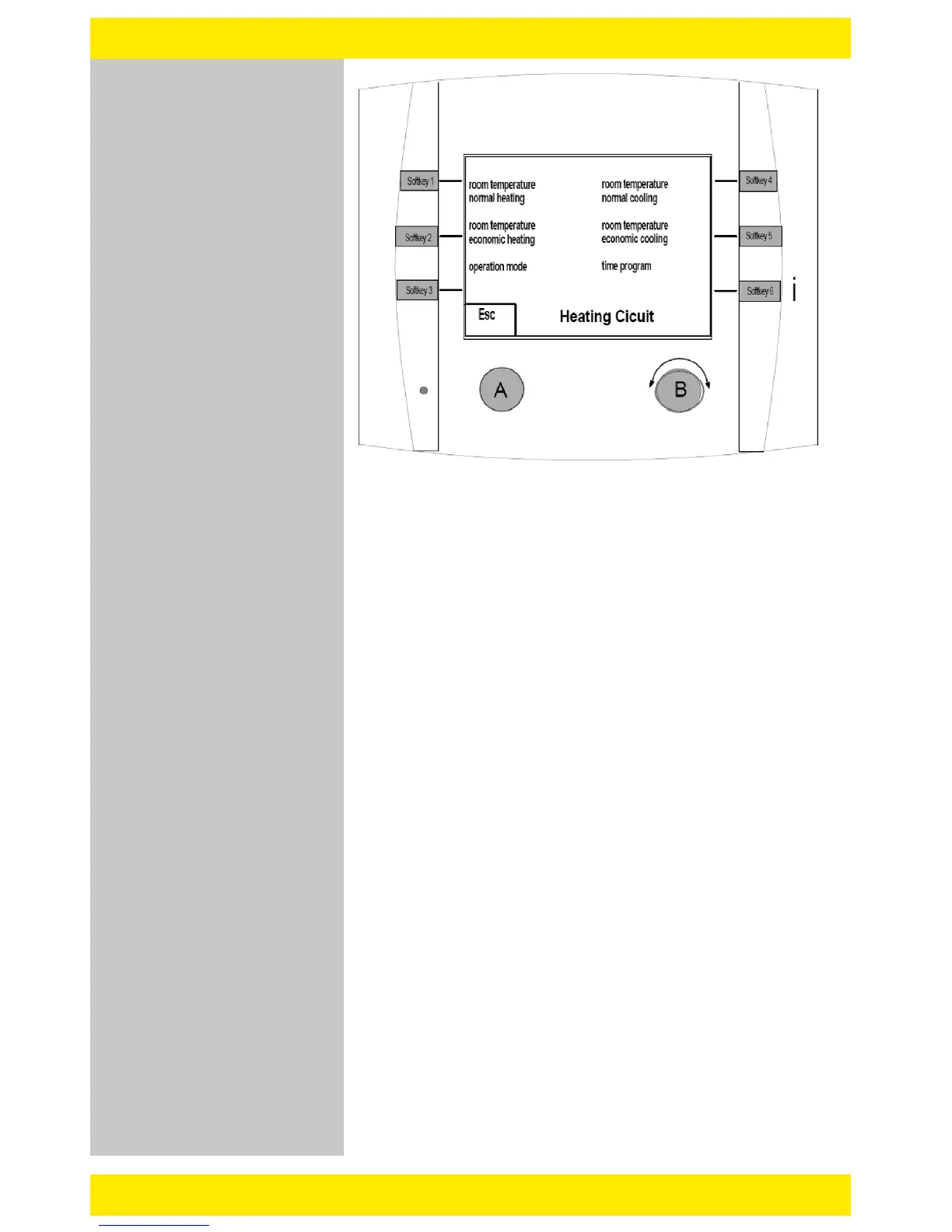
B. quick select Heating Circuit 1 or 2 (soft key 1 or 2)
o With the quick select Heating Circuit, you can make the
following settings:
- Normal room temperature heating
- Economic room temperature heating
- Operating Mode
(0=Standby, 1-3=Time program I-III, 4= normal heating mode,
5=economic heating mode, 6= summer mode, 7= manually operated
heating mode, 8= manually operated cooling mode {optional})
- Normal room temperature cooling {optional}
- Economic room temperature cooling {optional}
- Time/Clock program
o By using the Turn/Push button B on heating circuit 1 or 2 the
comfort level can be adjusted:
- by turning the button B the comfort level may be adjusted by up
up to +/-3K. It affects the normal and the energy saving/economic
temperature.
- to save the set value, push the button B
view after
pushing soft
key 1/2


 To Next Page