Hautec GmbH An der Molkerei 9 D-47551 Bedburg-Hau/ Hasselt Tel.: +49(0)2821-7612-3 Fax: +49(0)2821-7612-76
Page 4 of 36 23.05.12 16:56
A. Overview:
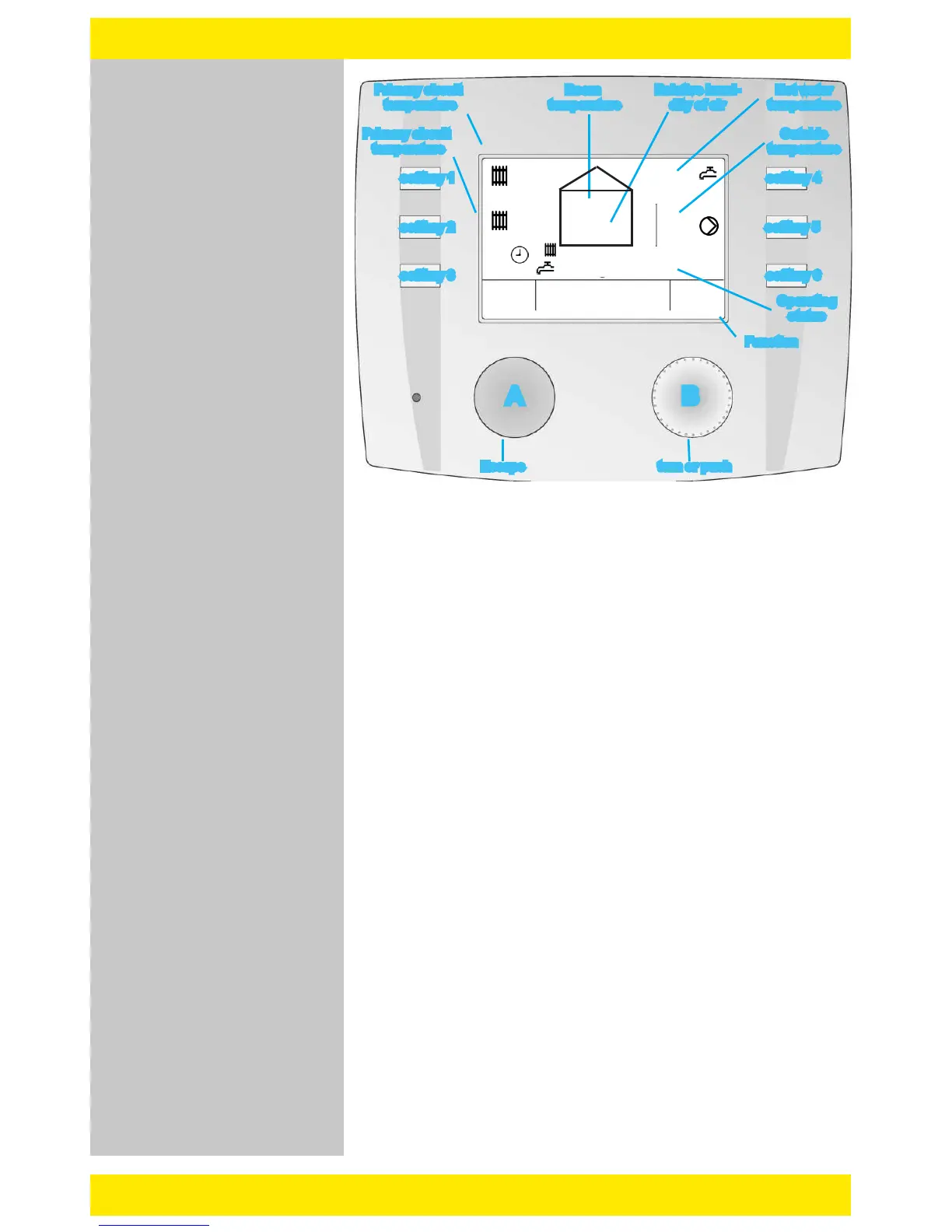
o Button A: Escape- (back-) function
o Button B: to change values= turn it; to save values=push it
o Soft key 1: quick select heating circuit 1 (see page 3)
- if the heating circuit is activated, the ow temperature is shown beside this
button
o Soft key 2: quick select heating circuit 2 (see page 3) {optional}
- if the heating circuit is activated, the ow temperature is shown beside this
button
o Soft key 3: quick select global function (Time, Date..) see page 4
o Soft key 4: quick select hot water (see page 5) {optional}
- if the hot water circuit is activated, the hot water temperature is shown
beside this button
o Soft key 5: quick select heat pump (see page 6)
o Soft key 6: information/current Error
- During normal heating mode an „i” is shown beside this button. In case of
error, a intermittent alarm symbol will appear. By pushing this button the error
description will be shown (see page 7).
The picture above shows the standard layout of the display.
This layout will be shown automatically, after a power loss or
if no adjustment has been made within a determinate period of
time.
The user will access the main functions by using the soft keys.
Normally if the display light is switched off, you can switch it on
by pushing any button. To activate its functions, push it once
again.
We 09:36
Overview
FuncEsc
1 39.5 °C
2 33.4 °C
31
Normal heating mode
Normal loading mode
20.2 °C
43% RF
23.7 °C
50.8 °C
i
softkey 1
softkey 2
softkey 3
softkey 4
softkey 5
softkey 6
Primary circuit
temperature
Primary circuit
temperature
Room
temperature
Relative humi-
dity of air
Hot water
temperature
Outside
temperature
Operating
status
Function
A B
Escape turn or push


 To Next Page