19
Figure 83
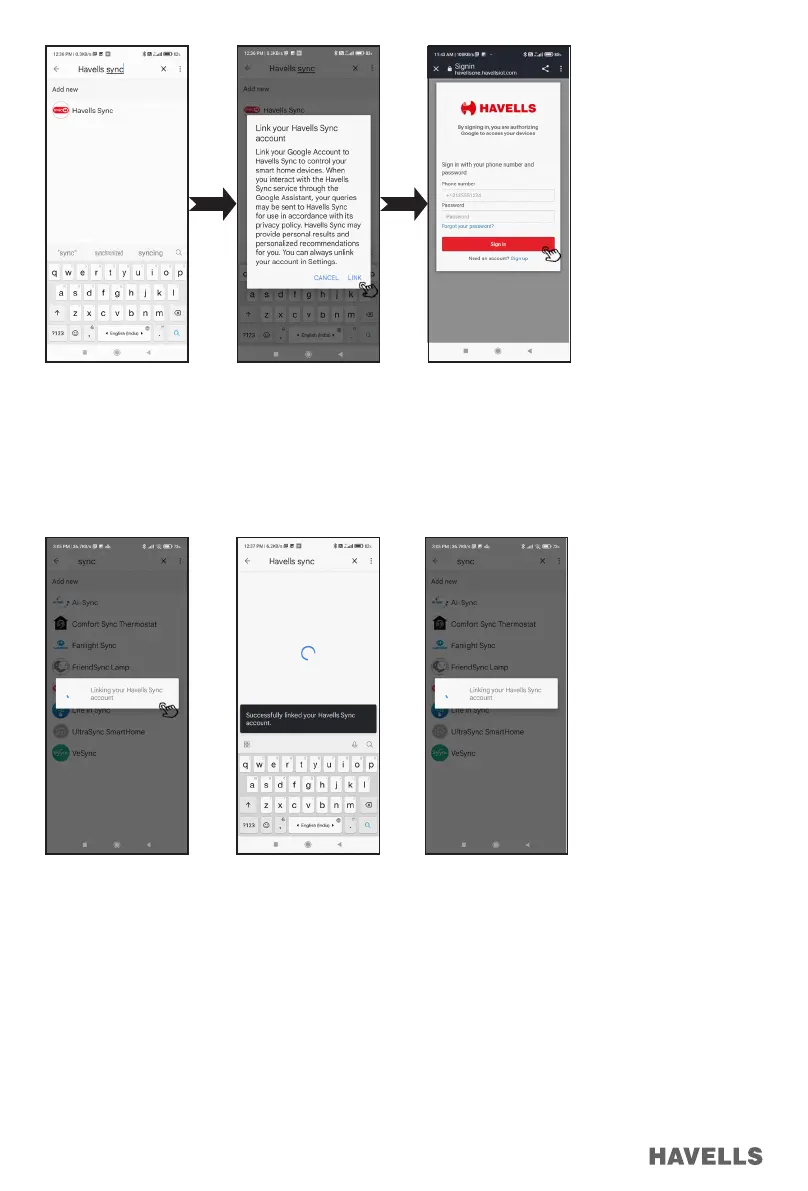
Figure 86 Figure 87
Figure 84 Figure 85
Link “Havells Sync” skill in Google Assistant
1. Enter Havells Sync APP account details to link Google Assistant with your Havells device.
2. Tap on “Sign In” button to conrm. (Figure 86)
3. A conrmation message will be displayed. (Figure 87) Click on “Done” to nish paring the device
Device discover in Google Home App
1. After successful completion of pairing of Havells Sync, Google Home App will automatically show the connected
device in your home page. (Figure 88)
2. Google Home app will automatically discover all devices associated with Havells Sync Account.


 To Next Page