6
Android
TM
Apple iOS
Lollipop & above iOS 9 and above
“Havells Sync” Mobile Application download
Downloading the app on an Android Smart Phone on Google Play
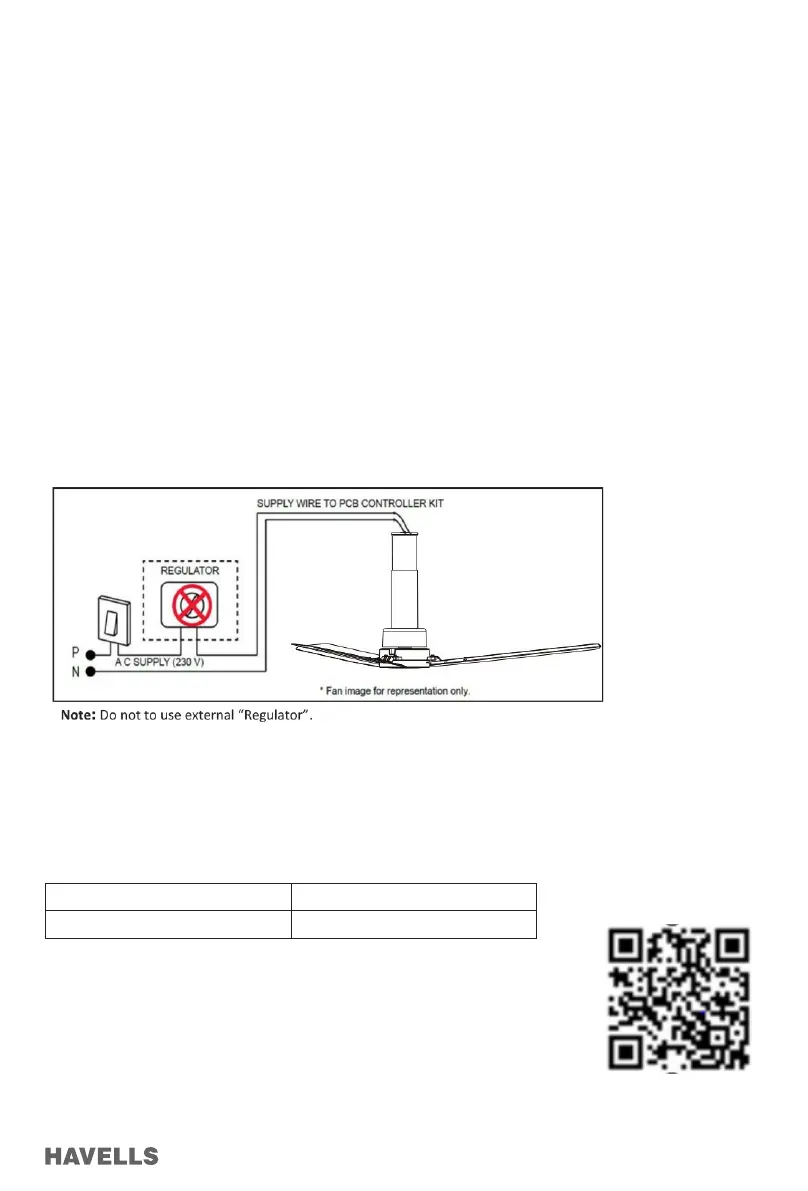
Go to Play Store (Or Scan QR code and follow link)
Download and install Havells SYNC app (Figure 11-14)
Troubleshooting:
Problem Solution
A. Fan does not start 1. Check circuit fuses or breakers.
2. Check line wire connections of the fan.
Caution: Make sure Main power is OFF.
B. Fan sounds Noisy 1. Make sure all motor housing screw are snug.
2. Make sure the screws that attach the fan blade to the motor hub is tight.
3. Make sure there is a gap between Top Canopy and Ceiling.
C. Fan Wobbles 1. Don’t connect the fan with wall mounted External Regulator.
2. Ensure all blades are of same numerical code.
D. Remote Sensing is poor 1. Change old battery with new.
2. Please ensure the remote is directed towards the fan.
Warning:
1. Do not damage the blade while installing or cleaning the fan.
2. Do not insert foreign objects between rotating fan blades.
3. Tighten the safety screw & down rod bolt properly and lock with lock nut & split pin.
4. Tighten the ceiling plate separately with screw in ceiling.
APP INSTALLATION FOR AndroidTM and iOS
Before setting up app, ensure the following points:
1. Internet connection is necessary to register on the App. A stationary Wi-Fi network (router) is also required for connect-
ing/pairing devices.
2. Fan should be installed according to the instructions and safety guidelines mentioned in the Manual.
3. Havells Sync App will only work for the following mobile OS versions;


 To Next Page
 Loading...