KB488L Instruction manual
USER GUIDE
To assist you safely use the product, please read this user guide carefully before using. Please
take care of this user guide for further use.
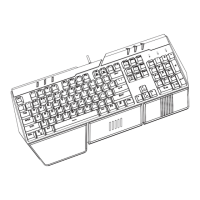
1.Instruction for multimedia key
Favorite,Web/Home,Email,Search
Other function combination:
FN+F1: Music player
FN+F2: Volume -
FN+F3: Volume +
FN+F4: Mute
FN+F5: Stop
FN+F6: Previous Song
FN+F7: Play/Pause
FN+F8: Next Song
FN+F9: Email
FN+F10: Web/Home
FN+F11: Key Lock
FN+F12: Calculator
turn on ——> turn off
FN+【LED】to change backlit: breathing mode——>Always-on mode
FN+PGDN to decrease backlit brightness FN+PGUP increase backlit brightness(Always-on mod)
FN+"-" to slow down the breathing rate, FN + "+" to speed up the breathing rate(Breathing mode)
FN+W: WSAD can be exchanged with ↑↓←→ which is regarded as normal function.
Fn + Win lock/unlock Win key
19 anti-ghosting keys
·Q、A、Z、W、S、X、E、D、C、B、Space、↑、↓、←、→、Tab、Alt-L/V、Ctrl-L/F、Shift-L

 Need help?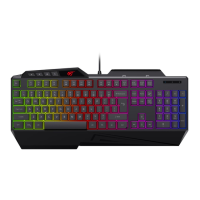

 To Next Page
 General