Need help?
Do you have a question about the Havit KB885L and is the answer not in the manual?
Switch between 21 lighting modes and change backlight color using FN key combinations.
Control LOGO backlight modes and adjust brightness cycles with FN key combinations.
Restore keyboard to factory settings by long pressing FN+ESC for 3 seconds.
Adjust backlight brightness in 5 grades, including an option to turn it off.
Adjust backlight movement speed through 5 different levels using FN key combinations.
Details on F1-F12 shortcut functions for MAC OS.
Details on F1-F12 shortcut functions for WIN OS.
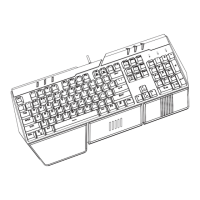
This document outlines the features and usage instructions for the KB885L keyboard, a versatile input device designed for both Windows and Mac operating systems. It emphasizes ease of use with its plug-and-play functionality and offers extensive customization options for its LED backlighting, alongside a range of shortcut keys for enhanced productivity.
The KB885L is a full-featured keyboard designed to provide a rich user experience across different computing environments. It supports a dual-system functionality, allowing seamless switching between Windows and Mac operating systems, which is indicated by a physical toggle switch. This adaptability ensures that users can leverage the keyboard's full capabilities regardless of their preferred platform.
The keyboard incorporates a comprehensive set of LED backlit adjustments, offering 21 distinct lighting modes that can be cycled through using the FN+Backspace combination. Users can also switch between various backlight colors with FN+DEL, providing a personalized aesthetic. For the integrated LOGO backlit feature, there are 8 lighting modes accessible via FN+|, and its brightness can be adjusted through four cycles using FN+Shift. Should users wish to revert to the default settings, a long press of FN+ESC for 3 seconds will restore the keyboard to its factory configuration.
Brightness control for the main backlighting is granular, with 5 grades of adjustment available. FN+↑ increases brightness, while FN+↓ decreases it, with the lowest grade effectively turning the backlight off. For dynamic lighting effects, the movement speed of the backlight can also be adjusted across 5 grades using FN+→ to increase speed and FN+← to decrease it, allowing for a tailored visual experience.
Beyond its aesthetic customizations, the KB885L offers a robust set of shortcut keys that significantly enhance productivity. These shortcuts are intelligently mapped to common functions, providing quick access to system controls and applications. For Windows users, these include shortcuts for screen brightness adjustment (FN+F1 for reduction, FN+F2 for increase), opening Task View (FN+F3), accessing "My computer" (FN+F4), initiating search (FN+F5), taking screenshots (FN+F6), navigating media (FN+F7 for previous, FN+F8 for play/pause, FN+F9 for next), controlling volume (FN+F10 for mute, FN+F11 for volume down, FN+F12 for volume up), and managing print screen, scroll lock, and pause functions.
Mac users benefit from a similar array of shortcuts, tailored to the macOS environment. These include screen brightness adjustment (FN+F1 for reduction, FN+F2 for increase), opening task control (FN+F3), opening the starter board (FN+F4), short press for search or long press for SIRI (FN+F5), taking screenshots (FN+F6), media navigation (FN+F7 for previous, FN+F8 for play/pause, FN+F9 for next), volume control (FN+F10 for mute, FN+F11 for volume down, FN+F12 for volume up), and managing print screen, scroll lock, and pause functions. The keyboard also features a lock function for the Win key (Fn + Win), preventing accidental presses during gaming or other intensive tasks.
The KB885L is designed for straightforward integration into any computer setup. To begin using the keyboard, simply power on your computer and insert the keyboard's USB interface into an available USB port. The manual recommends using USB ports located on the back of the computer chassis for optimal performance, as these are often more stable than front-panel ports. The keyboard is a plug-and-play device, meaning it does not require any additional driver installation; it will be automatically recognized and configured by your computer within approximately one minute.
The keyboard provides clear status indicators for "Caps Lock," "Num Lock," "Scroll Lock," and "Win Lock," allowing users to quickly ascertain the active state of these functions.
For advanced functionalities and customization, users are directed to download a dedicated driver from the manufacturer's website. This driver, specifically for the "KB885L" model, unlocks additional features such as a music rhythm mode. When activated and matched with the computer's audio output, the keyboard's lights can dynamically move with the rhythm of the music being played, offering an immersive and interactive experience.
The KB885L also includes DIY parts, specifically a removable acrylic sheet for the LOGO. This feature suggests potential for personalization or easy maintenance of the logo area.
While the manual does not explicitly detail routine cleaning or physical maintenance, it provides a comprehensive troubleshooting guide for common connectivity issues. These steps are crucial for maintaining consistent performance and resolving any interruptions in keyboard functionality.
The troubleshooting steps include:
These troubleshooting steps are designed to help users quickly diagnose and resolve most common problems without needing professional assistance, thereby contributing to the overall ease of maintaining the keyboard's operational status. The plug-and-play nature also minimizes software-related maintenance, as no complex driver updates are typically required for basic functionality.
 General
| Model | KB885L |
|---|---|
| Brand | Havit |
| Category | Keyboard |
| Type | Mechanical |
| Key Switch | Blue Switch |
| Backlight | RGB |
| Connection | Wired |
| Polling Rate | 1000 Hz |
| Compatibility | Windows, macOS |
| Anti-Ghosting | Full N-Key Rollover |


 To Next Page