Need help?
Do you have a question about the hawo hd 650 DC EcoPak and is the answer not in the manual?
Introduction to the sealing device and its operating instructions.
Explains symbols used in the operating instructions for important notes and warnings.
Specifies materials suitable for sealing with the device according to standards.
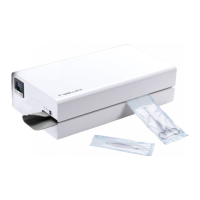
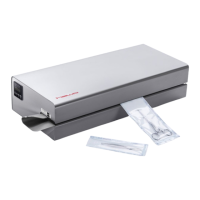
Illustrates the device's components and outlines the step-by-step sealing process.
Details requirements for safe installation, including environment, power, and spacing.
Step-by-step guide on powering on the device and preparing it for operation.
Describes the normal operational steps, including setting edge width and inserting packaging.
Explains the sealing temperature monitoring and its effect on device operation.
Guides users through setting the temperature controller, including self-test and display indicators.
Details the meaning of different control light states (okay, stby, parameter) during operation.
Explains the function of each button (S, ▲, ▼, ↩) across different menu levels.
Covers specific device settings like sealing temperature entry and printer control.
Describes how to enter or select a personnel code, potentially via barcode scanner.
Details how to enter various data like key lock, date, time, and year.
Instructions for entering expiry dates.
Instructions for entering batch numbers.
Instructions for entering package content quantities.
How to select the sterilization method (Steam, Ethylene Oxide, Plasma, etc.).
Configuration and control of the batch counter, including direction and switching.
Managing the standby function for energy saving or readiness.
Viewing operating hours and absolute batch counter data.
Setting measurement units for temperature (Europe °C vs. USA °F).
Adjusting the width of printed characters based on packaging size.
Details on activating and managing personal number monitoring for security.
Selecting the preferred format for displaying dates (e.g., DD.MM.YYYY).
Selecting the preferred format for displaying time (24-hour vs. 12-hour).
Configuring which data fields (Sterilisation date, Time, Batch number, etc.) are printed.
Lists entries and functions controllable via the device or a barcode scanner.
Lists entries and functions exclusively controllable via a barcode scanner.
A table listing malfunctions, possible causes, and remedies for device issues.
Provides contact information for hawo customer service and support channels.
Explains the device's alarm functions and how to interpret error displays.
Outlines the recommended maintenance cycle and calibration procedures for the device.
Instructions on how to order spare parts, including required information.
Details specific replacement parts with their corresponding article numbers and visual representation.
Provides a visual overview of major replacement parts within the device assembly.
Step-by-step guide for replacing common wear parts like the ink ribbon.
Detailed instructions for replacing the PTFE tape on the guide rails.
Step-by-step instructions for removing and installing a new pressure roller.
Procedure for adjusting and calibrating the device's temperature control system.
Guide on configuring the baud rate for serial communication with the device.
Provides electrical circuit and wiring diagrams for the HD 650 DC model.
Lists technical specifications including connection data, mechanical details, and environmental parameters.
 General
| Brand | hawo |
|---|---|
| Model | hd 650 DC EcoPak |
| Category | Packaging equipment |
| Language | English |


 To Next Page