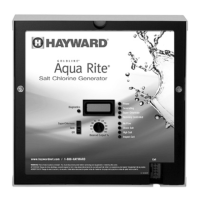
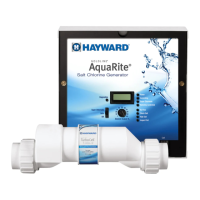
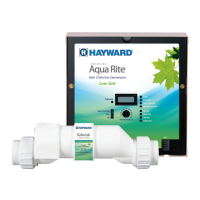
This document is the owner's manual for the Hayward AquaRite 900 series Electronic Chlorine Generator, specifically models AQR940 and AQR925.
Function Description:
The AquaRite 900 series is an automatic chlorine generation system designed for pool and spa sanitation. It operates by converting a low concentration of salt (sodium chloride) in the pool water into free chlorine, which effectively kills bacteria and algae. This process continuously recycles the chlorine, reducing the need for manual addition of sanitizing chemicals. The system is suitable for residential swimming pools up to 40,000 gallons (150,000 liters) for the AQR940 model, and up to 25,000 gallons (95,000 liters) for the AQR925 model. The actual chlorination required varies based on bather load, rainfall, temperature, and pool cleanliness. Hayward explicitly states that the AquaRite is not recommended for generating bromine.
Important Safety Instructions:
The manual emphasizes several critical safety precautions. Users must read and follow all instructions, use only copper conductors, and disconnect all AC power during installation. Children should not operate the product without close supervision. Hayward salt systems are designed and certified as complete systems; using untested, uncertified generic cells or circuit boards with genuine Hayward products will void the warranty and can lead to premature product failure. A non-genuine Hayward replacement salt chlorination cell will void any applicable warranty. The device requires proper grounding to an "Earth Ground" terminal with a continuous copper wire and bonding to the local common bonding grid using an insulated or bare copper conductor (not smaller than 8 AWG US / 6 AWG Canada). All field-installed metal components within 3 meters of the pool, spa, or hot tub must also be bonded to the equipment grounding bus. The product must be used only in accordance with the label's directions, as using it under unsafe conditions is an offense under the Pest Control Products Act.
Important Technical Specifications:
The AquaRite 900 series is designed for 120/240 VAC power input. It includes a Turbo cell, flow switch, and cell unions for plumbing. The electrolytic cell and flow switch tee fitting are designed for 2" (51mm) PVC pipe, with adapters available for 1½" (38 mm) plumbing. The control unit is housed in a raintight enclosure suitable for outdoor mounting, requiring a minimum horizontal distance of 5 ft. (2 meters) from the pool/spa. It must be mounted vertically on a flat surface with knockouts facing downward, ensuring the four sides are not blocked to allow for heat dissipation. The AquaRite is protected by a 20 amp mini ATO fuse located on the circuit board.
Water Chemistry Recommendations:
Maintaining proper water chemistry is crucial for the AquaRite's performance and longevity. Recommended ideal levels (per The Association of Pool and Spa Professionals - APSP) include:
- Salt: 2700 to 3400 ppm (3200 ppm optimal)
- Free Chlorine: 1.0 to 3.0 ppm
- pH: 7.2 to 7.8
- Cyanuric Acid (Stabilizer): 30 to 50 ppm for outdoor pools, 0 ppm for indoor pools
- Total Alkalinity: 80 to 120 ppm
- Calcium Hardness: 200 to 400 ppm
- Metals: 0 ppm
- Saturation Index (Si): -0.2 to 0.2 (0 best). The Si indicates water balance; values below -0.2 suggest corrosive water, while values above +0.2 indicate scaling and staining risk.
Usage Features:
The AquaRite features a Main Switch with three positions:
- AUTO: For normal operation, chlorine is produced according to the "Desired Output %" setting during the filtering/pumping cycle.
- SUPER CHLORINATE: Electronically "super chlorinates" (shocks) the water for 24 hours to address high bather loads, heavy rain, or cloudy water conditions. The filter pump must be on during this time.
- OFF: Prevents the electrolytic cell from energizing and stops chlorine generation. Power should be turned off at the circuit breaker for servicing.
Indicator LEDs:
- POWER: Illuminates when the AquaRite has input power.
- GENERATING: Steady when operating normally; flashes if pool water is too hot or cold to operate.
- SUPER CHLORINATE: Illuminates during super-chlorination.
- REMOTELY CONTROLLED: Illuminates when a remote pool automation control (e.g., Hayward Pro Logic, Pentair Intellitouch, Polaris Eos) is controlling the AquaRite, disabling the main switch and "Desired Output %" adjustment. Flashes if the automation control is in SERVICE or TIME-OUT mode, reactivating local controls.
- NO FLOW: Illuminates when the flow switch detects no water flow, stopping chlorine generation. Flashing indicates a 15-60 second time delay.
- CHECK SALT: Flashes when salt level is low (below 2700 ppm), indicating low efficiency. Illuminates steady when salt level is too low, shutting down the AquaRite.
- HIGH SALT: Illuminates when salt level is too high, shutting down the AquaRite.
- INSPECT CELL: Flashes to indicate reduced cell efficiency or scheduled inspection. Illuminates steady when cell efficiency is greatly reduced, stopping chlorine production, and requiring inspection, cleaning, or replacement.
User Interface and Settings:
- Turbo Cell Type Setting: The AquaRite must be configured for the specific chlorinator cell used (t-3, t-5, t-9, t-15). This is done via the Main Switch and Diagnostic button.
- "Desired Output %" Adjustment Knob: Controls the amount of chlorine generated.
- Salt Display: Shows the average salt level of the pool water in ppm (default) or g/l (metric).
- Temperature Display: Shows the current pool water temperature in °F (default) or °C (metric).
- Instant Salinity: Displays the measured salt level at that moment, useful for observing immediate changes after adding salt.
- Diagnostic Displays: Sequential pushes of the diagnostic button show pool temperature, cell voltage, cell current, desired output %, instant salinity, product name, software revision level, and chlorinator cell type.
Plumbing and Installation:
The flow switch and cell should be plumbed in the return line to the pool/spa, preferably downstream of all other pool equipment (filter, heater, solar). Specific configurations (#2 or #3) are recommended for pool/spa combination systems with spillover to prevent over-chlorination during "spa only" operation. A minimum of 12" (25cm) straight pipe run is required before the flow switch, and the arrow on the flow switch must point in the direction of water flow. Unions for the electrolytic cell should be tightened by hand.
Wiring:
The AquaRite can be wired for stand-alone operation to the LOAD SIDE of the filter pump timer, or directly to 120/240VAC power when used with Hayward, Pentair, or Polaris automation controls. Jumpers on the PCB configure the unit for 120VAC or 240VAC. For Canadian models, the AquaRite must be connected to a circuit protected by a Class A ground fault interrupter. The electrolytic cell and flow switch cables connect to specific ports on the bottom of the enclosure. For automation controls, a 4-wire connection is used, and one AquaRite unit must be configured as "primary" while others are "secondary."
Maintenance Features:
- Cell Inspection: Recommended every 3 months or after cleaning the filter. The "Inspect Cell" LED flashes after approximately 500 hours of operation to remind the user. Pressing the diagnostic button for 3 seconds resets this timer.
- Cell Cleaning: The AquaRite has a self-cleaning feature. However, in areas with hard water or unbalanced chemistry, periodic manual cleaning may be needed. Deposits can be flushed with a high-pressure garden hose or scraped with a plastic/wood tool.
- Mild Acid Washing: For severe scale, a 4:1 solution of water to muriatic acid can be used. Always add acid to water, wear protective gear, and ensure the wire harness compartment is not submerged. Soak for a few minutes, then rinse.
- Winterizing: The electrolytic cell and flow switch must be drained of water in freezing conditions to prevent damage. The electronic control unit does not need to be removed.
- Spring Start-up: Do not turn on the AquaRite until pool water chemistry is balanced to recommended levels.
Troubleshooting:
The manual provides solutions for common problems such as the "Power" LED not being on (check power, fuse), "Generating" LED flashing (water temperature too high/low), "No Flow" LED illuminated (check flow switch connection, pipe run, flow direction), "Check Salt" LED (low salt), "High Salt" LED (high salt), and "Inspect Cell" LED (reduced cell efficiency, scale, or worn cell). It also addresses the display of "-Pcb-" and all 4 red/yellow LEDs illuminated, indicating a possible Printed Circuit Board fault requiring service. A table outlines basic pool maintenance requirements for free chlorine, pH, alkalinity, salt, stabilizer, calcium, and electrolytic cell inspection/cleaning.
Warranty:
Hayward offers a limited warranty (effective 02/12/16) for its AquaRite 900 series chlorination products. Private residential swimming pools in the US and Canada receive a four (4) year warranty for defects in materials and workmanship. Commercial pools in the US and Canada receive a one (1) year warranty. All accessories and replacement parts have a one (1) year warranty. The warranty is not transferable and applies only to the original owner. Proof of purchase is required for warranty service. Exclusions include damage from improper installation (including on pools larger than the product rating), failure to operate/maintain according to the manual, failure to maintain pool water chemistry, tampering, accidents, abuse, negligence, unauthorized repairs, environmental factors (fire, flood, lightning, freezing, external water, degradation of natural stone), and the use of non-genuine Hayward replacement salt chlorination cells. The manual also details a 90-day extended warranty available upon product registration via smartphone or online.


 To Next Page

 General