USE ONLY HAYWARD GENUINE REPLACEMENT PARTS
8
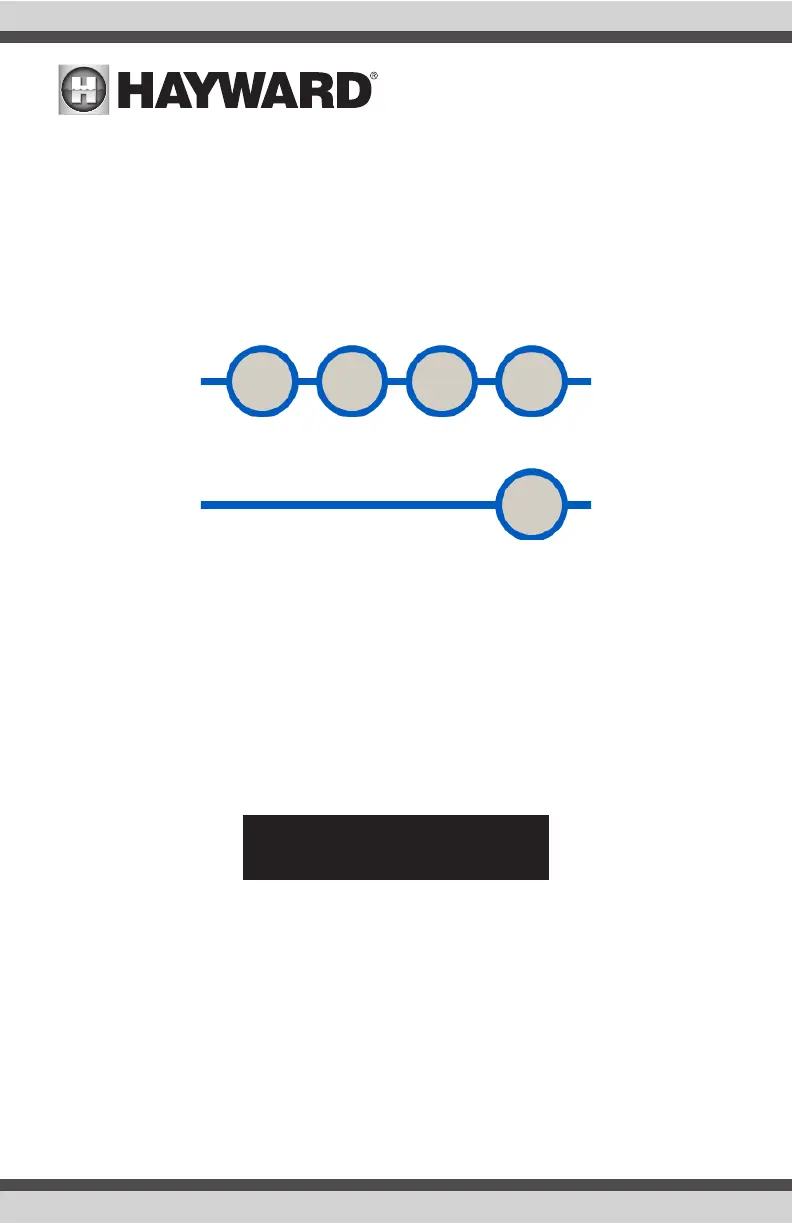
MENU: Used to enter menu mode and to navigate back within the menu structure.
UP: Used to increase values and to navigate vertically up within the menu structure.
DOWN: Used to decrease values and to navigate down within the menu structure.
ENTER: Used to select or confirm a menu item.
TRANSMIT: Sends a Service Request alarm and current data to the POOLCOMM web server.
Basic Configuration Options
Normal Operating Mode:
During normal operating mode, the display will indicate sensed pH, ORP, Flow Rate (with optional
digital flow sensor) and a status line which alternates between:
a) “System OK” or a list of any alarm conditions
b) A graph indicating sensed pH and ORP vs- setpoint values.
The following is a typical display during normal operating mode:
To Change The Brightness Of The Display:
The display intensity can be changed to accommodate comfortable viewing in a variety of lighting
circumstances. While in normal operating mode:
Press UP to increase display intensity.
Press DOWN to decrease display intensity.
MENU UP DOWN ENTER
TRANSMIT
pH 7.5 ORP 650
System OK



 To Next Page