EasyManua.ls Logo

Hayward CAT 5500 - User Manual

Hayward CAT 5500
36 pages
Print Icon
To Next Page IconTo Next Page
Loading...
\
USE ONLY HAYWARD GENUINE REPLACEMENT PARTS
Hayward Pool Products
620 Division Street, Elizabeth NJ 07207
www.hayward.com
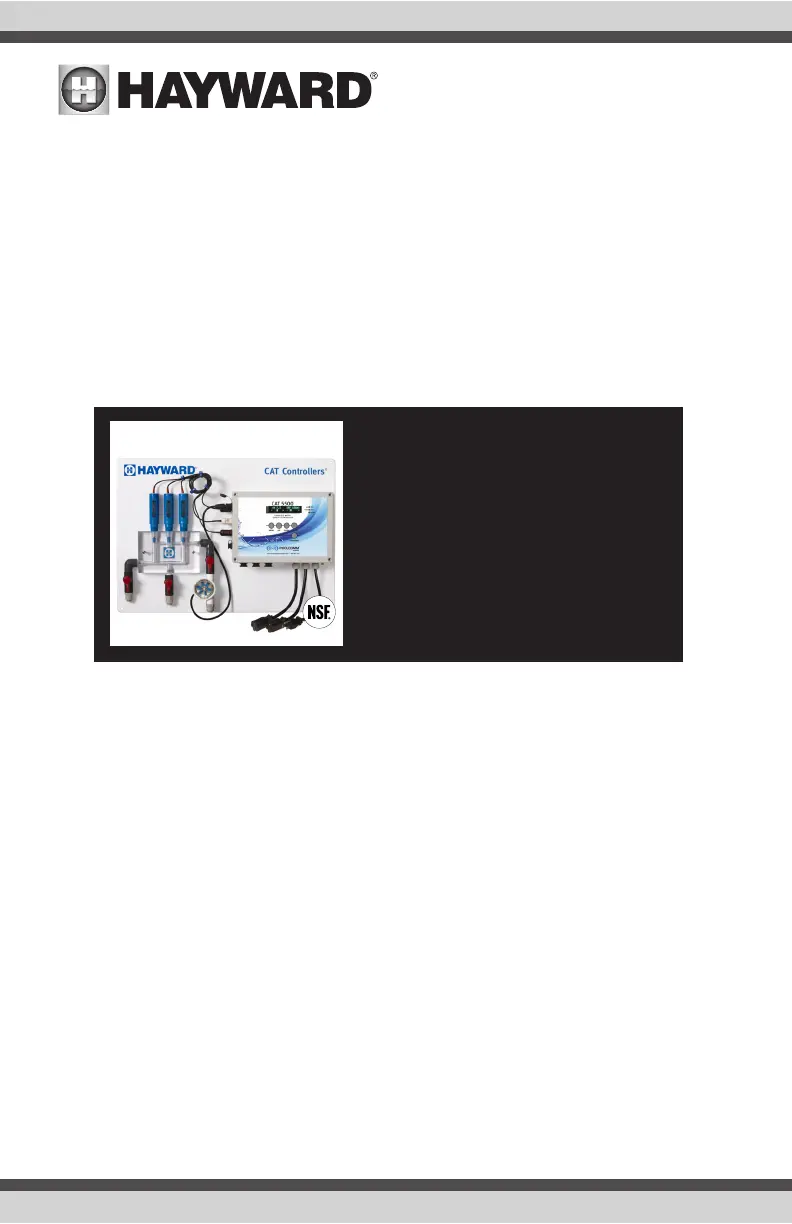
CAT 5500
Water Quality Controller
Owners Manual
092601 RevB
CAT-5500
Contents
Introduction.......................................2
Installation........................................4
Pool Chemistry ..................................7
Conguration.....................................7
System Maintenance........................24
Network Communications................25
Troubleshooting...............................29
Warranty..........................................34
®

Questions and Answers

  • S
    Sara ValenzuelaAug 3, 2025
    What to do if my Hayward CAT 5500 Controller shows 'No Flow'?
    • A
      Ashley AlvarezAug 3, 2025
      First, verify that the filtration system is running and water is moving through the flow cell. If water is flowing, but the alarm persists, inspect the flow sensor for any obstructions.
  • C
    Christopher DuncanAug 7, 2025
    Why does my Hayward CAT 5500 Controller display 'pH Overfeed'?
    • J
      James SmithAug 7, 2025
      First, check the chemical supply and chemical feeder. If both are in order, check the Overfeed timeout setting as it may need to be increased to keep up with chemical demand.
  • S
    susan34Aug 12, 2025
    Why does my Hayward Controller display 'ORP Overfeed'?
    • S
      Sharon BrownAug 12, 2025
      First, check the chemical supply and chemical feeder. If both are in order check the Overfeed timer setting as it may need to be increased to keep up with chemical demand.
  • E
    Erica GreeneAug 16, 2025
    What to do if the Hayward CAT 5500 Controller displays 'pH Tank Low'?
    • V
      Vanessa WrightAug 16, 2025
      Begin by checking the chemical level. If the level is above the sensor, inspect the sensor for any obstructions or scaling.
  • S
    Sarah FullerAug 20, 2025
    What to do if the Hayward Controller displays 'ORP Tank Low'?
    • B
      Barbara WattsAug 21, 2025
      First check the chemical level. If the level is above the sensor, check the sensor for obstruction or calcification.
  • A
    Austin BennettAug 25, 2025
    How to fix a 'pH High' reading on my Hayward Controller?
    • R
      Regina HinesAug 25, 2025
      First, test the pool/spa water with a phenol red pH test kit. If the pH on the test kit agrees with the controller and the pH is above 7.8, check the pH correction chemical level. If the manual test does not agree with the controller clean the sensor.
  • H
    Heather MccallAug 29, 2025
    How to fix a 'pH Low' reading on my Hayward Controller?
    • G
      grace34Aug 29, 2025
      First, test the pool/spa water with a phenol red pH test kit. If the pH on the test kit agrees with the controller and the pH is below 7.2, check the pH correction chemical level. If the manual test does not agree with the controller clean the sensor.

Summary

IMPORTANT SAFETY INSTRUCTIONS

Introduction

Description

Overview of the CAT 5500 water quality monitoring and maintenance capabilities.

Whats Included

Description

Details on the components included in the CAT 5500 wireless water quality control system.

Installation

Installation Procedure

Step-by-step guide for installing the CAT 5500 controller and its components.

Pool Chemistry

Configuration

Overview

Introduction to the controller's menu structure and setup options.

Basic Configuration Options

Normal Operating Mode

Explanation of the controller's display and basic operational modes.

Advanced Configuration Options

pH Priority

pH Feed Settings

ORP Feed and Timeout

ORP Alarms

Auxiliary Settings

System Alarm Management

Input and Compensation Settings

Calibration and Offset Settings

Factor Calibration and System Management

Firmware Update and Demo Mode

System Maintenance

Network Communications

Using The POOLCOMM Website

Troubleshooting

Technical Specifications

Addendum for UL Listed Models

Warranty

Hayward CAT 5500 Specifications

General IconGeneral
BrandHayward
ModelCAT 5500
CategoryController
LanguageEnglish

Related product manuals