EasyManua.ls Logo

Hayward TriVac 700 - User Manual

Hayward TriVac 700
9 pages
Print Icon
To Next Page IconTo Next Page
Loading...
Hayward Pool Products
620 Division Street | Elizabeth, NJ 07201
www.Hayward-Pool.com
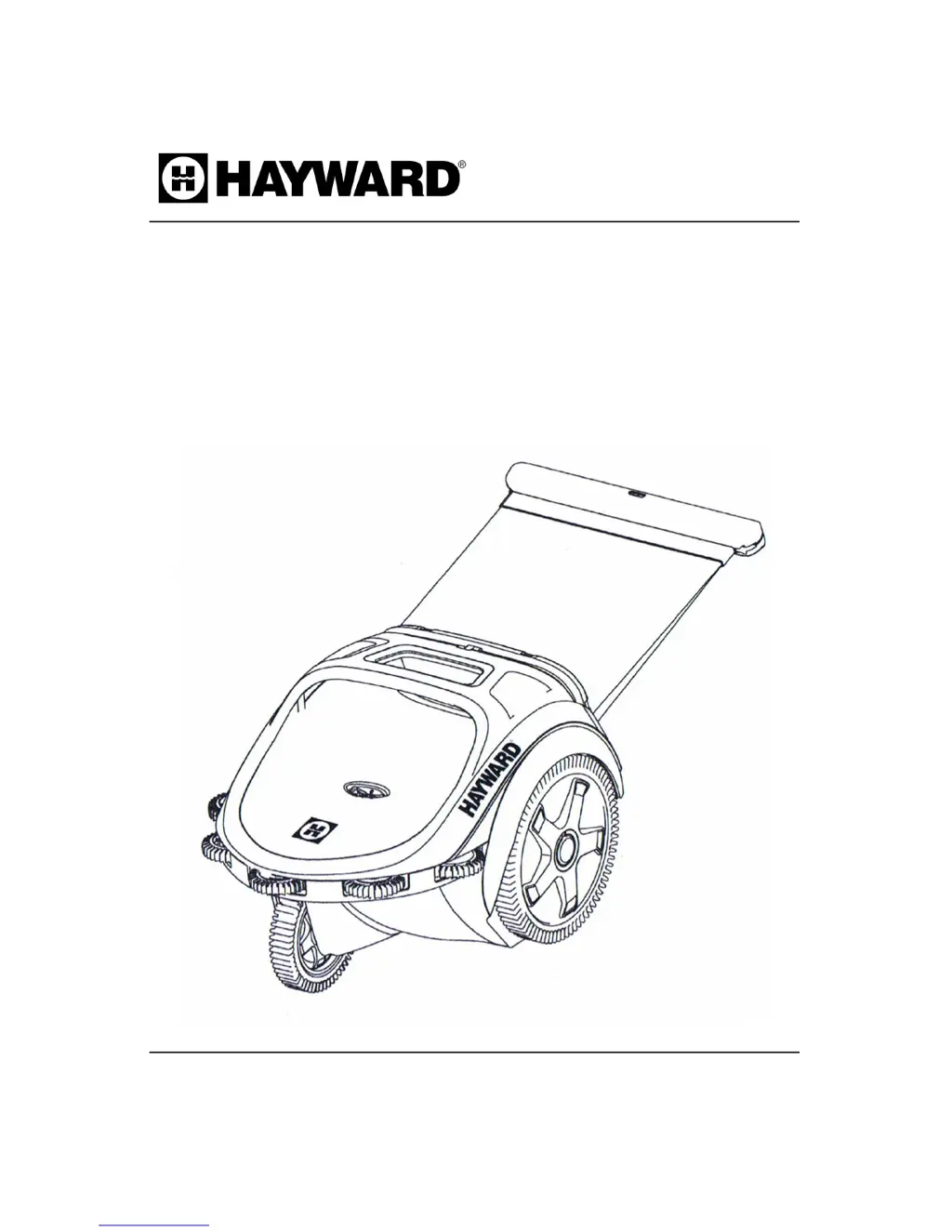
TRIVAC 700
Pressure Pool Cleaner
owners manual

Questions and Answers

  • A
    April PierceAug 13, 2025
    Why is my Hayward Swimming Pool Vacuum moving so slowly?
    • T
      Tammy WiseAug 13, 2025
      If your Hayward Swimming Pool Vacuum is moving slowly or not at all, the cause may be low or no water pressure. Check the filtration and booster pumps, valves, and cleaner connections. Also, check the cleaner pressure.
  • F
    fwoodAug 17, 2025
    How to stop my Hayward TriVac 700 Swimming Pool Vacuum hose from tangling?
    • B
      Brandy WilsonAug 17, 2025
      To prevent your Hayward Swimming Pool Vacuum hose from tangling, consider these potential causes and solutions: * **Float Placement:** Ensure the float is centered on the two-foot hose connected to the pipe closest to the cleaner. * **Hose Length:** Verify the hose isn't too long. * **Sweep Hose Movement:** Check the sweep hose for any holes or clogs, and consider increasing sweep hose power.
  • R
    robinmartinezAug 20, 2025
    What to do if there is little or no sweep hose movement in my Hayward Swimming Pool Vacuum?
    • M
      malonejenniferAug 20, 2025
      If your Hayward Swimming Pool Vacuum has little or no sweep hose movement, consider the following: * **Hose Power:** Increase hose power. * **Hose Condition:** Replace the sweep hose if there is a hole in it. * **Debris:** Disconnect the sweep hose and flush it out to remove any clogs.
  • B
    beckerjimmyAug 25, 2025
    Why doesn't my Hayward TriVac 700 Swimming Pool Vacuum reach the farthest point in the pool?
    • R
      Robert McdonaldAug 25, 2025
      If your Hayward Swimming Pool Vacuum isn't reaching the farthest point in your pool, the hose might be too short. Check the hose length.
  • C
    christensenjerryAug 28, 2025
    What to do if my Hayward Swimming Pool Vacuum is running on its side or upside down?
    • W
      wsheltonAug 28, 2025
      If your Hayward Swimming Pool Vacuum is running on its side or upside down, it might be due to heavy debris or high pressure: * Empty the bag. * Check the operating pressure.
  • L
    Lori MooreSep 1, 2025
    Why can't my Hayward TriVac 700 Swimming Pool Vacuum climb to the surface in TOP mode?
    • S
      Sarah WrightSep 1, 2025
      If your Hayward Swimming Pool Vacuum can't climb to the surface in TOP mode, it could be due to: * Incorrect Pressure: Check the operating pressure, as it might be too high or too low. * Too Much Debris: Empty the bag if it contains too much heavy debris.
  • S
    Stacey JacksonSep 5, 2025
    Why does the sweep hose of my Hayward Swimming Pool Vacuum spray out of the pool?
    • E
      Eric YorkSep 5, 2025
      If the sweep hose of your Hayward Swimming Pool Vacuum sprays out of the pool, the sweep hose power might be too strong. Reduce sweep hose power.
  • X
    xwhitakerSep 9, 2025
    Why does my Hayward TriVac 700 Swimming Pool Vacuum run in small circles?
    • D
      dsmithSep 9, 2025
      If your Hayward Swimming Pool Vacuum runs in small circles, the hose on the hose cleaner end assembly may be bent. Layout the hose in the sun until it straightens.

Summary

Hayward TRIVAC 700 Pressure Pool Cleaner Owners Manual

Safety Facts and Tools

Preparing the Pool

Backwash Procedure

Perform a backwash, clean your filter, skimmer baskets and pump basket.

Pool Chemical Levels

Check pool chemical levels: pH, Chlorine, and Total Alkalinity.

Dedicated Return Line Connection

Connect the cleaner to a dedicated return line using appropriate fittings.

Connecting the TRIVAC

Installing Wall Fitting

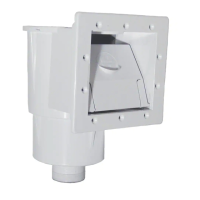
Install the universal wall fitting into the dedicated line, using Teflon tape on plastic threads.

Sizing Pressure Hose

Hose Sizing Procedure

Measure and cut the pressure hose to ensure proper length for pool coverage.

Debris Bag Management

Attaching the Debris Bag

Attach the debris bag to the cleaner frame by pulling the top back and then up.

Removing the Debris Bag

Pull the top of the debris bag frame back and then up to remove it.

Cleaning the Debris Bag

Clean the debris bag. Allowing it to dry makes debris removal easier.

Setting Pressure and Operation

Changing Bottom to Skim Mode

Rotate the switch to the upward arrow for SKIM mode to clean the pool surface.

Changing Skim to Bottom Mode

Rotate the switch to the downward arrow for BOTTOM mode to clean pool sides and bottom.

Adjusting Sweep Hose and Maintenance

Adjusting Sweep Hose Power

Turn the adjustment knob counter-clockwise to increase sweep hose power.

Reducing Sweep Hose Spray

Turn the adjustment knob clockwise to reduce sweep hose power.

Removing Cleaner from Pool

Turn off power to the cleaner before removing it from the pool.

Cleaning the In-Line Filter

Clean the in-line filter screen. If it clogs often, check filtration system or plumbing.

Replacing Parts

Sweep Hose Replacement

Replace the sweep hose if it develops a hole. Unscrew the mender nut and attach a new hose.

Sweep Hose Rollers Replacement

Replace wear rollers when worn down to the outer groove wear line.

Debris Bag Replacement

Replace the debris bag if it is torn.

Swivel Replacement

Replace swivels if they cease to turn easily or leak.

Tire Replacement

Replace tires when they wear down to the wear marks.

Side Roller Replacement

Replace side rollers when they wear down.

Troubleshooting

Warranty Information

Limited Warranty Terms

Limited warranty for cleaners, covering defects in materials/workmanship for two years.

Warranty Registration Card

Hayward TriVac 700 Specifications

General IconGeneral
BrandHayward
ModelTriVac 700
CategorySwimming Pool Vacuum
LanguageEnglish

Related product manuals