Basic functions
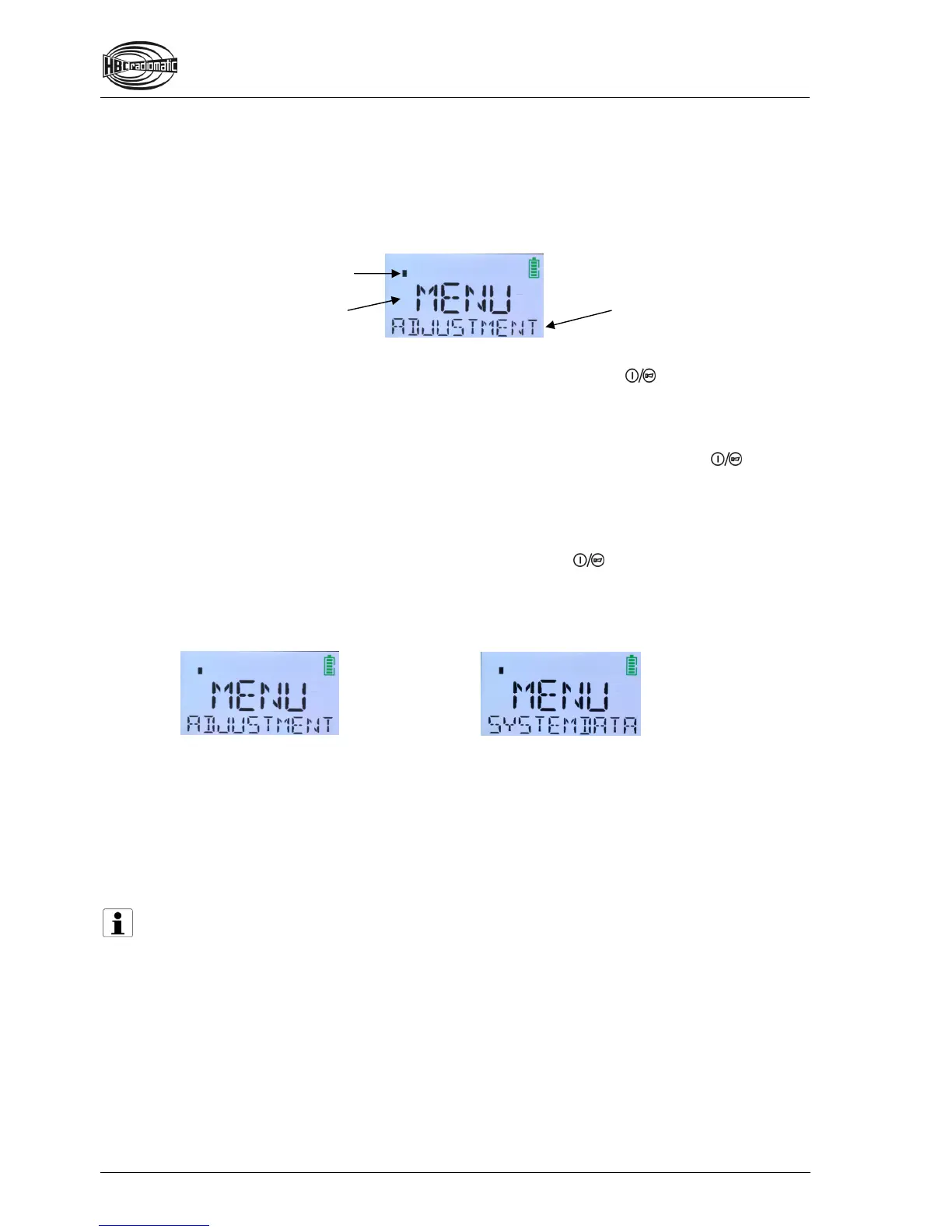
There are various menu levels available for entering individual settings. The level you are currently in is
displayed in the first text line (= the upper line). In addition, bars appear in the left corner over the text
line
. The number of bars indicates the current menu level. By browsing with the navigation button, the
second text line can display the respective available sub-menus or the configurable fields.
The display navigation and the input of your settings are made via the 2-step
button. This operating
element has two basic functions:
The first step enables browsing between sub-menus or (in the last level of the menu structure)
moving the cursor between the editable values
and selecting the requested character. If the first
step is pressed continuously, the display browses through the sub-menus until the
button is
released or pressed into the second step. If you momentarily press the button once in step 1, the
next sub-menu is selected.
The second step is used for menu selection and saving your settings.
All individual settings begin in the selection menu (the first text line here displays MENU). You can
return to the selection menu from all levels easily. Simply press the
button in the second step for
longer than 2 seconds.
In the selection menu there are 2 sub-menus, which are shown in the second text line:
Sub-menu ADJUSTMENT
Here you can adjust the display brightness and change the fixed texts in lines 1 and 2 of the display.
Sub-menu SYSTEMDATA
Here you will find information about the radio system that can be useful in a service case (e.g.
fabrication number, service phone number, frequencies etc.). Individual settings are not possible!
Note:
If you want to work with the transmitter after finishing your settings, you need to deactivate the
transmitter via the STOP switch and reactivate it by the standard start-up sequence or your
HBC Smart Card. For safety reasons, changing directly from the settings mode to working mode is
not possible.
Current menu
Current menu level.
Here: Level 1.
Selected sub-menu (further
sub-menus or configurable
fields can be displayed by
browsing).


 To Next Page