With HBC Smart Card
1. Insert a charged battery into the battery compartment.
2. Pull the STOP switch.
APPLY SMART CARD is now shown in the
display.
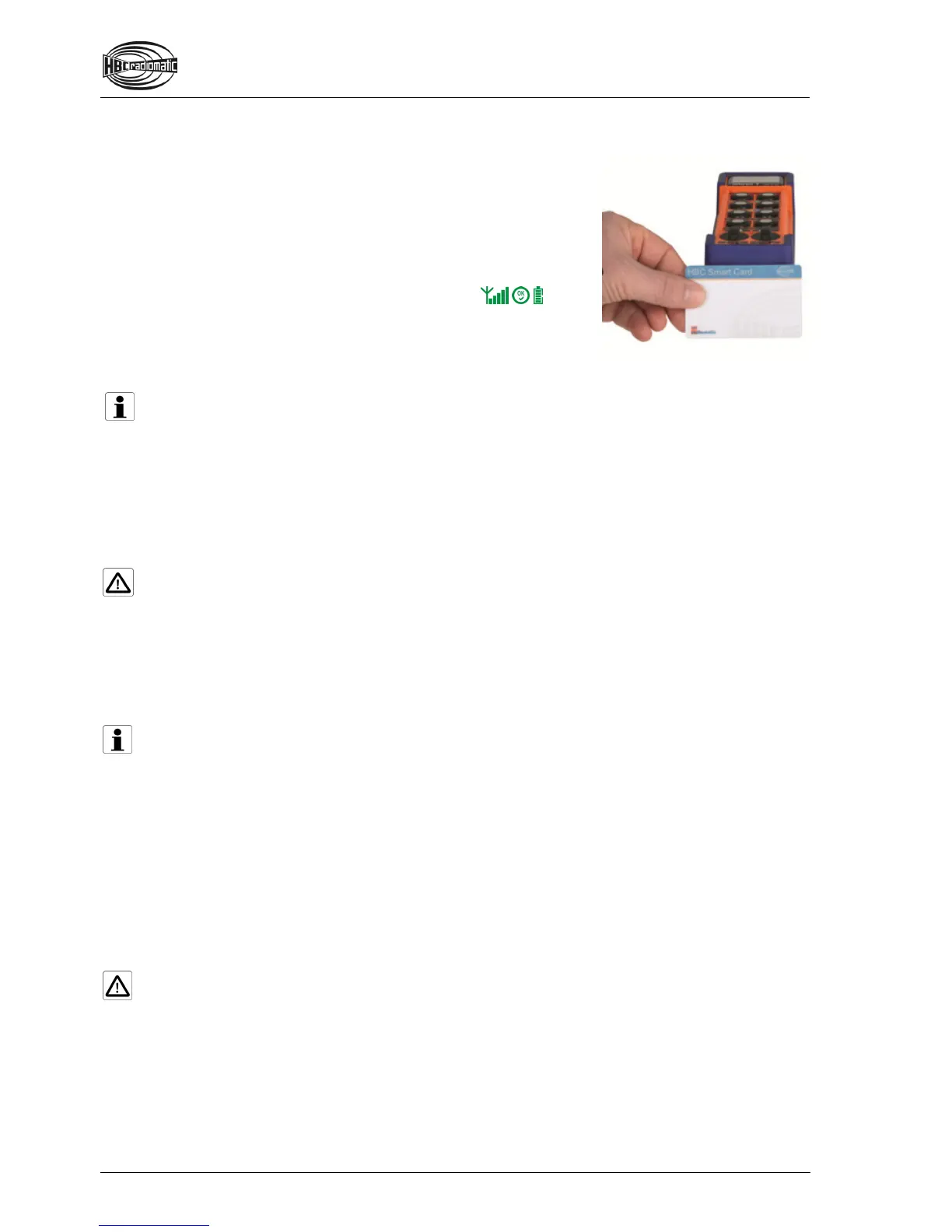
3. Hold your HBC Smart Card to the lower end of the transmitter
(cf. illustration).
4. The status LED flashes green.
The following symbols are now shown in the display:
5. The transmitter is now ready for operation.
6. HELLO USER _ is shown in the display for 2 seconds.
Note:
The transmitter can only be activated with a valid Smart Card. If you use a card that does not
match the respective transmitter or is not approved for this transmitter, CARD INVALID appears in
the display. The transmitter is automatically shut down after 2 seconds. Please contact your
superior in such cases.
The transmitter also shuts down if the start sequence is not completed within 10 seconds. In this
case press the STOP switch and repeat the entire start sequence!
Caution:
Before starting work always trigger the acoustic signal. This warns all colleagues that the machine
is about to move.
Deactivating the Transmitter
Press the STOP switch.
Note:
Replace the battery when the battery display flashes red, an acoustic signal sounds, the status
LED flashes red and the transmitter vibrates (option). Otherwise, the transmitter will switch off in a
few minutes.
Recharge the empty battery in the respective charger.
Automatic Switch-OFF (APO Function)
For safety reasons we have equipped the transmitter with an automatic switch-OFF (APO function).
The transmitter is automatically put out of circuit after approx. 15 minutes of non-use.
The automatic switch-OFF also saves battery power.
After an automatic switch-OFF you must reactivate the transmitter as described in chapter “Operation”.
Caution:
The automatic switch-OFF does not relieve the operator of his responsibility to turn off the
transmitter with the STOP switch when not in use.


 To Next Page