4
MAC-ADDRESS
11.Make sure that the HDG Control Touch XL control unit is online.
12.Enter the MAC-Address.
13.Confirm your entry with the button Confirm (1).
PIN
14.Enter the PIN.
15.Confirm your entry with the button Confirm (1).
✓ The connection between your boiler and the HDG WebControl is
established.
✓ You are back on the boiler selection page.
Figure 2/7 - Activate boiler
1
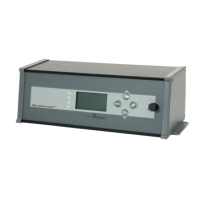
The MAC address is the unique identification for your HDG Control
Pro. You will find it in the control unit HDG Control Pro, „Main menu“
-> „Network“ -> „MAC“ or alternatively on the back of the control
unit at „MAC WAN“.
Additionally, a PIN unequal to „0“ is required for access. You can set
the individual PIN in the control unit at „Main menu“ -> „Network“ ->
„myHDG PIN“.
For remote access by an expert, there is also the „Expert PIN“, which
can remain at „0“ and is only defined when required.
Figure 2/8 - Enter PIN
1
Figure 2/9 - Choose boiler
1



 To Next Page