Page 25 of 34
GPU Heat Sink System Installation
Before installing the GPU, function test the side I/O board (HD Audio, PWR ON
switch, USB 2.0/3.0 Port) for proper operation. Once the GPU heat sink system
is installed the side connectors will be inaccessible.
Connect the PCIEx16 riser card from the motherboard to the video card, and
turn on the PC. If the PCIEx16 card is functioning properly, and showing the
correct PCIE version (3.0) and speed (x16), turn off the PC and disconnect the
GPU.
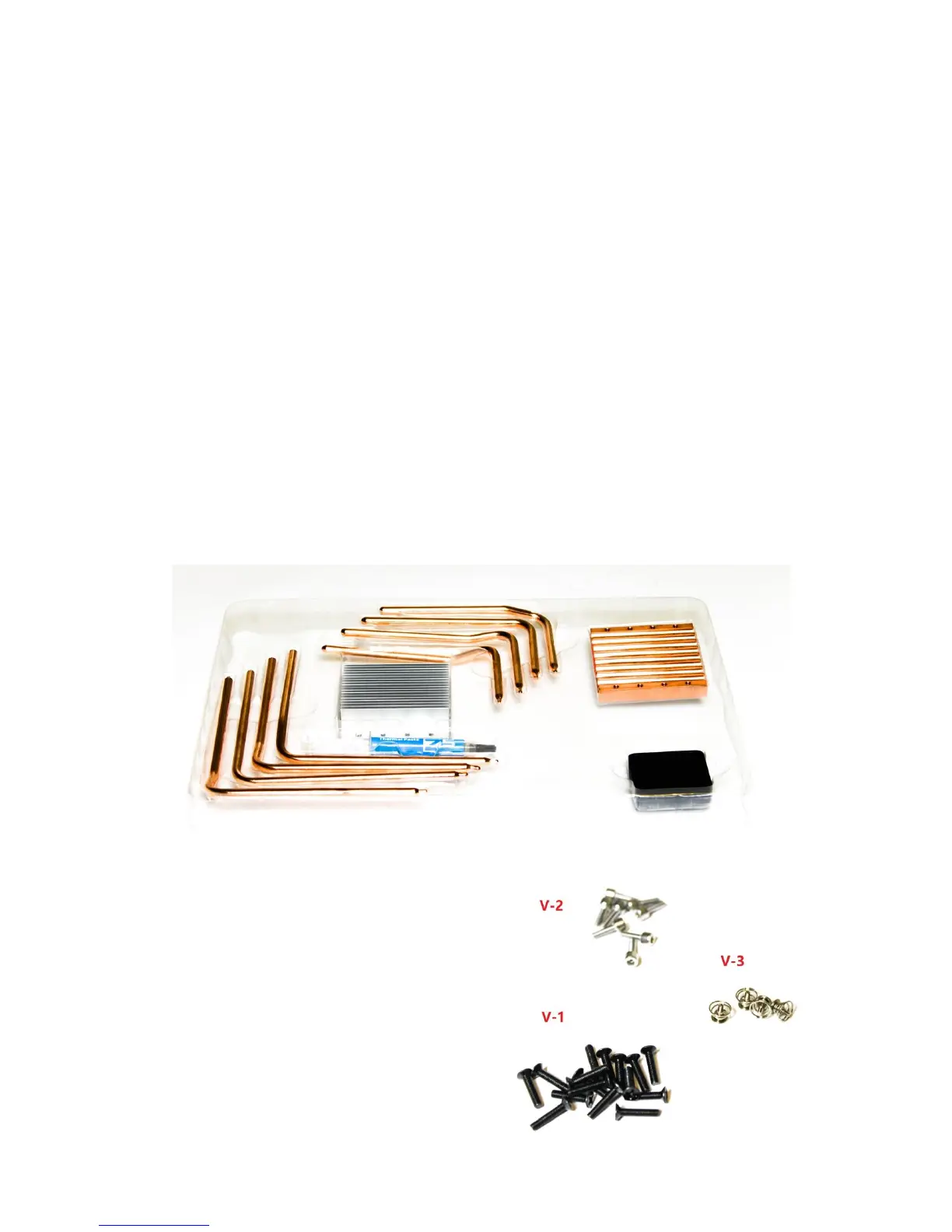
HDPLEX GPU Heat Sink system parts list:
6mm OD Copper Heat pipes (x8)
Aluminum Top Cover
Copper Base Plate
High Quality Thermal Paste 3.5g
Aluminum Plate for Heat pipe installation (x4)
V-1: M3*14 M3 screws (x16)
V-2: M4*10 CUP Head M3 screws (x8)
V-3: M3*7 screws w/spring (x4)



 To Next Page