QUICK START GUIDE
NAVIGATE THROUGH YOUR SMARTWATCH
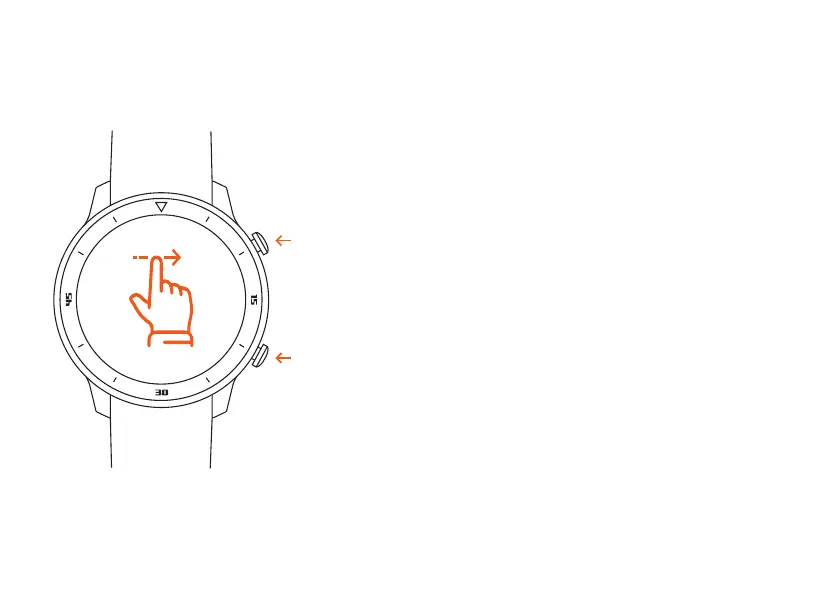
Depending on the direction you swipe, you can access
other areas of your smartwatch. With one click on the top
or lower button you always come back to the start screen.
BUTTON FUNCTION
Button On/Off: short press, turn on/off/one key to return
to the dial, long press to shut down
Button Return: On the dial interface, short press to turn
on/off the screen, in other interfaces, short press one
level to exit.
BUTTON ON/OFF
BUTTON RETURN


 To Next Page