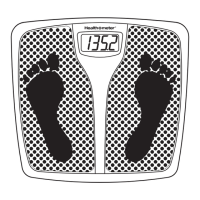
button to conrm your selection.
button to conrm your selection.
buttons. Display will show the user prole, then it will
The display will rst show your weight and body fat percentage.
button to save your record. The display will ash the word
to conrm that the information has been saved in memory.
Place the scale on a at
will ash "
t and who dedicate 12 hours or more per week to intense
The display will ash the height, age, gender & "SAVED".
The display will ash your goal weight and the word
Your prole and goal (if desired) has been saved and the
WEIGHT & BODY FAT
MONITORING
SCALE
User’s Manual
Model 32910004
Item 12178
WELCOME!
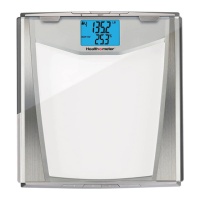
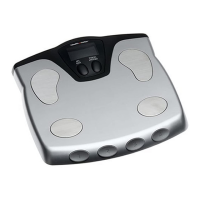
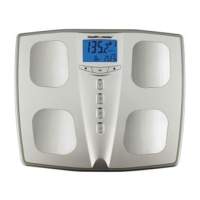
Congratulations on your purchase of this Health o meter
®
wellness monitoring scale. It's so much more than just a scale.
It helps monitor your weight, body fat, body hydration, body
mass index (BMI) and suggested daily caloric intake (DCI) for
up to four different users. It's easy to use. Once your profile
is set, your scale is ready to use. Also, you can save up to 6
records for each user.
www.healthometer.com
button. The user prole will be
prole for the selected user.
button to conrm the operation.
" will ash twice. The scale will
Removing the battery will not affect the
recorded data and user prole.
Insert four new batteries, pressing them rmly into
an experienced radio/TV technician for help. Changes or modications not expressly
This process will erase ALL history for ALL
users including user proles and saved
1. Press the desired
button. The
user profile will be
displayed.
2. Press the or
button to review up to
five (5) saved records
per user.
M1 is the oldest record. Once there are 5 records saved, each new
record will replace older records in memory.
1. Press the desired USER button and the HEIGHT will start
blinking.
2. Press the ^ or & button to choose the desired AGE. Then
press the
button.
3. Press the ^ or & button to choose the desired GENDER:
FEMALE , MALE , ATHLETE FEMALE or ATHLETE
MALE
. Then press the button.
Athlete mode is intended for individuals that are very
fit and who dedicate 12 hours or more per week to intense
physical activity such as swimming, biking or running. It
does not include individuals that recently started making a
commitment to intense physical exercise.
The display will flash the height, age, gender & "SAVED". Then,
it will display the words and , with the word
blinking.
4. To set a GOAL, press the ^ or & button to select
then press the
button.
You can set a goal (by selecting ) or just track
your weight (by selecting ).
5. Press the ^ or & button to select your desired GOAL weight,
and press the
button to store it. The display
will flash your goal weight and the word .,
followed by “
---”. Then the scale will calibrate to
0.0
with either or .
Your profile and goal (if desired) has been saved and the scale is
ready for use.
1. Press one of the buttons. Display will show the user profile, then it will
calibrate ("
---") and will show "0.0" with either or and the user
number.
Make sure to stand on the scale with bare feet.
2. Step on the scale and position your feet in a manner that will distribute your weight
evenly over the entire scale platform. Stand still while reading the display.
3. The display will first show your weight and body fat percentage.
4. After you step off of the scale, the display will scroll through you water level, BMI
(Body Mass Index) and suggested DCI (Daily Caloric Intake).
If the user setup a GOAL weight, the display will show the estimated weeks to
achieve your goal with the suggested Daily Caloric Intake. If the user did not setup a
goal, the fourth screen will show the amount of calories needed to maintain the current
weight.
5. Press the button to save your record. The display will flash the word
to confirm that the information has been saved in memory.
In order to preserve battery life, your scale will automatically turn off after a
short period of inactivity.
I
T IS NORMAL FOR YOUR WEIGHT TO VARY DURING THE DAY AND FROM
ONE DAY TO ANOTHER
.
S
This unit includes four (4) AA batteries. When "Lo" appears on the display, replace
all batteries.
a) Locate the battery cover on the back of the scale.
Push the locking tab and pull the battery cover up.
b) Use the tip of a pen to loosen each battery. Hold the
scale at an angle to allow the batteries to slide out.
c) Insert four new batteries, pressing them firmly into
their slot.
d) Replace the battery cover.
If "E" appears on the upper row of the display:
• The scale cannot detect a stable weight. Stand still while
weighing.
•
The weight has exceeded the scale's capacity (400 LB/181 KG).
If "E" appears on the lower row of the display:
• The scale cannot measure body fat.
• Ensure you stand on the scale with bare feet.
Display will turn off automatically in 20 seconds if no key
is pressed.
User’s Manual
Model BFM081
Please read all instructions to familiarize yourself with features and operations before
programming the scale.
• The use of this scale is not recommended for persons with an electric implant
(heart pacemaker).
• The scale will not calculate body fat unless you have bare feet.
• For an accurate body fat estimate, do not bend your knees and keep your legs/
thighs apart and straight when standing on the scale.
• The body fat function is not recommended for use by pregnant women, persons
with fever, swollen legs or other edemas, as well as a person who is over hydrated
or dehydrated.
• Body fat percentages may be slightly higher or lower for children under 16, persons
with diabetes and other health conditions.
• Women naturally store approximately 5% more body fat than men.
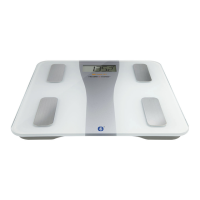
Congratulations on your purchase of this Health o meter®
wellness monitoring product. It's so much more than just a
scale. It helps monitor your weight, body fat, body hydration,
body mass index (BMI) and suggested daily caloric intake (DCI)
for up to four different users. It's easy to use. Once your profile
is set, your scale is ready to use. Also, you can save up to 5
records for each user.
1. User Number and Memory
Indicator
2. Height in feet and inches or
centimeters (CM), Weight, and
suggested Daily Caloric Intake
(DCI) Readout
3. Unit of Measure: Pounds (LB)
or Kilograms (KG)
4. Step On indicator
5. Information ready to be saved
6. Gender Symbols: Athlete
Female, Female, Athlete Male,
and Male
7. Scroll Up and Down indicators
8. Body Fat % / Age / Body Mass
Index (BMI) / Water (Hydration)
Level Readout
9. Daily Caloric Intake (DCI)
10. DOWN Button (
)
11. SELECT Button
12. UP Button (
)
13. User Buttons
Scale Features
1. While the scale is OFF, press the button.
2. Press and hold the button immediately to enter
the user reseting function.
3. Press the ^ or & button to choose
4. Press the button to confirm the operation.
5. The horizontal bars
“ “ will flash twice.
The scale
will prompt for the user setup process.
Body hydration percentage indicates the amount of fluids you have
in your body. Water in your system is important because it regulates
body temperature, converts food into energy and protects vital
organs. Individuals with more body fat have proportionately less total
body water and are more susceptible to fluid imbalances that cause
dehydration.
When tracking your body hydration level you should consider the
following:
1. Take your hydration measurements the same time of day.
2. Monitor you readings to establish a personal body hydration range.
3. Do not drink any caffeinated or alcoholic drinks before taking a
measurement.
4. Drink water if dehydration is detected.
Extracted from Dialysis & Transplantation, © 2001; Sports Nutrition For Young Adults: Hydration; Crystal Springs:
Hydration Information; The National Women’s Health Information Center: 4woman.gov
Body hydration ranges, shown as a percentage
of your body weight
Age Female Male
Newborn 75% 80%
1-5 65% 65%
10-16 60% 60%
17-39 50% 60%
40-59 47% 55%
60+ 45% 50%
Please consult with your physician to determine the appropriate hydration level for your body.
Extracted from Principals & Labs for Fitness and Wellness, 1st Edition ©1999.
To determine the percentage of body fat that is appropriate for your body, consult your physician.
As you continue to lose/gain weight, the scale will adjust the amount of time
required to reach your goal. The suggested DCI number will remain constant.
1. Press and hold the desired button for 3 seconds.
2. Press the ^ or & button to select
. Then press the
button to enter the goal setup.
3. To change your goal weight, press the ^ or & button to
reach your desired weight and press the button
to store it.
www.healthometer.com
1. Place the scale on a flat surface. A hard surface is best for maximum
accuracy.
2. Step onto the scale and position your feet so that your weight is distributed
evenly over the scale platform. Stand still while the scale calculates your
weight. The LCD display will flash
“ “
several times for a few seconds
before displaying your weight. Stand still while reading the display.
This scale offers both "Instant On" (Step onto scale) or "Tap On" (Tap
on lower right corner and wait for “
0
.0” and "Step On"). During the “Instant On”
weighing, if you see “
“, the scale has recalibrated. Please step on the scale
to weigh yourself again.
Whether you remain standing on the scale, or you step off the scale immediately
after your weight is displayed, your weight will continue to display for a few
seconds and then turn off automatically.
If you choose to see your weight in Kilograms, then the scale will also change
the measurement of height from feet and inches to centimeters.
1. While the scale is OFF, hold down the button until the unit of
measurement icon starts blinking.
2. Press the
or button to choose the desired unit of measurement (LB for pounds
or KG for Kilograms).
3. Press the button to confirm your selection.
4. Press the
or button to select if you want to reset the scale.
5. Press the button to confirm your selection.
If you choose , then all information for all users will be erased.
The Health o meter
®
Body Fat Monitoring Scale can help you in achieving your
physical best by providing five critical measurement estimates: BODY WEIGHT,
BODY FAT COMPOSITION, BODY HYDRATION, BODY MASS INDEX, and
SUGGESTED DAILY CALORIC INTAKE; in addition, it helps you track your
progress to a goal by allowing you to set your weight goal and calculating the
weight differences between your starting point, your previously saved weight
and your set weight goal.
Traditional bathroom scales indicate your overall weight—both lean mass and
body fat together. The Health o meter
®
Body Fat Monitoring Scale lets you
track your weight, body fat and body hydration separately.
PLEASE DO NOT RETURN THIS PRODUCT TO ANY OF
THESE ADDRESSES OR TO THE PLACE OF PURCHASE.
Sunbeam Products, Inc. doing business as Jarden Consumer Solutions or if in Canada,
Sunbeam Corporation (Canada) Limited doing business as Jarden Consumer Solutions
(collectively “JCS”) warrants that for a period of five years from the date of purchase, this
product will be free from defects in material and workmanship. JCS, at its option, will
repair or replace this product or any component of the product found to be defective during
the warranty period. Replacement will be made with a new or remanufactured product or
component. If the product is no longer available, replacement may be made with a similar
product of equal or greater value. This is your exclusive warranty. Do NOT attempt to repair or
adjust any electrical or mechanical functions on this product. Doing so will void this warranty.
This warranty is valid for the original retail purchaser from the date of initial retail purchase
and is not transferable. Keep the original sales receipt. Proof of purchase is required to obtain
warranty performance. JCS dealers, service centers, or retail stores selling JCS products
do not have the right to alter, modify or in any way change the terms and conditions of this
warranty. This warranty does not cover normal wear of parts or damage resulting from any of
the following: negligent use or misuse of the product, use on improper voltage or current, use
contrary to the operating instructions, disassembly, repair or alteration by anyone other than
JCS or an authorized JCS service center. Further, the warranty does not cover: Acts of God,
such as fire, flood, hurricanes and tornadoes.
What are the limits on JCS’s Liability?
JCS shall not be liable for any incidental or consequential damages caused by the breach
of any express, implied or statutory warranty or condition. Except to the extent prohibited by
applicable law, any implied warranty or condition of merchantability or fitness for a particular
purpose is limited in duration to the duration of the above warranty. JCS disclaims all other
warranties, conditions or representations, express, implied, statutory or otherwise. JCS shall
not be liable for any damages of any kind resulting from the purchase, use or misuse of, or
inability to use the product including incidental, special, consequential or similar damages
or loss of profits, or for any breach of contract, fundamental or otherwise, or for any claim
brought against purchaser by any other party. Some provinces, states or jurisdictions do not
allow the exclusion or limitation of incidental or consequential damages or limitations on how
long an implied warranty lasts, so the above limitations or exclusion may not apply to you.
This warranty gives you specific legal rights, and you may also have other rights that vary
from province to province, state to state or jurisdiction to jurisdiction.
How to Obtain Warranty Service
In the U.S.A: If you have any questions regarding this warranty or would like to obtain
warranty service, please call 1 800-672-5625 and a convenient service center address will be
provided to you.
In Canada: If you have any questions regarding this warranty or would like to obtain warranty
service, please call 1 800-667-8623 and a convenient service center address will be provided
to you.
In the U.S.A., this warranty is offered by Sunbeam Products, Inc. doing business as Jarden
Consumer Solutions located in Boca Raton, Florida 33431. In Canada, this warranty is
offered by Sunbeam Corporation (Canada) Limited doing business as Jarden Consumer
Solutions, located at 20 B Hereford Street, Brampton, Ontario L6Y 0M1. If you have any
other problem or claim in connection with this product, please write our Consumer Service
Department.
PLEASE DO NOT RETURN THIS PRODUCT TO ANY OF
THESE ADDRESSES OR TO THE PLACE OF PURCHASE.
© 2010 Sunbeam Products, Inc. doing business as Jarden Consumer Solutions. All rights reserved. Distributed
by Sunbeam Products, Inc. doing business as Jarden Consumer Solutions, Boca Raton, Florida 33431.
Printed in China. 144195 10/10 Rev. 1
Tap ON Instant ON
1. While the scale is OFF, hold down the
button until the unit of measurement icon starts
blinking.
2. Press the button to acknowledge the
current unit of measurement (LB for pounds or KG
for Kilograms).
3. To confirm your desire to reset the whole scale,
press the ^ or & button to choose and
press .
4. The horizontal bars
“ “ will flash twice.
All
history and profile are erased.
Periodically wipe the scale surface down with a DRY cloth to remove dust.
1. Press the desired
button. The
user profile will be
displayed.
2. Press the or
button to review up to
five (5) saved records
per user.
M1 is the oldest record. Once there are 5 records saved, each new
record will replace older records in memory.
1. Press the desired USER button and the HEIGHT will start
blinking.
2. Press the ^ or & button to choose the desired AGE. Then
press the
button.
3. Press the ^ or & button to choose the desired GENDER:
FEMALE
, MALE , ATHLETE FEMALE or ATHLETE
MALE
. Then press the button.
Athlete mode is intended for individuals that are very
fit and who dedicate 12 hours or more per week to intense
physical activity such as swimming, biking or running. It
does not include individuals that recently started making a
commitment to intense physical exercise.
The display will flash the height, age, gender & "SAVED". Then,
it will display the words and , with the word
blinking.
4. To set a GOAL, press the ^ or & button to select
then press the
button.
You can set a goal (by selecting ) or just track
your weight (by selecting ).
5. Press the ^ or & button to select your desired GOAL weight,
and press the
button to store it. The display
will flash your goal weight and the word .,
followed by “
---”. Then the scale will calibrate to
0.0
with either or .
Your profile and goal (if desired) has been saved and the scale is
ready for use.
1. Press one of the buttons. Display will show the user profile, then it will
calibrate ("
---") and will show "0.0" with either or and the user
number.
Make sure to stand on the scale with bare feet.
2. Step on the scale and position your feet in a manner that will distribute your weight
evenly over the entire scale platform. Stand still while reading the display.
3. The display will first show your weight and body fat percentage.
4. After you step off of the scale, the display will scroll through you water level, BMI
(Body Mass Index) and suggested DCI (Daily Caloric Intake).
If the user setup a GOAL weight, the display will show the estimated weeks to
achieve your goal with the suggested Daily Caloric Intake. If the user did not setup a
goal, the fourth screen will show the amount of calories needed to maintain the current
weight.
5. Press the button to save your record. The display will flash the word
to confirm that the information has been saved in memory.
In order to preserve battery life, your scale will automatically turn off after a
short period of inactivity.
I
T IS NORMAL FOR YOUR WEIGHT TO VARY DURING THE DAY AND FROM
ONE DAY TO ANOTHER
.
S
This unit includes four (4) AA batteries. When "Lo" appears on the display, replace
all batteries.
a) Locate the battery cover on the back of the scale.
Push the locking tab and pull the battery cover up.
b) Use the tip of a pen to loosen each battery. Hold the
scale at an angle to allow the batteries to slide out.
c) Insert four new batteries, pressing them firmly into
their slot.
d) Replace the battery cover.
If "E" appears on the upper row of the display:
• The scale cannot detect a stable weight. Stand still while
weighing.
•
The weight has exceeded the scale's capacity (400 LB/181 KG).
If "E" appears on the lower row of the display:
• The scale cannot measure body fat.
• Ensure you stand on the scale with bare feet.
Display will turn off automatically in 20 seconds if no key
is pressed.
User’s Manual
Model BFM081
Please read all instructions to familiarize yourself with features and operations before
programming the scale.
• The use of this scale is not recommended for persons with an electric implant
(heart pacemaker).
• The scale will not calculate body fat unless you have bare feet.
• For an accurate body fat estimate, do not bend your knees and keep your legs/
thighs apart and straight when standing on the scale.
• The body fat function is not recommended for use by pregnant women, persons
with fever, swollen legs or other edemas, as well as a person who is over hydrated
or dehydrated.
• Body fat percentages may be slightly higher or lower for children under 16, persons
with diabetes and other health conditions.
• Women naturally store approximately 5% more body fat than men.
Congratulations on your purchase of this Health o meter®
wellness monitoring product. It's so much more than just a
scale. It helps monitor your weight, body fat, body hydration,
body mass index (BMI) and suggested daily caloric intake (DCI)
for up to four different users. It's easy to use. Once your profile
is set, your scale is ready to use. Also, you can save up to 5
records for each user.
1. User Number and Memory
Indicator
2. Height in feet and inches or
centimeters (CM), Weight, and
suggested Daily Caloric Intake
(DCI) Readout
3. Unit of Measure: Pounds (LB)
or Kilograms (KG)
4. Step On indicator
5. Information ready to be saved
6. Gender Symbols: Athlete
Female, Female, Athlete Male,
and Male
7. Scroll Up and Down indicators
8. Body Fat % / Age / Body Mass
Index (BMI) / Water (Hydration)
Level Readout
9. Daily Caloric Intake (DCI)
10. DOWN Button (
)
11. SELECT Button
12. UP Button (
)
13. User Buttons
Scale Features
1. While the scale is OFF, press the button.
2. Press and hold the button immediately to enter
the user reseting function.
3. Press the ^ or & button to choose
4. Press the button to confirm the operation.
5. The horizontal bars
“ “ will flash twice.
The scale
will prompt for the user setup process.
Body hydration percentage indicates the amount of fluids you have
in your body. Water in your system is important because it regulates
body temperature, converts food into energy and protects vital
organs. Individuals with more body fat have proportionately less total
body water and are more susceptible to fluid imbalances that cause
dehydration.
When tracking your body hydration level you should consider the
following:
1. Take your hydration measurements the same time of day.
2. Monitor you readings to establish a personal body hydration range.
3. Do not drink any caffeinated or alcoholic drinks before taking a
measurement.
4. Drink water if dehydration is detected.
Extracted from Dialysis & Transplantation, © 2001; Sports Nutrition For Young Adults: Hydration; Crystal Springs:
Hydration Information; The National Women’s Health Information Center: 4woman.gov
Body hydration ranges, shown as a percentage
of your body weight
Age Female Male
Newborn 75% 80%
1-5 65% 65%
10-16 60% 60%
17-39 50% 60%
40-59 47% 55%
60+ 45% 50%
Please consult with your physician to determine the appropriate hydration level for your body.
Extracted from Principals & Labs for Fitness and Wellness, 1st Edition ©1999.
To determine the percentage of body fat that is appropriate for your body, consult your physician.
As you continue to lose/gain weight, the scale will adjust the amount of time
required to reach your goal. The suggested DCI number will remain constant.
1. Press and hold the desired button for 3 seconds.
2. Press the ^ or & button to select
. Then press the
button to enter the goal setup.
3. To change your goal weight, press the ^ or & button to
reach your desired weight and press the button
to store it.
www.healthometer.com
1. Place the scale on a flat surface. A hard surface is best for maximum
accuracy.
2. Step onto the scale and position your feet so that your weight is distributed
evenly over the scale platform. Stand still while the scale calculates your
weight. The LCD display will flash
“ “
several times for a few seconds
before displaying your weight. Stand still while reading the display.
This scale offers both "Instant On" (Step onto scale) or "Tap On" (Tap
on lower right corner and wait for “
0
.0” and "Step On"). During the “Instant On”
weighing, if you see “ “, the scale has recalibrated. Please step on the scale
to weigh yourself again.
Whether you remain standing on the scale, or you step off the scale immediately
after your weight is displayed, your weight will continue to display for a few
seconds and then turn off automatically.
If you choose to see your weight in Kilograms, then the scale will also change
the measurement of height from feet and inches to centimeters.
1. While the scale is OFF, hold down the button until the unit of
measurement icon starts blinking.
2. Press the
or button to choose the desired unit of measurement (LB for pounds
or KG for Kilograms).
3. Press the button to confirm your selection.
4. Press the
or button to select if you want to reset the scale.
5. Press the button to confirm your selection.
If you choose , then all information for all users will be erased.
The Health o meter
®
Body Fat Monitoring Scale can help you in achieving your
physical best by providing five critical measurement estimates: BODY WEIGHT,
BODY FAT COMPOSITION, BODY HYDRATION, BODY MASS INDEX, and
SUGGESTED DAILY CALORIC INTAKE; in addition, it helps you track your
progress to a goal by allowing you to set your weight goal and calculating the
weight differences between your starting point, your previously saved weight
and your set weight goal.
Traditional bathroom scales indicate your overall weight—both lean mass and
body fat together. The Health o meter
®
Body Fat Monitoring Scale lets you
track your weight, body fat and body hydration separately.
PLEASE DO NOT RETURN THIS PRODUCT TO ANY OF
THESE ADDRESSES OR TO THE PLACE OF PURCHASE.
Sunbeam Products, Inc. doing business as Jarden Consumer Solutions or if in Canada,
Sunbeam Corporation (Canada) Limited doing business as Jarden Consumer Solutions
(collectively “JCS”) warrants that for a period of five years from the date of purchase, this
product will be free from defects in material and workmanship. JCS, at its option, will
repair or replace this product or any component of the product found to be defective during
the warranty period. Replacement will be made with a new or remanufactured product or
component. If the product is no longer available, replacement may be made with a similar
product of equal or greater value. This is your exclusive warranty. Do NOT attempt to repair or
adjust any electrical or mechanical functions on this product. Doing so will void this warranty.
This warranty is valid for the original retail purchaser from the date of initial retail purchase
and is not transferable. Keep the original sales receipt. Proof of purchase is required to obtain
warranty performance. JCS dealers, service centers, or retail stores selling JCS products
do not have the right to alter, modify or in any way change the terms and conditions of this
warranty. This warranty does not cover normal wear of parts or damage resulting from any of
the following: negligent use or misuse of the product, use on improper voltage or current, use
contrary to the operating instructions, disassembly, repair or alteration by anyone other than
JCS or an authorized JCS service center. Further, the warranty does not cover: Acts of God,
such as fire, flood, hurricanes and tornadoes.
What are the limits on JCS’s Liability?
JCS shall not be liable for any incidental or consequential damages caused by the breach
of any express, implied or statutory warranty or condition. Except to the extent prohibited by
applicable law, any implied warranty or condition of merchantability or fitness for a particular
purpose is limited in duration to the duration of the above warranty. JCS disclaims all other
warranties, conditions or representations, express, implied, statutory or otherwise. JCS shall
not be liable for any damages of any kind resulting from the purchase, use or misuse of, or
inability to use the product including incidental, special, consequential or similar damages
or loss of profits, or for any breach of contract, fundamental or otherwise, or for any claim
brought against purchaser by any other party. Some provinces, states or jurisdictions do not
allow the exclusion or limitation of incidental or consequential damages or limitations on how
long an implied warranty lasts, so the above limitations or exclusion may not apply to you.
This warranty gives you specific legal rights, and you may also have other rights that vary
from province to province, state to state or jurisdiction to jurisdiction.
How to Obtain Warranty Service
In the U.S.A: If you have any questions regarding this warranty or would like to obtain
warranty service, please call 1 800-672-5625 and a convenient service center address will be
provided to you.
In Canada: If you have any questions regarding this warranty or would like to obtain warranty
service, please call 1 800-667-8623 and a convenient service center address will be provided
to you.
In the U.S.A., this warranty is offered by Sunbeam Products, Inc. doing business as Jarden
Consumer Solutions located in Boca Raton, Florida 33431. In Canada, this warranty is
offered by Sunbeam Corporation (Canada) Limited doing business as Jarden Consumer
Solutions, located at 20 B Hereford Street, Brampton, Ontario L6Y 0M1. If you have any
other problem or claim in connection with this product, please write our Consumer Service
Department.
PLEASE DO NOT RETURN THIS PRODUCT TO ANY OF
THESE ADDRESSES OR TO THE PLACE OF PURCHASE.
© 2010 Sunbeam Products, Inc. doing business as Jarden Consumer Solutions. All rights reserved. Distributed
by Sunbeam Products, Inc. doing business as Jarden Consumer Solutions, Boca Raton, Florida 33431.
Printed in China. 144195 10/10 Rev. 1
Tap ON Instant ON
1. While the scale is OFF, hold down the
button until the unit of measurement icon starts
blinking.
2. Press the button to acknowledge the
current unit of measurement (LB for pounds or KG
for Kilograms).
3. To confirm your desire to reset the whole scale,
press the ^ or & button to choose and
press .
4. The horizontal bars
“ “ will flash twice.
All
history and profile are erased.
Periodically wipe the scale surface down with a DRY cloth to remove dust.
1. Press the desired
button. The
user profile will be
displayed.
2. Press the or
button to review up to
five (5) saved records
per user.
M1 is the oldest record. Once there are 5 records saved, each new
record will replace older records in memory.
1. Press the desired USER button and the HEIGHT will start
blinking.
2. Press the ^ or & button to choose the desired AGE. Then
press the
button.
3. Press
the ^ or & button to choose the desired GENDER:
FEMALE
, MALE , ATHLETE FEMALE or ATHLETE
MALE
. Then press the button.
Athlete mode is intended for individuals that are very
fit and who dedicate 12 hours or more per week to intense
physical activity such as swimming, biking or running. It
does not include individuals that recently started making a
commitment to intense physical exercise.
The display will flash the height, age, gender & "SAVED". Then,
it will display the words and , with the word
blinking.
4. To set a GOAL, press the ^ or & button to select
then press the
button.
You can set a goal (by selecting ) or just track
your weight (by selecting ).
5. Press the ^ or & button to select your desired GOAL weight,
and press the
button to store it. The display
will flash your goal weight and the word .,
followed by “
---”. Then the scale will calibrate to
0.0
with either or .
Your profile and goal (if desired) has been saved and the scale is
ready for use.
1. Press one of the buttons. Display will show the user profile, then it will
calibrate ("
---") and will show "0.0" with either or and the user
number.
Make sure to stand on the scale with bare feet.
2. Step on the scale and position your feet in a manner that will distribute your weight
evenly over the entire scale platform. Stand still while reading the display.
3. The display will first show your weight and body fat percentage.
4. After you step off of the scale, the display will scroll through you water level, BMI
(Body Mass Index) and suggested DCI (Daily Caloric Intake).
If the user setup a GOAL weight, the display will show the estimated weeks to
achieve your goal with the suggested Daily Caloric Intake. If the user did not setup a
goal, the fourth screen will show the amount of calories needed to maintain the current
weight.
5. Press the button to save your record. The display will flash the word
to confirm that the information has been saved in memory.
In order to preserve battery life, your scale will automatically turn off after a
short period of inactivity.
I
T IS NORMAL FOR YOUR WEIGHT TO VARY DURING THE DAY AND FROM
ONE DAY TO ANOTHER
.
This unit includes four (4) AA batteries. When "Lo" appears on the display, replace
all batteries.
a) Locate the battery cover on the back of the scale.
Push the locking tab and pull the battery cover up.
b) Use the tip of a pen to loosen each battery. Hold the
scale at an angle to allow the batteries to slide out.
c) Insert four new batteries, pressing them firmly into
their slot.
d) Replace the battery cover.
If "E" appears on the upper row of the display:
• The scale cannot detect a stable weight. Stand still while
weighing.
•
The weight has exceeded the scale's capacity (400 LB/181 KG).
If "E" appears on the lower row of the display:
• The scale cannot measure body fat.
• Ensure you stand on the scale with bare feet.
Display will turn off automatically in 20 seconds if no key
is pressed.
User’s Manual
Model BFM081
Please read all instructions to familiarize yourself with features and operations before
programming the scale.
• The use of this scale is not recommended for persons with an electric implant
(heart pacemaker).
• The scale will not calculate body fat unless you have bare feet.
• For an accurate body fat estimate, do not bend your knees and keep your legs/
thighs apart and straight when standing on the scale.
• The body fat function is not recommended for use by pregnant women, persons
with fever, swollen legs or other edemas, as well as a person who is over hydrated
or dehydrated.
• Body fat percentages may be slightly higher or lower for children under 16, persons
with diabetes and other health conditions.
• Women naturally store approximately 5% more body fat than men.
Congratulations on your purchase of this Health o meter®
wellness monitoring product. It's so much more than just a
scale. It helps monitor your weight, body fat, body hydration,
body mass index (BMI) and suggested daily caloric intake (DCI)
for up to four different users. It's easy to use. Once your profile
is set, your scale is ready to use. Also, you can save up to 5
records for each user.
1. User Number and Memory
Indicator
2. Height in feet and inches or
centimeters (CM), Weight, and
suggested Daily Caloric Intake
(DCI) Readout
3. Unit of Measure: Pounds (LB)
or Kilograms (KG)
4. Step On indicator
5. Information ready to be saved
6. Gender Symbols: Athlete
Female, Female, Athlete Male,
and Male
7. Scroll Up and Down indicators
8. Body Fat % / Age / Body Mass
Index (BMI) / Water (Hydration)
Level Readout
9. Daily Caloric Intake (DCI)
10. DOWN Button (
)
11. SELECT Button
12. UP Button (
)
13. User Buttons
Scale Features
1. While the scale is OFF, press the button.
2. Press and hold the button immediately to enter
the user reseting function.
3. Press the ^ or & button to choose
4. Press the button to confirm the operation.
5. The horizontal bars
“ “ will flash twice.
The scale
will prompt for the user setup process.
Body hydration percentage indicates the amount of fluids you have
in your body. Water in your system is important because it regulates
body temperature, converts food into energy and protects vital
organs. Individuals with more body fat have proportionately less total
body water and are more susceptible to fluid imbalances that cause
dehydration.
When tracking your body hydration level you should consider the
following:
1. Take your hydration measurements the same time of day.
2. Monitor you readings to establish a personal body hydration range.
3. Do not drink any caffeinated or alcoholic drinks before taking a
measurement.
4. Drink water if dehydration is detected.
Extracted from Dialysis & Transplantation, © 2001; Sports Nutrition For Young Adults: Hydration; Crystal Springs:
Hydration Information; The National Women’s Health Information Center: 4woman.gov
Body hydration ranges, shown as a percentage
of your body weight
Age Female Male
Newborn 75% 80%
1-5 65% 65%
10-16 60% 60%
17-39 50% 60%
40-59 47% 55%
60+ 45% 50%
Please consult with your physician to determine the appropriate hydration level for your body.
Extracted from Principals & Labs for Fitness and Wellness, 1st Edition ©1999.
To determine the percentage of body fat that is appropriate for your body, consult your physician.
As you continue to lose/gain weight, the scale will adjust the amount of time
required to reach your goal. The suggested DCI number will remain constant.
1. Press and hold the desired button for 3 seconds.
2. Press the ^ or & button to select
. Then press the
button to enter the goal setup.
3. To change your goal weight, press the ^ or & button to
reach your desired weight and press the button
to store it.
www.healthometer.com
1. Place the scale on a flat surface. A hard surface is best for maximum
accuracy.
2. Step onto the scale and position your feet so that your weight is distributed
evenly over the scale platform. Stand still while the scale calculates your
weight. The LCD display will flash
“ “
several times for a few seconds
before displaying your weight. Stand still while reading the display.
This scale offers both "Instant On" (Step onto scale) or "Tap On" (Tap
on lower right corner and wait for “
0
.0” and "Step On"). During the “Instant On”
weighing, if you see “
“, the scale has recalibrated. Please step on the scale
to weigh yourself again.
Whether you remain standing on the scale, or you step off the scale immediately
after your weight is displayed, your weight will continue to display for a few
seconds and then turn off automatically.
If you choose to see your weight in Kilograms, then the scale will also change
the measurement of height from feet and inches to centimeters.
1. While the scale is OFF, hold down the button until the unit of
measurement icon starts blinking.
2. Press the
or button to choose the desired unit of measurement (LB for pounds
or KG for Kilograms).
3. Press the button to confirm your selection.
4. Press the
or button to select if you want to reset the scale.
5. Press the button to confirm your selection.
If you choose , then all information for all users will be erased.
The Health o meter
®
Body Fat Monitoring Scale can help you in achieving your
physical best by providing five critical measurement estimates: BODY WEIGHT,
BODY FAT COMPOSITION, BODY HYDRATION, BODY MASS INDEX, and
SUGGESTED DAILY CALORIC INTAKE; in addition, it helps you track your
progress to a goal by allowing you to set your weight goal and calculating the
weight differences between your starting point, your previously saved weight
and your set weight goal.
Traditional bathroom scales indicate your overall weight—both lean mass and
body fat together. The Health o meter
®
Body Fat Monitoring Scale lets you
track your weight, body fat and body hydration separately.
PLEASE DO NOT RETURN THIS PRODUCT TO ANY OF
THESE ADDRESSES OR TO THE PLACE OF PURCHASE.
Sunbeam Products, Inc. doing business as Jarden Consumer Solutions or if in Canada,
Sunbeam Corporation (Canada) Limited doing business as Jarden Consumer Solutions
(collectively “JCS”) warrants that for a period of five years from the date of purchase, this
product will be free from defects in material and workmanship. JCS, at its option, will
repair or replace this product or any component of the product found to be defective during
the warranty period. Replacement will be made with a new or remanufactured product or
component. If the product is no longer available, replacement may be made with a similar
product of equal or greater value. This is your exclusive warranty. Do NOT attempt to repair or
adjust any electrical or mechanical functions on this product. Doing so will void this warranty.
This warranty is valid for the original retail purchaser from the date of initial retail purchase
and is not transferable. Keep the original sales receipt. Proof of purchase is required to obtain
warranty performance. JCS dealers, service centers, or retail stores selling JCS products
do not have the right to alter, modify or in any way change the terms and conditions of this
warranty. This warranty does not cover normal wear of parts or damage resulting from any of
the following: negligent use or misuse of the product, use on improper voltage or current, use
contrary to the operating instructions, disassembly, repair or alteration by anyone other than
JCS or an authorized JCS service center. Further, the warranty does not cover: Acts of God,
such as fire, flood, hurricanes and tornadoes.
What are the limits on JCS’s Liability?
JCS shall not be liable for any incidental or consequential damages caused by the breach
of any express, implied or statutory warranty or condition. Except to the extent prohibited by
applicable law, any implied warranty or condition of merchantability or fitness for a particular
purpose is limited in duration to the duration of the above warranty. JCS disclaims all other
warranties, conditions or representations, express, implied, statutory or otherwise. JCS shall
not be liable for any damages of any kind resulting from the purchase, use or misuse of, or
inability to use the product including incidental, special, consequential or similar damages
or loss of profits, or for any breach of contract, fundamental or otherwise, or for any claim
brought against purchaser by any other party. Some provinces, states or jurisdictions do not
allow the exclusion or limitation of incidental or consequential damages or limitations on how
long an implied warranty lasts, so the above limitations or exclusion may not apply to you.
This warranty gives you specific legal rights, and you may also have other rights that vary
from province to province, state to state or jurisdiction to jurisdiction.
How to Obtain Warranty Service
In the U.S.A: If you have any questions regarding this warranty or would like to obtain
warranty service, please call 1 800-672-5625 and a convenient service center address will be
provided to you.
In Canada: If you have any questions regarding this warranty or would like to obtain warranty
service, please call 1 800-667-8623 and a convenient service center address will be provided
to you.
In the U.S.A., this warranty is offered by Sunbeam Products, Inc. doing business as Jarden
Consumer Solutions located in Boca Raton, Florida 33431. In Canada, this warranty is
offered by Sunbeam Corporation (Canada) Limited doing business as Jarden Consumer
Solutions, located at 20 B Hereford Street, Brampton, Ontario L6Y 0M1. If you have any
other problem or claim in connection with this product, please write our Consumer Service
Department.
PLEASE DO NOT RETURN THIS PRODUCT TO ANY OF
THESE ADDRESSES OR TO THE PLACE OF PURCHASE.
© 2010 Sunbeam Products, Inc. doing business as Jarden Consumer Solutions. All rights reserved. Distributed
by Sunbeam Products, Inc. doing business as Jarden Consumer Solutions, Boca Raton, Florida 33431.
Printed in China. 144195 10/10 Rev. 1
Tap ON Instant ON
1. While the scale is OFF, hold down the
button until the unit of measurement icon starts
blinking.
2. Press the button to acknowledge the
current unit of measurement (LB for pounds or KG
for Kilograms).
3. To confirm your desire to reset the whole scale,
press the ^ or & button to choose and
press .
4. The horizontal bars
“ “ will flash twice.
All
history and profile are erased.
Periodically wipe the scale surface down with a DRY cloth to remove dust.
1. Press the desired
button. The
user profile will be
displayed.
2. Press the or
button to review up to
five (5) saved records
per user.
M1 is the oldest record. Once there are 5 records saved, each new
record will replace older records in memory.
1. Press the desired USER button and the HEIGHT will start
blinking.
2. Press the ^ or & button to choose the desired AGE. Then
press the
button.
3. Press
the ^ or & button to choose the desired GENDER:
FEMALE
, MALE , ATHLETE FEMALE or ATHLETE
MALE
. Then press the button.
Athlete mode is intended for individuals that are very
fit and who dedicate 12 hours or more per week to intense
physical activity such as swimming, biking or running. It
does not include individuals that recently started making a
commitment to intense physical exercise.
The display will flash the height, age, gender & "SAVED". Then,
it will display the words and , with the word
blinking.
4. To set a GOAL, press the ^ or & button to select
then press the
button.
You can set a goal (by selecting ) or just track
your weight (by selecting ).
5. Press the ^ or & button to select your desired GOAL weight,
and press the
button to store it. The display
will flash your goal weight and the word .,
followed by “
---”. Then the scale will calibrate to
0.0
with either or .
Your profile and goal (if desired) has been saved and the scale is
ready for use.
1. Press one of the buttons. Display will show the user profile, then it will
calibrate ("
---") and will show "0.0" with either or and the user
number.
Make sure to stand on the scale with bare feet.
2. Step on the scale and position your feet in a manner that will distribute your weight
evenly over the entire scale platform. Stand still while reading the display.
3. The display will first show your weight and body fat percentage.
4. After you step off of the scale, the display will scroll through you water level, BMI
(Body Mass Index) and suggested DCI (Daily Caloric Intake).
If the user setup a GOAL weight, the display will show the estimated weeks to
achieve your goal with the suggested Daily Caloric Intake. If the user did not setup a
goal, the fourth screen will show the amount of calories needed to maintain the current
weight.
5. Press the button to save your record. The display will flash the word
to confirm that the information has been saved in memory.
In order to preserve battery life, your scale will automatically turn off after a
short period of inactivity.
I
T IS NORMAL FOR YOUR WEIGHT TO VARY DURING THE DAY AND FROM
ONE DAY TO ANOTHER
.
This unit includes four (4) AA batteries. When "Lo" appears on the display, replace
all batteries.
a) Locate the battery cover on the back of the scale.
Push the locking tab and pull the battery cover up.
b) Use the tip of a pen to loosen each battery. Hold the
scale at an angle to allow the batteries to slide out.
c) Insert four new batteries, pressing them firmly into
their slot.
d) Replace the battery cover.
If "E" appears on the upper row of the display:
• The scale cannot detect a stable weight. Stand still while
weighing.
•
The weight has exceeded the scale's capacity (400 LB/181 KG).
If "E" appears on the lower row of the display:
• The scale cannot measure body fat.
• Ensure you stand on the scale with bare feet.
Display will turn off automatically in 20 seconds if no key
is pressed.
User’s Manual
Model BFM081
Please read all instructions to familiarize yourself with features and operations before
programming the scale.
• The use of this scale is not recommended for persons with an electric implant
(heart pacemaker).
• The scale will not calculate body fat unless you have bare feet.
• For an accurate body fat estimate, do not bend your knees and keep your legs/
thighs apart and straight when standing on the scale.
• The body fat function is not recommended for use by pregnant women, persons
with fever, swollen legs or other edemas, as well as a person who is over hydrated
or dehydrated.
• Body fat percentages may be slightly higher or lower for children under 16, persons
with diabetes and other health conditions.
• Women naturally store approximately 5% more body fat than men.
Congratulations on your purchase of this Health o meter®
wellness monitoring product. It's so much more than just a
scale. It helps monitor your weight, body fat, body hydration,
body mass index (BMI) and suggested daily caloric intake (DCI)
for up to four different users. It's easy to use. Once your profile
is set, your scale is ready to use. Also, you can save up to 5
records for each user.
1. User Number and Memory
Indicator
2. Height in feet and inches or
centimeters (CM), Weight, and
suggested Daily Caloric Intake
(DCI) Readout
3. Unit of Measure: Pounds (LB)
or Kilograms (KG)
4. Step On indicator
5. Information ready to be saved
6. Gender Symbols: Athlete
Female, Female, Athlete Male,
and Male
7. Scroll Up and Down indicators
8. Body Fat % / Age / Body Mass
Index (BMI) / Water (Hydration)
Level Readout
9. Daily Caloric Intake (DCI)
10. DOWN Button (
)
11. SELECT Button
12. UP Button (
)
13. User Buttons
Scale Features
1. While the scale is OFF, press the button.
2. Press and hold the button immediately to enter
the user reseting function.
3. Press the ^ or & button to choose
4. Press the button to confirm the operation.
5. The horizontal bars
“ “ will flash twice.
The scale
will prompt for the user setup process.
Body hydration percentage indicates the amount of fluids you have
in your body. Water in your system is important because it regulates
body temperature, converts food into energy and protects vital
organs. Individuals with more body fat have proportionately less total
body water and are more susceptible to fluid imbalances that cause
dehydration.
When tracking your body hydration level you should consider the
following:
1. Take your hydration measurements the same time of day.
2. Monitor you readings to establish a personal body hydration range.
3. Do not drink any caffeinated or alcoholic drinks before taking a
measurement.
4. Drink water if dehydration is detected.
Extracted from Dialysis & Transplantation, © 2001; Sports Nutrition For Young Adults: Hydration; Crystal Springs:
Hydration Information; The National Women’s Health Information Center: 4woman.gov
Body hydration ranges, shown as a percentage
of your body weight
Age Female Male
Newborn 75% 80%
1-5 65% 65%
10-16 60% 60%
17-39 50% 60%
40-59 47% 55%
60+ 45% 50%
Please consult with your physician to determine the appropriate hydration level for your body.
Extracted from Principals & Labs for Fitness and Wellness, 1st Edition ©1999.
To determine the percentage of body fat that is appropriate for your body, consult your physician.
As you continue to lose/gain weight, the scale will adjust the amount of time
required to reach your goal. The suggested DCI number will remain constant.
1. Press and hold the desired button for 3 seconds.
2. Press the ^ or & button to select
. Then press the
button to enter the goal setup.
3. To change your goal weight, press the ^ or & button to
reach your desired weight and press the button
to store it.
www.healthometer.com
1. Place the scale on a flat surface. A hard surface is best for maximum
accuracy.
2. Step onto the scale and position your feet so that your weight is distributed
evenly over the scale platform. Stand still while the scale calculates your
weight. The LCD display will flash
“ “
several times for a few seconds
before displaying your weight. Stand still while reading the display.
This scale offers both "Instant On" (Step onto scale) or "Tap On" (Tap
on lower right corner and wait for “
0
.0” and "Step On"). During the “Instant On”
weighing, if you see “ “, the scale has recalibrated. Please step on the scale
to weigh yourself again.
Whether you remain standing on the scale, or you step off the scale immediately
after your weight is displayed, your weight will continue to display for a few
seconds and then turn off automatically.
If you choose to see your weight in Kilograms, then the scale will also change
the measurement of height from feet and inches to centimeters.
1. While the scale is OFF, hold down the button until the unit of
measurement icon starts blinking.
2. Press the
or button to choose the desired unit of measurement (LB for pounds
or KG for Kilograms).
3. Press the button to confirm your selection.
4. Press the
or button to select if you want to reset the scale.
5. Press the button to confirm your selection.
If you choose , then all information for all users will be erased.
The Health o meter
®
Body Fat Monitoring Scale can help you in achieving your
physical best by providing five critical measurement estimates: BODY WEIGHT,
BODY FAT COMPOSITION, BODY HYDRATION, BODY MASS INDEX, and
SUGGESTED DAILY CALORIC INTAKE; in addition, it helps you track your
progress to a goal by allowing you to set your weight goal and calculating the
weight differences between your starting point, your previously saved weight
and your set weight goal.
Traditional bathroom scales indicate your overall weight—both lean mass and
body fat together. The Health o meter
®
Body Fat Monitoring Scale lets you
track your weight, body fat and body hydration separately.
PLEASE DO NOT RETURN THIS PRODUCT TO ANY OF
THESE ADDRESSES OR TO THE PLACE OF PURCHASE.
Sunbeam Products, Inc. doing business as Jarden Consumer Solutions or if in Canada,
Sunbeam Corporation (Canada) Limited doing business as Jarden Consumer Solutions
(collectively “JCS”) warrants that for a period of five years from the date of purchase, this
product will be free from defects in material and workmanship. JCS, at its option, will
repair or replace this product or any component of the product found to be defective during
the warranty period. Replacement will be made with a new or remanufactured product or
component. If the product is no longer available, replacement may be made with a similar
product of equal or greater value. This is your exclusive warranty. Do NOT attempt to repair or
adjust any electrical or mechanical functions on this product. Doing so will void this warranty.
This warranty is valid for the original retail purchaser from the date of initial retail purchase
and is not transferable. Keep the original sales receipt. Proof of purchase is required to obtain
warranty performance. JCS dealers, service centers, or retail stores selling JCS products
do not have the right to alter, modify or in any way change the terms and conditions of this
warranty. This warranty does not cover normal wear of parts or damage resulting from any of
the following: negligent use or misuse of the product, use on improper voltage or current, use
contrary to the operating instructions, disassembly, repair or alteration by anyone other than
JCS or an authorized JCS service center. Further, the warranty does not cover: Acts of God,
such as fire, flood, hurricanes and tornadoes.
What are the limits on JCS’s Liability?
JCS shall not be liable for any incidental or consequential damages caused by the breach
of any express, implied or statutory warranty or condition. Except to the extent prohibited by
applicable law, any implied warranty or condition of merchantability or fitness for a particular
purpose is limited in duration to the duration of the above warranty. JCS disclaims all other
warranties, conditions or representations, express, implied, statutory or otherwise. JCS shall
not be liable for any damages of any kind resulting from the purchase, use or misuse of, or
inability to use the product including incidental, special, consequential or similar damages
or loss of profits, or for any breach of contract, fundamental or otherwise, or for any claim
brought against purchaser by any other party. Some provinces, states or jurisdictions do not
allow the exclusion or limitation of incidental or consequential damages or limitations on how
long an implied warranty lasts, so the above limitations or exclusion may not apply to you.
This warranty gives you specific legal rights, and you may also have other rights that vary
from province to province, state to state or jurisdiction to jurisdiction.
How to Obtain Warranty Service
In the U.S.A: If you have any questions regarding this warranty or would like to obtain
warranty service, please call 1 800-672-5625 and a convenient service center address will be
provided to you.
In Canada: If you have any questions regarding this warranty or would like to obtain warranty
service, please call 1 800-667-8623 and a convenient service center address will be provided
to you.
In the U.S.A., this warranty is offered by Sunbeam Products, Inc. doing business as Jarden
Consumer Solutions located in Boca Raton, Florida 33431. In Canada, this warranty is
offered by Sunbeam Corporation (Canada) Limited doing business as Jarden Consumer
Solutions, located at 20 B Hereford Street, Brampton, Ontario L6Y 0M1. If you have any
other problem or claim in connection with this product, please write our Consumer Service
Department.
PLEASE DO NOT RETURN THIS PRODUCT TO ANY OF
THESE ADDRESSES OR TO THE PLACE OF PURCHASE.
© 2010 Sunbeam Products, Inc. doing business as Jarden Consumer Solutions. All rights reserved. Distributed
by Sunbeam Products, Inc. doing business as Jarden Consumer Solutions, Boca Raton, Florida 33431.
Printed in China. 144195 10/10 Rev. 1
Tap ON Instant ON
1. While the scale is OFF, hold down the
button until the unit of measurement icon starts
blinking.
2. Press the button to acknowledge the
current unit of measurement (LB for pounds or KG
for Kilograms).
3. To confirm your desire to reset the whole scale,
press the ^ or & button to choose and
press .
4. The horizontal bars
“ “ will flash twice.
All
history and profile are erased.
Periodically wipe the scale surface down with a DRY cloth to remove dust.


 To Next Page
 Need help?
 General