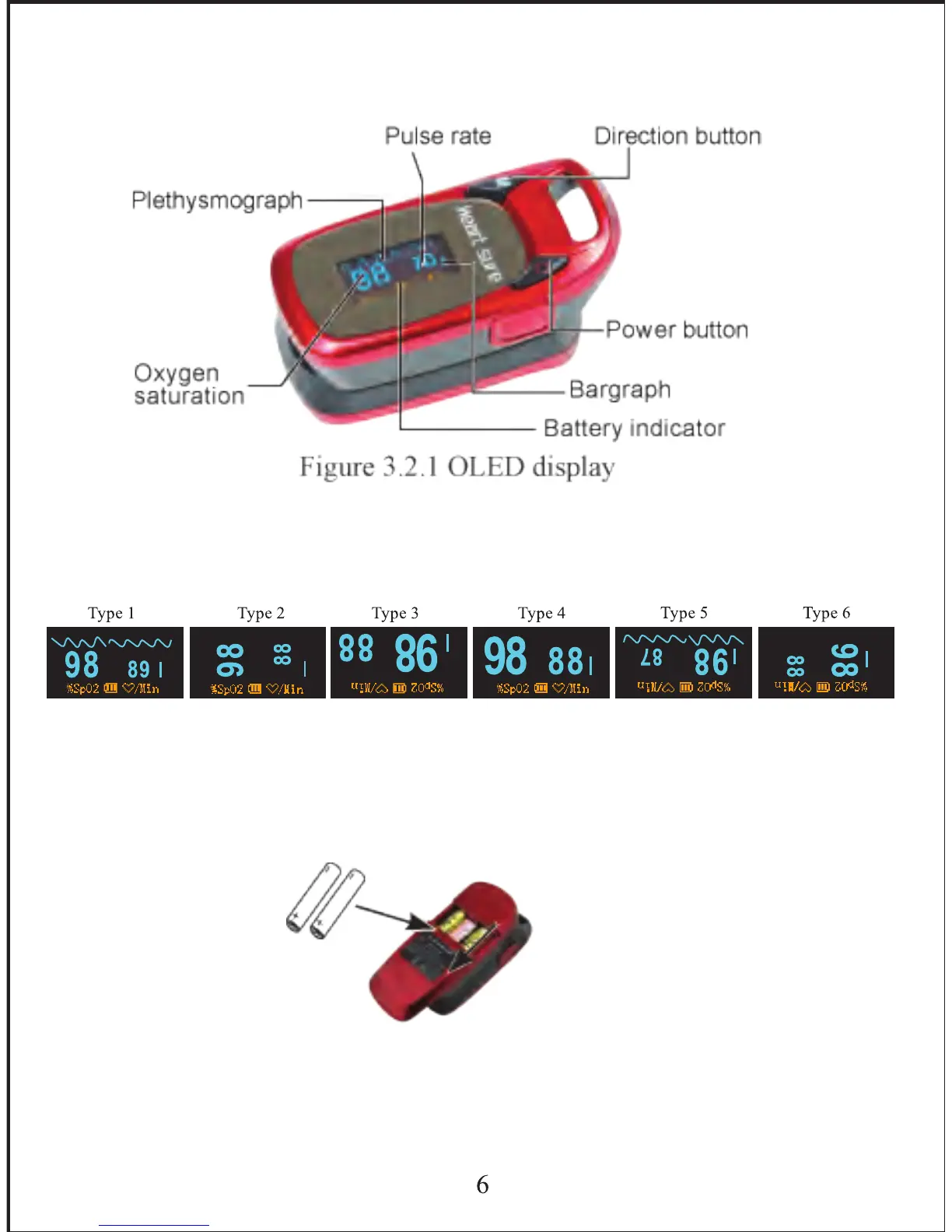
3.2.1 Display Modes
The OLED display can rotate four directions with six different display
modes when pressing the direction button (M) as shown below:
3.3 Operation
3.3.1 Install battery
Remove cover & install 2 x AAA batteries into the battery cassette in
correct polarities and place cover back on.
3.3.2 Turn the Pulse Oximeter On
Press the power button for 2 seconds to turn the Pulse Oximeter on. Open
the clamp, then place one finger into rubber hole of the Pulse Oximeter
3.2 Display
After being switched on, the OLED display is as follows:


 To Next Page