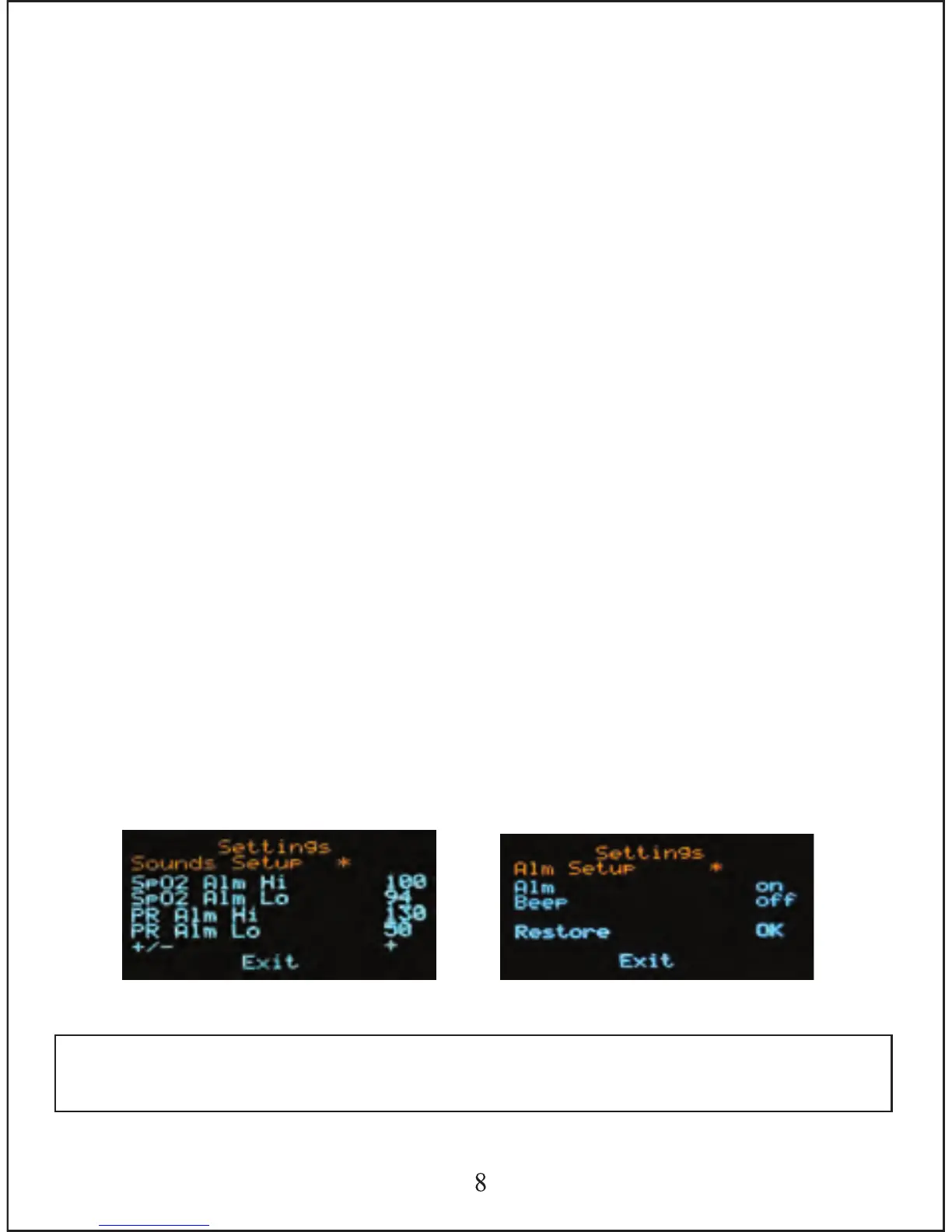
To decrease parameter values
Press (M) quickly to move down the menu until your * signal appears next
to the + / - sign. Then hold down (M) for one second until the - sign
appears. This will now decrease the value of any parameter in this menu.
Quickly press (M) to move to the parameter value you wish to change.
Once you have reached the parameter value you want to change, hold
down (M) for one second and you will see the value decrease. Once
you've reached your desired level, release the (M) button.
3.3.4.2. Alarm Setup
Hold down the (M) button for one second to bring up alarm menu as per
figure 3.3.2. Press (M) quickly to move down the menu.
To turn Alarm or Beep ON
Press (M) quickly to move down the menu until your * signal appears next
to the word ALM or Beep. Then hold down (M) for one second until the
word on appears.
To turn Alarm or Beep OFF
Press (M) quickly to move down the menu until your * signal appears next
to the word ALM or Beep. Then hold down (M) for one second until the
word off appears.
3.3.4.3. To Exit Parameter Settings Menu
Press (M) quickly to move down the menu until your * signal appears next
to the word Exit. Then hold down (M) for one second to exit menu.
Note: 1.The alarm sound has a 1 second delay after an incorrect result
is detected.
Figure 3.3.1
Figure 3.3.2



 To Next Page