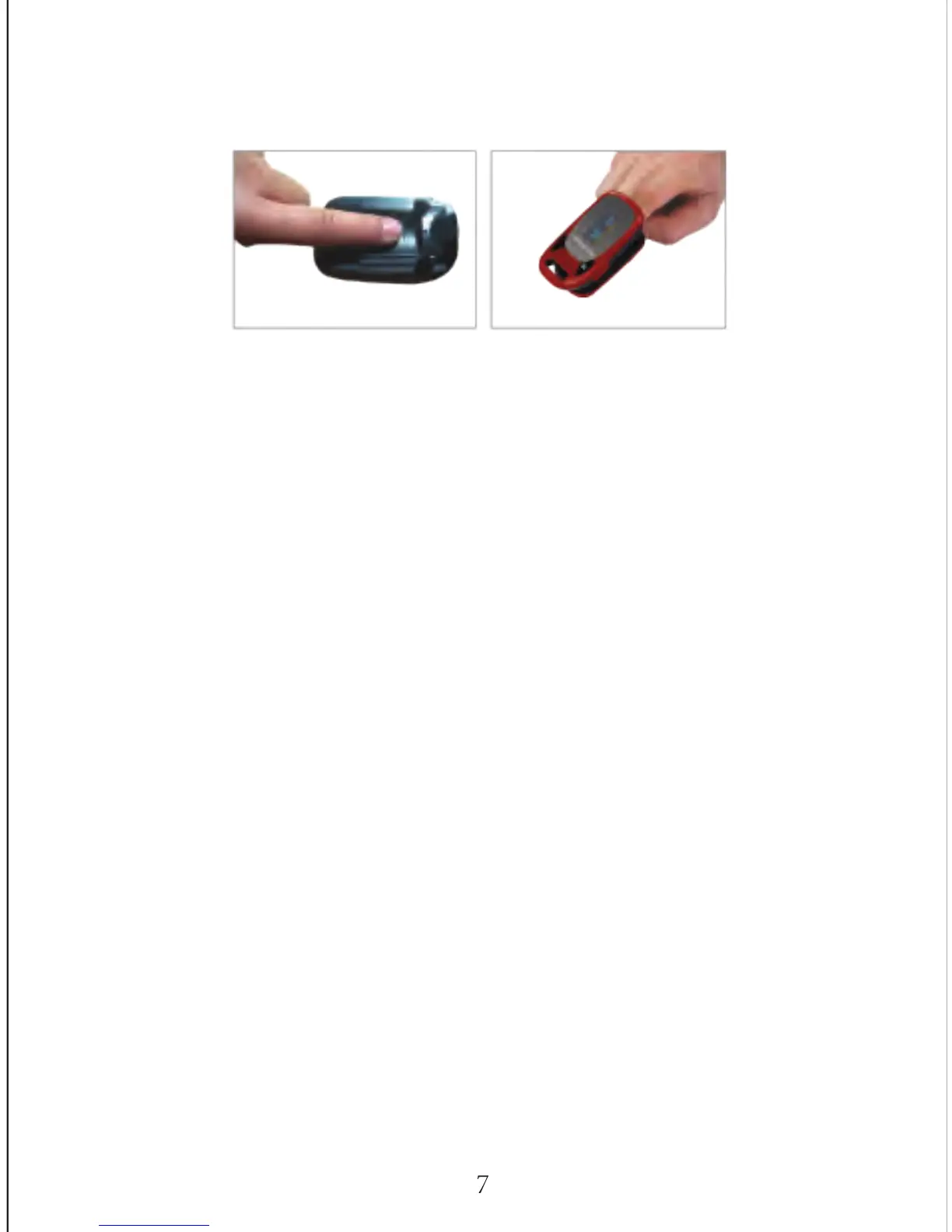
(it is best to put the finger as far in as possible) with nail surface upward,
then release the clamp to shut.
3.3.3. Read data on the display screen
The data may take a few seconds to appear while a reading is obtained.
Only your Healthcare Professional can interpret your individual readings.
3.3.4. Parameter Settings
In the parameter settings menu you can set high/ low alarm values for both
SpO2 and PR, as well as turning sound on/off. To access the parameter
settings hold down the (M) button for one second.
There are two types of submenus; Alarm Setup and Sounds Setup. To
switch between the setups, ensure the * is next to the word Sounds Setup
or Alm Setup, then press (M) for one second to switch between menus,
as per figures 3.3.1 and 3.3.2.
3.3.4.1. Sounds Setup
Hold down the (M) button for one second to bring up the sound menu as
per figure 3.3.1. Press (M) quickly to move down the menu.
To increase parameter values
Press (M) quickly to move down the menu until your * signal appears next
to the + / - sign. Then hold down (M) for one second until the + sign
appears. This will now increase the value of any parameter in this menu.
Quickly press (M) to move to the parameter value you wish to change.
Once you have reached the parameter value you want to change, hold
down (M) for one second and you will see the value increase. Once you've
reached your desired level, release the (M) button.


 To Next Page