WaveReader to WaveController
Linking/Deleting Instructions
Proprietary Notice: This document and the information contained herein is the property of Heartland Payment Systems. This document is provided for
customer information and evaluation purposes only, and does not represent any transfer of intellectual property to the customer. No part of the document
can be reproduced or distributed to third parties without the express written permission of Heartland Payment Systems.
5.0 View/Delete Reader Names and Zigbee Links
The following steps will show how to View/Delete links between a WaveReader and a WaveController.
NOTE: The example screens shows Machine Names as “001”,002”,”003” and “004” and a Zigbee
Address as “12AB”. Actual Machine Names and Zigbee Address will vary upon installation.
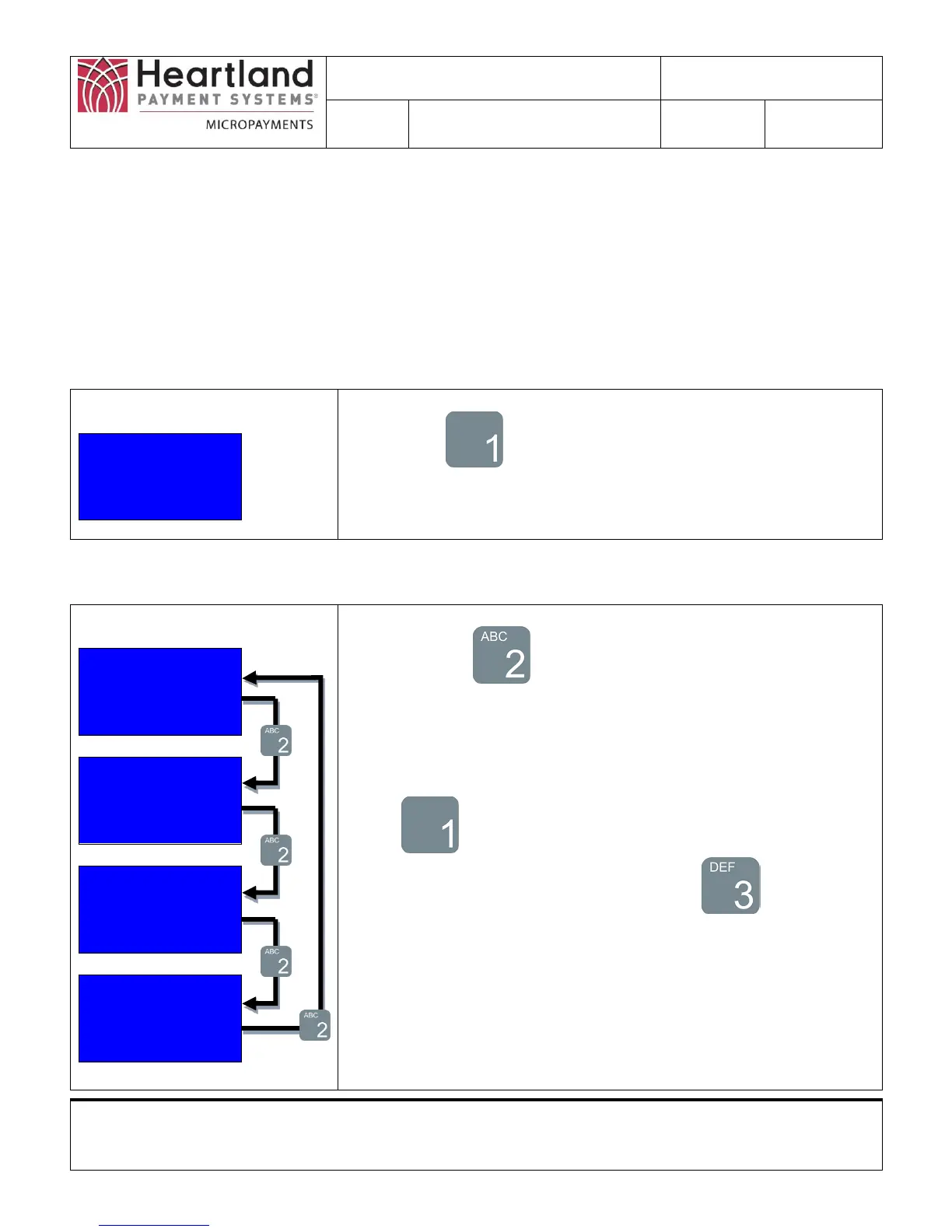
Step 1: Go to Selection 2 Screen to select Reader Names
Selection 2
1)Reader Names
2)Configure ZB
3)Utility
Press Button on this screen to view Reader Names and
Zigbee Links
Step 2: Select the Machine Name you want to View/Delete
Machine Name
1) ID: 001
2) Next Name
3) Save All
Machine Name
1) ID: 002
2) Next Name
3) Save All
Machine Name
1) ID: 003
2) Next Name
3) Save All
Machine Name
1) ID: 004
2) Next Name
3) Save All
Press the Button to go select Machine Name you want
to view.
The name next to ID: will change upon each button press
Select the Machine Name you wish to view by pressing the
Button
To save all the changes made, Press the Button


 To Next Page