3
Controller Quick Reference Guide
Program
Review
Clear/
Test
Reset
Time
Monitor
Enter
Selection
Knob
Force
Service
Force
Defrost
MODE DESCRIPTION
OFF
Compressor Off
COOL
Compressor On in Cooling Normal Cooling Operation
PMPD
System in Pump Down Mode
SERV
Service Mode, System is Off
DELY
Time Delay
DEF1
Defrost Stage 1
Pre-Defrost or ByPass Mode
DEF2
Defrost Stage 2
Defrost Mode
DEF3
Defrost Stage 3
Post Defrost Equalization or Drain Down Mode
FREZ
Refreeze Mode
TEST
Test Mode
SERV
Service Mode
EVAC
Evacuation Mode
Operating Modes
The Mohave
™
Hot Gas Controller is located inside the condensing unit electrical panel. The
Service Switch is adjacent to the controller on the side of the enclosure.
Service Switch
This toggle switch may be placed in the “on” position to force the system into Service Mode. The compressor will pump down and shut off. The evaporator fans will de-energize.
The system can be left in service.
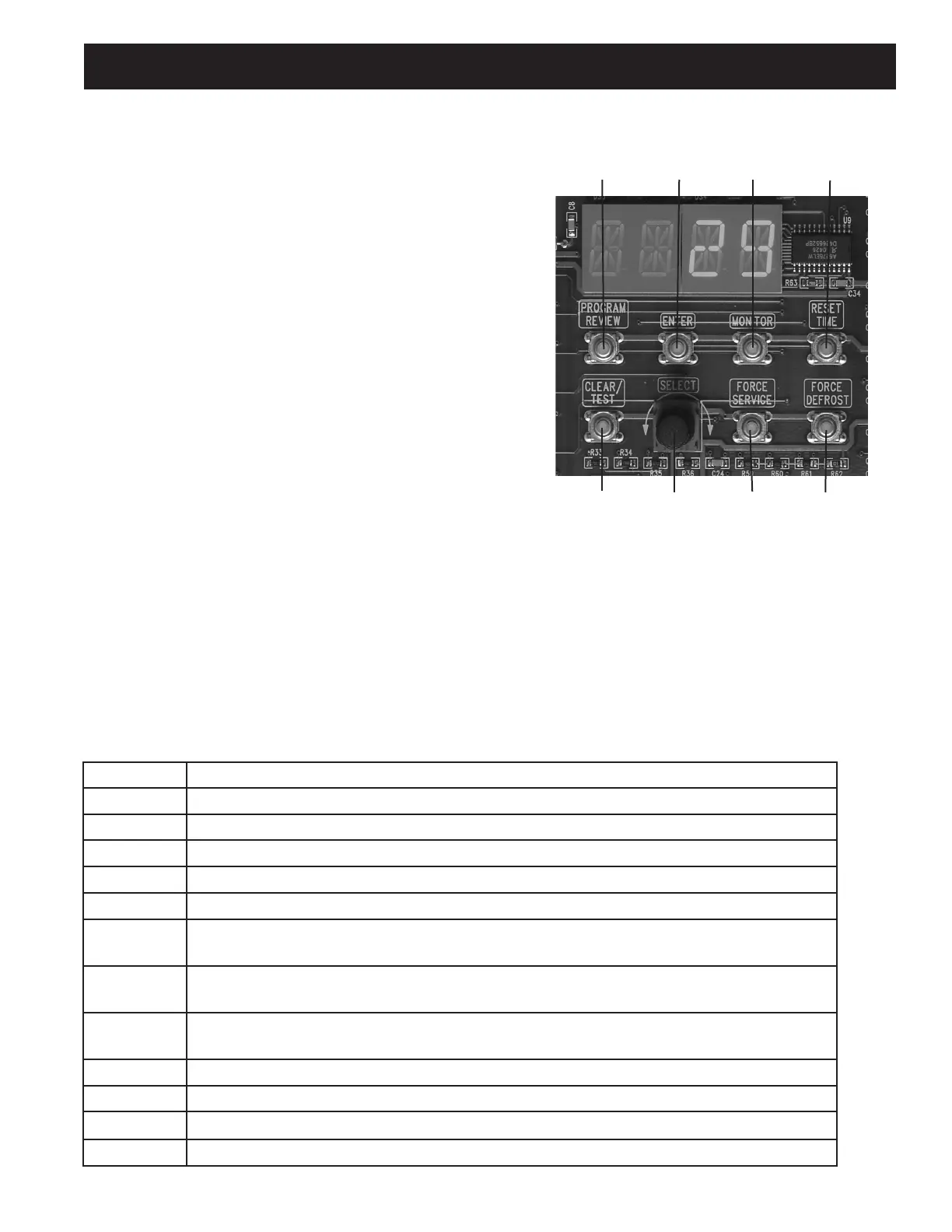
Control Buttons
Program Review: Review or Change the Program Settings
Enter: Accepts changes into memory
Monitor: View Current Operating Conditions of the System
Reset Time: Resets the time clocks of the microprocessor to 0.
Clear/Test: Clear ignores program selections prior to pressing
Enter and terminates Service Mode. Test causes the system to
cycle through all of the outputs for troubleshooting.
Select Knob: Used for Cycling through Monitoring and
Programming Parameters.
Force Service: Press this button twice to cause the system to
pump down and remain off until the Clear button is pressed.
Force Defrost: System will pump down and begin a defrost cycle. This will not effect the normally scheduled defrosts.


 To Next Page