2 To see operational and troubleshooting information and videos,
go to www.hzsupport.com
210451-01
• PRIOR TO USE, the solar panel will need to be con-
nected to the battery (see Installation instructions)
and the battery will require 3 to 7 days of full sun to
completely charge with the control dial in the OFF
position. Remove the rubber plug from the bottom of
the light xture and insert the end of the solar panel cable
into the opening. If possible, aim the solar panel toward
the south and tilt it approximately 50° from horizontal.
If the solar panel cannot be aimed toward the south, then
tilt the panel approximately 30° if possible.
• Actual operating time will vary depending upon how
frequently the light is turned on by the motion sensor.
•
Solar lighting is not designed to equal standard 120V light-
ing. e amount of light output is reduced to allow the sun
time to fully recharge the battery between lighting cycles.
• Solar collection is only eective in direct sunlight. Every
hour the light is on requires a minimum of 16 hours of
sunlight charging. Solar panels collect less than 10% of
the sun’s energy.
MOUNTING LOCATION
e most important thing to remember for the operation
of your solar powered motion sensing light is that it works
from the power received from direct sunlight. e more
direct sunlight the solar panel receives in a day, the longer
the light will operate.
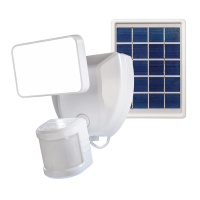
Solar Light Fixture
e main unit contains the LEDs, motion sensor, and
battery. When deciding where to mount this unit, keep
in mind that the motion sensor that activates the light
has a “eld of vision” of 40 feet (12 meters) in front of the
light and about 180° detection angle at a surrounding air
temperature of 77° F (25 °C).
Solar Panel
e solar panel converts the sun’s energy into electricity,
thus charging the battery stored in the solar light xture.
e solar panel requires direct sunlight falling onto the
face of the solar panel for as long as possible over the
course of the day.
When choosing the location for the solar panel, make sure
it is aimed toward the south and is tilted to a suitable angle
to allow as much direct sunlight to fall upon it as possible.
Make sure there is a minimum amount of obstructions
between the solar panel and the sun.
Also, make sure your solar panel location is not too far
away from the solar light xture for the wires to reach
and connect.
IMPORTANT SAFETY AND
INSTALLATION INFORMATION
Before installing security light, read all instructions carefully
and keep owner’s manual for future reference.
• CAUTION: To avoid water damage, the motion sensor
controls must be facing the ground when the installation
is complete.
• CAUTION: Keep the lamp head 30° below horizontal
to avoid water damage.
• CAUTION: Burn hazard. Allow the light xture to cool
before touching.
• NOTICE: Do not immerse components in liquid.
• is xture is designed for outdoor installation and
should be mounted to a wall or eaves.
• To achieve best results, this xture should be mounted
8 feet (2.4 meters) above the ground. Note: If xture
is mounted higher than 8 ft. (2.4 meters), aiming the
sensor down will reduce coverage distance.
• Do not cut the solar panel wire. Discontinue use if the
wire becomes frayed or broken.
• Do not use any other charging device other than the
single solar charging panel provided with this light.
Doing so may result in injury or damage to the light
and voids any warranty.
• Position the cord so that it is securely fastened and will
not result in a hazard (such as tripping).
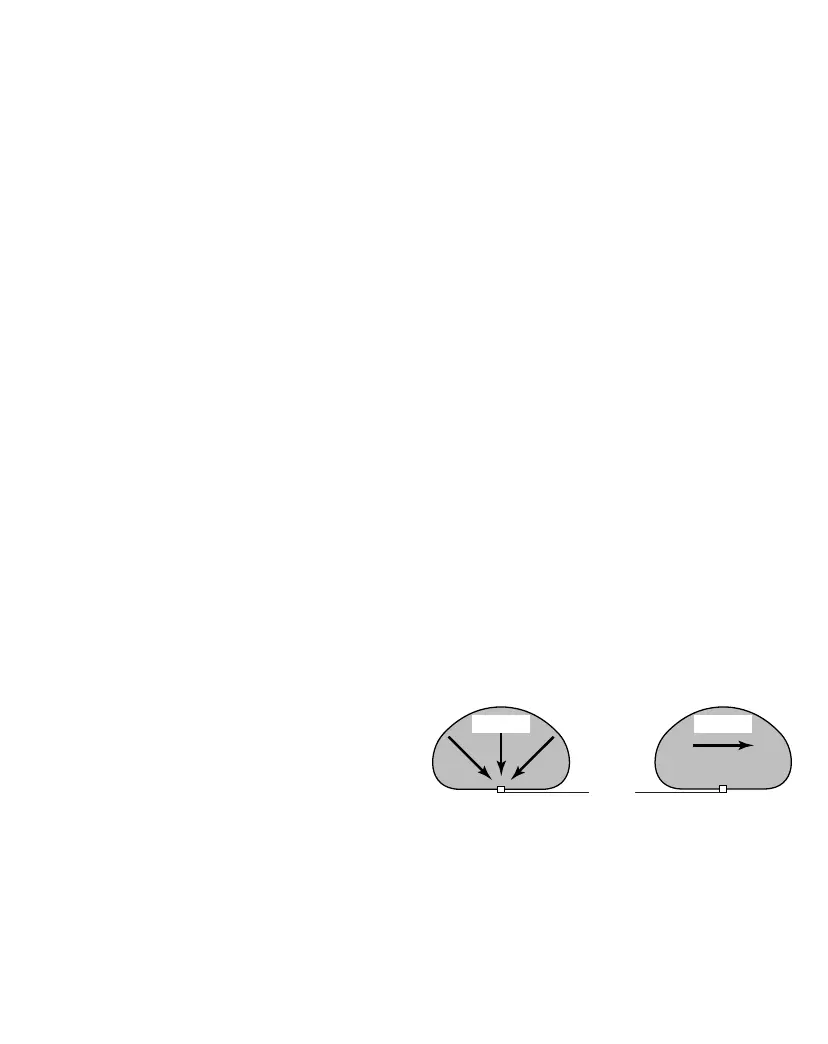
e motion sensor on this light xture detects “motion”
by the movement of heat across the coverage area. e
motion sensor is more sensitive to the movement of heat
moving across the coverage area and less sensitive to the
movement of heat directly towards it.
Least Sensitive Most Sensitive
MotionMotion
Sensor


 To Next Page