EasyManua.ls Logo

Heath Zenith SL-5514 - User Manual

Heath Zenith SL-5514
12 pages
Print Icon
To Next Page IconTo Next Page
Loading...
© 2007 HeathCo LLC 595-5730-05
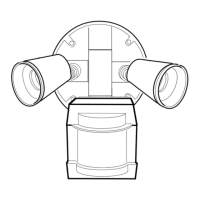
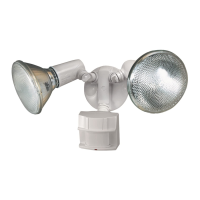
Twin Halogen Motion
Sensing Light Control
Model SL-5514
Features
Turns on lighting when motion is detected.
Automatically turns lighting off.
Photocell keeps the lighting off during daylight
hours.
Requirements
The light control requires 120-volts AC.
If you want to use Manual Mode, the control must
be wired through a switch.
Some codes require installation by a qualified
electrician.
This product is intended for use with the enclosed
gasket and with a junction box marked for use in
wet locations.
Cover Plate
Light Control
Sensor
3 Wire
Connectors
Gasket
6 Mounting
Screws (3 sizes)
Mounting Bolt
Mounting Strap
Rubber Plug
Plastic Hanger
2 Halogen Bulbs
This package includes:
OPERATION
* resets to Auto Mode at dawn.
Note: When first turned on wait about 1
1
/
2
minutes for
the circuitry to calibrate.
MANUAL MODE
ON-TIME
10 5 1 TEST
10 5 1 TEST
ON-TIME
TEST
... back on.
AUTO
1 Second
OFF then...
Put the ON-TIME switch in the 1, 5,
or 10 minute position.
Put the ON-TIME switch on the bottom
of the sensor in the TEST position.
Manual mode only works at night
because daylight returns the sensor
to AUTO.
Flip the light switch off for one second
then back on to toggle between AUTO
and MANUAL MODE.
Manual mode works only with the
ON-TIME switch in the 1, 5, or 10
position.
Move ON-TIME Switch to
1, 5, or 10 minutes
Mode Switching Summary
Flip light switch off
for one second then
back on*
MANUAL MODE
AUTO
TEST
* If you get confused while switching modes, turn the
power off for one minute, then back on. After the cali-
bration time the control will be in the AUTO mode.
Mode: On-Time Works: Day Night
Test
5 Seconds x x
Auto
1, 5, or 10 Min x
Manual
Until Dawn* x


Questions and Answers

  • C
    Carmen HaasJul 26, 2025
    Why do my Heath Zenith SL-5514 Home Automation lights stay on continuously?
    • S
      Sarah PalmerJul 26, 2025
      Your Heath Zenith Home Automation lights may stay on continuously because a lamp is positioned too close to the sensor or pointed at nearby objects that cause heat to trigger the sensor. Try repositioning the lamp away from the sensor or nearby objects. Alternatively, the sensor might be pointed toward a heat source like an air vent, dryer vent, or brightly-painted heat-reflective surface, so reposition the sensor. Also, ensure that the light control is not in Manual Mode; switch to Auto.
  • T
    Taylor PatelAug 3, 2025
    How to fix Heath Zenith Home Automation lights that will not come on?
    • J
      Jessica BairdAug 3, 2025
      If your Heath Zenith Home Automation lights will not come on, first check if the light switch is turned on. If not, turn it on. Also, verify the light isn't loose or burned out, and replace it if necessary. Ensure that the fuse isn't blown or the circuit breaker isn't turned off; replace the fuse or turn on the breaker. If it's daytime, daylight turn-off may be in effect; recheck after dark. If this is a new installation, check and correct the circuit wiring. Finally, re-aim the sensor to cover the desired area.
  • S
    shawngarzaAug 10, 2025
    What to do if my Heath Zenith SL-5514 Home Automation lights flash on and off?
    • B
      Brittany JordanAug 10, 2025
      If your Heath Zenith Home Automation lights are flashing on and off, it could be due to heat or light from the lamps turning the light control on and off. Try repositioning the lamps away from the sensor. Heat being reflected from other objects may also be affecting the sensor, so try repositioning the sensor. If the light control is in the Test mode, understand that flashing is normal under these conditions.
  • V
    Vicki RamosAug 17, 2025
    Why do my Heath Zenith SL-5514 lights come on in daylight?
    • D
      davistimothyAug 17, 2025
      If your Heath Zenith Home Automation lights are coming on in daylight, the light control may be installed in a relatively dark location. Consider reinstalling the light control in a darker location. Also, check if the light control is in Test mode; if so, set the control switch to an ON-TIME position.

Summary

Product Operation Modes

Test Mode Operation

Instructions for setting the ON-TIME switch to the TEST position for calibration.

Auto Mode Operation

Setting the ON-TIME switch for automatic operation based on motion.

Manual Mode Operation

How to switch to and use Manual Mode, which functions only at night.

Mode Switching Summary

A summary guide for switching between TEST, AUTO, and MANUAL modes.

Installation Guide

Wiring the Light Control

Step-by-step instructions for wiring the fixture to the junction box.

Mounting the Light Control

Guidance on physically attaching the light control fixture to the mounting strap.

Bulb Installation

Procedures for installing and replacing halogen bulbs in the fixture.

Testing and Adjustments

Sensor Adjustment and Coverage

How to aim the sensor and adjust sensitivity for optimal detection coverage.

Time Delay Setting

Setting the duration the lights remain on after motion is detected.

Product Specifications

Technical details including range, sensing angle, electrical load, and power.

Troubleshooting and Support

Troubleshooting Common Issues

Solutions for common problems like lights not activating or staying on.

Technical Service Contact

Contact information for obtaining technical assistance with the product.

One Year Limited Warranty

Information regarding the product's one-year limited warranty coverage.

Heath Zenith SL-5514 Specifications

General IconGeneral
Power SourceHardwired
Detection RangeUp to 70 feet
Voltage120 VAC
Sensor RangeUp to 70 feet
Field of View180 degrees
Ambient Light LevelAdjustable
ColorWhite
TechnologyInfrared
MountingWall
Load TypeIncandescent, LED, CFL
Time Delay1, 5, 10 minutes
Operating Temperature-4°F to 122°F (-20°C to 50°C)

Related product manuals