EasyManua.ls Logo

Heath Zenith - User Manual

Heath Zenith
16 pages
Print Icon
To Next Page IconTo Next Page
Loading...
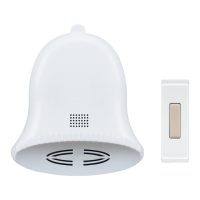
This package includes (Style of push button and chime
may vary from illustration):
Wireless Christmas bell chime
Wireless push button with battery
Hardware pack
Chime requires 3 "AA" alkaline batteries. In typical use,
alkaline batteries will last up to 6 months.
Wireless Christmas Chime
© 2007 HeathCo LLC 598-1127-02
A B C 1 2
3
1. Install alkaline type A23 12 volt push button
battery. Remove back of case by pushing in tab
on bottom with a small screwdriver. Make sure
battery is oriented properly (see page 3).
2. Open chime battery compartment. Press in
latch on rear of chime and lift off battery cover.
3. Install 3 alkaline "AA" batteries. Make sure
batteries are oriented properly.
4. Test range. Temporarily position chime and
push button where you want them mounted.
Press push button to verify chime and push
button work properly. If chime does not sound,
see Troubleshooting.
Figure 3
Figure 1
Keyhole
Jumpers
A B C 1 2 3
Figure 2
Question and Answer IconNeed help?

Do you have a question about the Heath Zenith and is the answer not in the manual?

Summary

Initial Installation

Install Push Button Battery

Instructions for installing the A23 12 Volt battery in the push button.

Install Chime Batteries and Test

Steps to open chime, install 'AA' batteries, and test functionality.

Mounting and Configuration

Mount Push Button and Chime

Guidance on mounting the push button and chime using screws or tape.

Code Settings

How to change the wireless communication code using jumpers for interference prevention.

Tune Selection

Select Musical Tune

Instructions for selecting one of three different musical tunes using jumpers.

Troubleshooting and Support

Chime Not Sounding or Working

Diagnose and resolve issues where the chime does not sound or function correctly.

Technical Service Contact

Details for contacting customer support via phone, web, or mail.

Warranty Information

Limited Warranty Terms

Details of the one-year limited warranty, including coverage and exclusions.

Proof of Purchase Requirement

Instructions to keep dated sales receipt for all warranty claims.

Summary

Initial Installation

Install Push Button Battery

Instructions for installing the A23 12 Volt battery in the push button.

Install Chime Batteries and Test

Steps to open chime, install 'AA' batteries, and test functionality.

Mounting and Configuration

Mount Push Button and Chime

Guidance on mounting the push button and chime using screws or tape.

Code Settings

How to change the wireless communication code using jumpers for interference prevention.

Tune Selection

Select Musical Tune

Instructions for selecting one of three different musical tunes using jumpers.

Troubleshooting and Support

Chime Not Sounding or Working

Diagnose and resolve issues where the chime does not sound or function correctly.

Technical Service Contact

Details for contacting customer support via phone, web, or mail.

Warranty Information

Limited Warranty Terms

Details of the one-year limited warranty, including coverage and exclusions.

Proof of Purchase Requirement

Instructions to keep dated sales receipt for all warranty claims.

Heath Zenith Specifications

General IconGeneral
BrandHeath
ModelZenith
CategoryAccessories
LanguageEnglish

Videos

How to Sync your Wireless Chimes and push button