Heatit Controls AB l Läkarvägen 4, 454 31 BRASTAD, SWEDEN
Phone: +47 61 18 77 77 l post@heatit.com – www.heatit.com
ADD/REMOVE
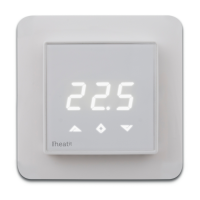
1. Press Center (confirm) for 10 seconds.
The display will show OFF.
2. Press Right (down) 5 times till you see Con in the display.
3. Now start the add/remove device process in your
home automation software.
4. Start adding/removing mode by pressing Center
(confirm) for approximately 2 seconds.
Adding/removing mode is indicated in the display by
rotating LED segments in the display until the timeout
occurs after 90 seconds, or if the module has been
added/removed in the network. Confirmation
will show Inc/EcL in the display. Leave programming
mode by choosing ESC in the menu. Your thermostat
is now ready for use with default settings.
Protocol Z-Wave - 868,4MHz
Chip Z-Wave 500 chip
Rated voltage 230V 50/60Hz
Max load 3600W (resistive load)
750W self-limiting
heating cable
Max current 16A
Power consumption <2,0W
Ambient temperature 0°C to 40°C (during
operation)
Temperature range 5°C to 40°C
Hysteresis 0,3°C to 3,0°C (default
0,5°C)
Compatible with NTC
sensors with values 10, 12, 15, 22, 33 and 47
kΩ @ 25°C
IP Code IP 21
Approvals Z-Wave Plus
CE, EN 60730-1
EN 60730-2-9
EMC 2014/30/EU
RoHS 2011/65/EU
LVD 2014/35/EU
TECHNICAL DATA
Heatit Controls AB can not be held
liable for typographical errors,
other errors or omittances in our
information.
Product specifications may
change without further notice.
All electrical installations must be
carried out by a licensed electrician.
The product must be
installed in accordance with
national building codes and
our installers manual.


 To Previous Page