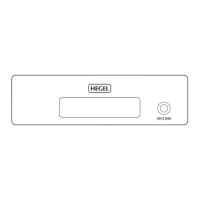
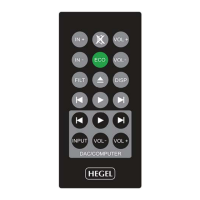
PC/MAC remote control functions and a word about USB
When you connect the HD11 to a computer with a USB cable (not included) it will automatically install
itself as a USB soundcard on all newer versions of Windows and MAC OS, and most newer versions of
Linux. We recommend that your computer is connected to the internet during the installation process. We
also suggest you close all media players, such as iTunes or Windows Media Player before connecting the
HD11.
Troubleshooting:
MAC:
If you have connected the HD11 but there is no sound you may need to go to “System Preferences – Sound –
Output” and choose your HD11 as the output device. The name of the Hegel HD11 will read:
“TE7022 Audio w/ SPDIF”.
LINUX:
Usually you will need to do the same operation as with MAC (above). We have published an Ubuntu walk-
through online. Go to www.hegel.com, choose HD11 and the questions & answers section (products – D/A
converters – HD11).
24 bit Audio:
The HD11 can receive 24 bit music les through the USB interface. Getting 24 bit audio signals from your
computer may require set-up in your media player. This may vary depending on operating system and media
player. Please consult the FAQ section for your software. For playing CD-quality les (or lower) no addi-
tional set-up is needed.
Better sound through the Coax 1 input
The Coaxial 1 input on the HD11 has even better sound quality compared to the other digital inputs. There-
fore we recommend that you connect your favorite source to this input.


 To Next Page