HEIDENHAIN
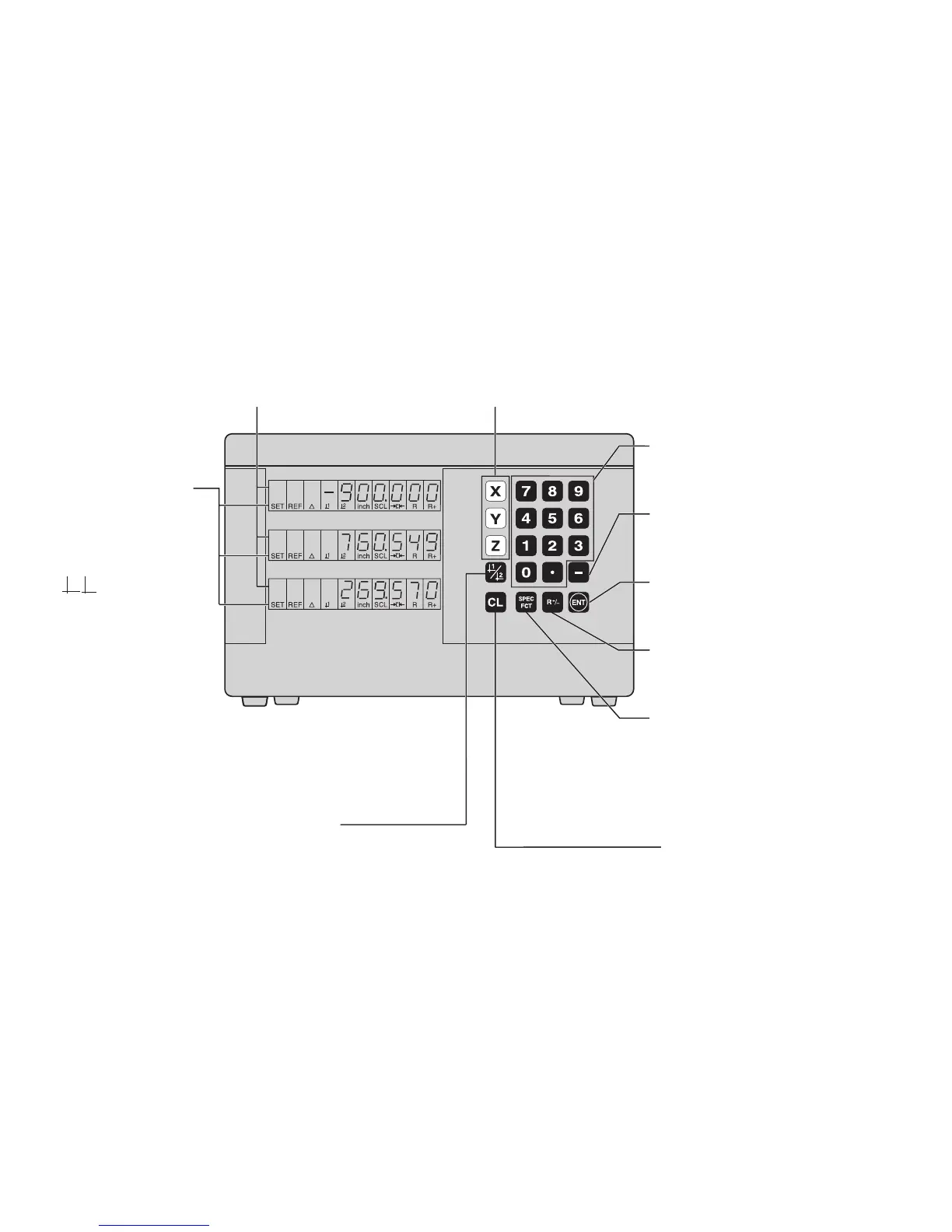
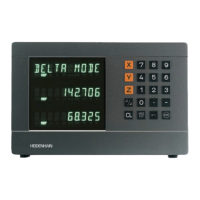
Position display
(ND 710 only two axes)
∆ = Distance-to-go display
R+/– = Radius compensation
Numerical input
• Change the algebraic sign
• Call the last dialog
• In the parameter list:
change parameters
Call radius compensation
of the current tool
• Select special functions
• In the list of special functions
page forward
• Cancel entry
• Reset the operating mode
• Zero the selected axis
(if activated in P80)
• Select parameters
CL plus two-digit number
Status display:
SCL = Scaling factor
->❘❘<- = Touching the edge /
centerline
R = Radius/diameter
display
• Select datum 1 or 2
• Page backward in the list of
special functions
• Page backward in the list of
parameters
1 2 Datum 1 or 2
SET = Datum setting
REF = blinking:
Traverse the
reference points.
On continuously:
Reference points
have been traversed.
Inch = Display in inches
• Select coordinate axes
(ND 710 only X and Y)
• Select axis-specific operating parameters
• Confirm entry
• In the parameter list
page forward


 To Next Page