15
Live Video
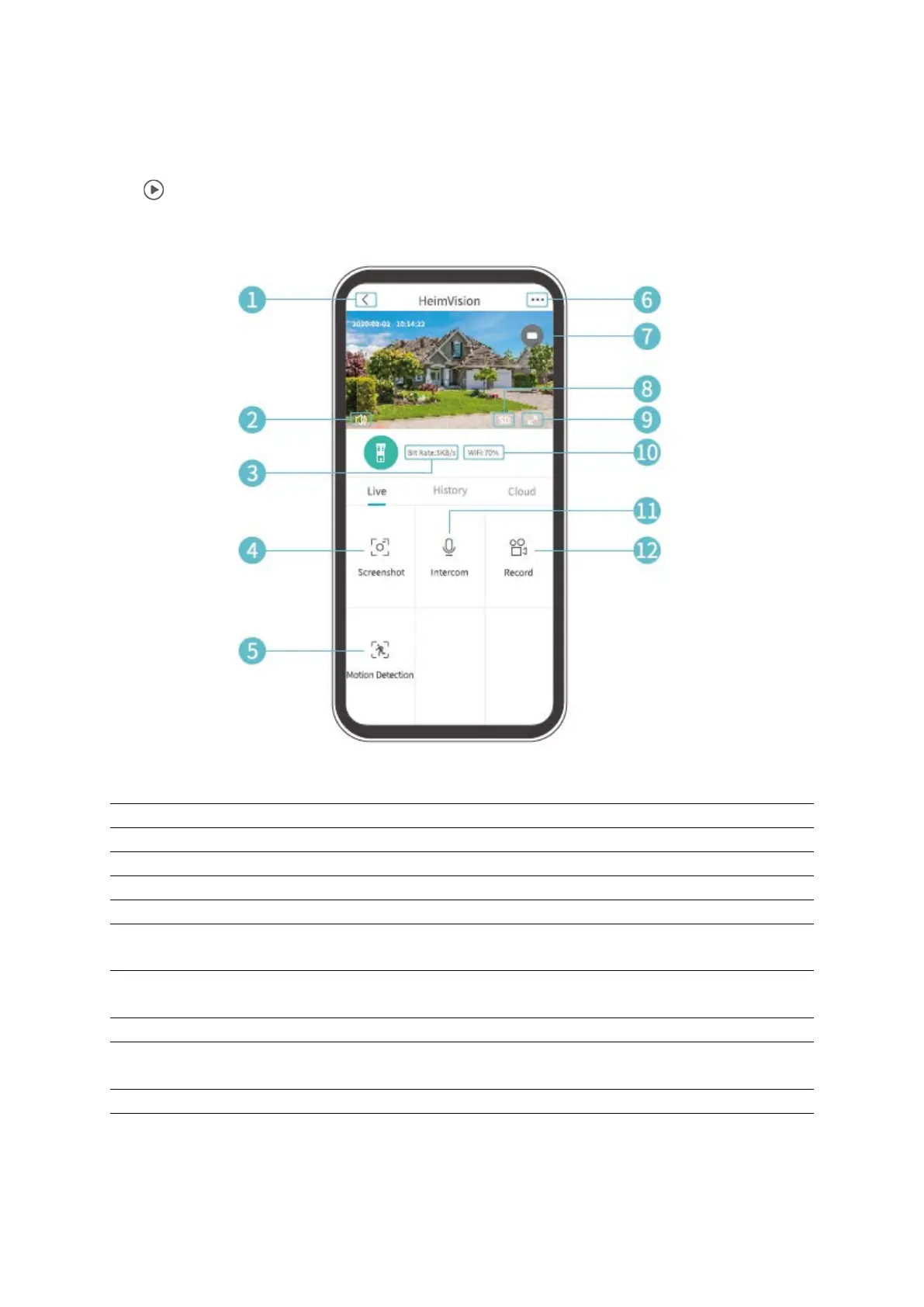
Tap on the Home Page to watch the live video from the camera lens of your doorbell.
Turn on/off the live audio from the doorbell
Real-time bit rate of the live video
Tap to capture a photo and save to Me>Pictures and Videos
Detailed doorbell settings
Battery status of the doorbell. If the battery icon shows red, please charge the
doorbell timely.
Image quality. You can toggle between SD and HD, in which SD is recommended
for smoother streaming.
Wi-Fi Signal. If the percentage is less than 70%, please check your network
connection of the doorbell
Tap and hold to talk with people near the doorbell
Tap to start recording the current live video; tap it again to end and save it to
Me>Pictures and Videos


 To Next Page