16
Video Recording
Important:
1. If no memory card installed or no cloud plan was subscribed to, the doorbell will
not record any video and you can only watch the live video.
2. If you’ve installed a memory card or subscribed to a cloud play, the doorbell will
record video according to your setting.
Record videos when visitors ring the door
If a visitor presses the Doorbell Button, HeimLife App will send a notification to your
mobile device and the doorbell will record a video accordingly.
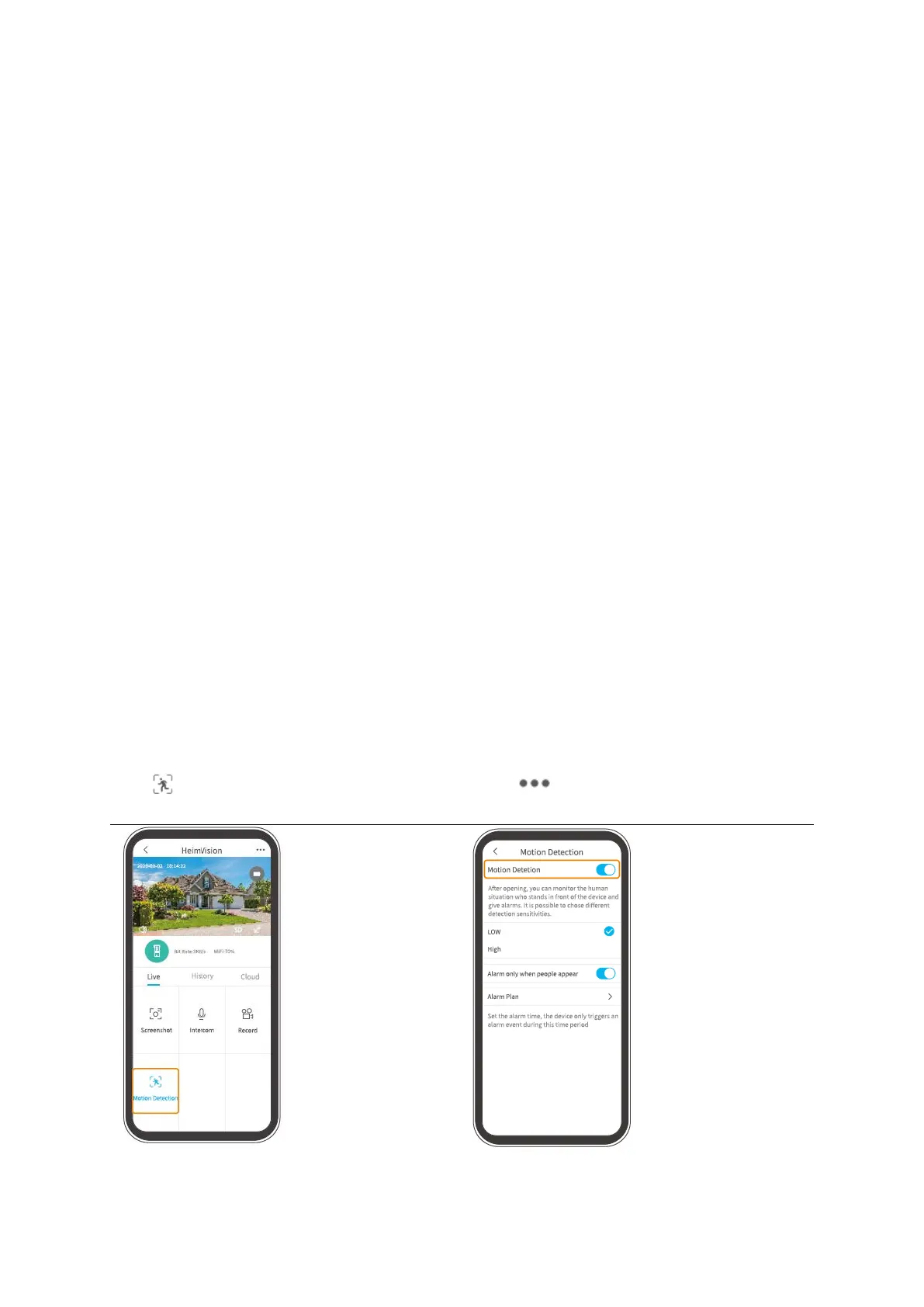
Record videos when any motion is detected
The motion function is disabled by default. If recording a video when the doorbell
detects a moving object is required, please enable this function by following the
instructions below.
Tap Motion Detection on the interface
of Live video to enable it.
Go to >Settings>Detection Alarm>
Motion detection to switch it on.


 To Next Page