22
5. Pplease go to Messages>Device Share to accept or check the requests of the
device sharing.
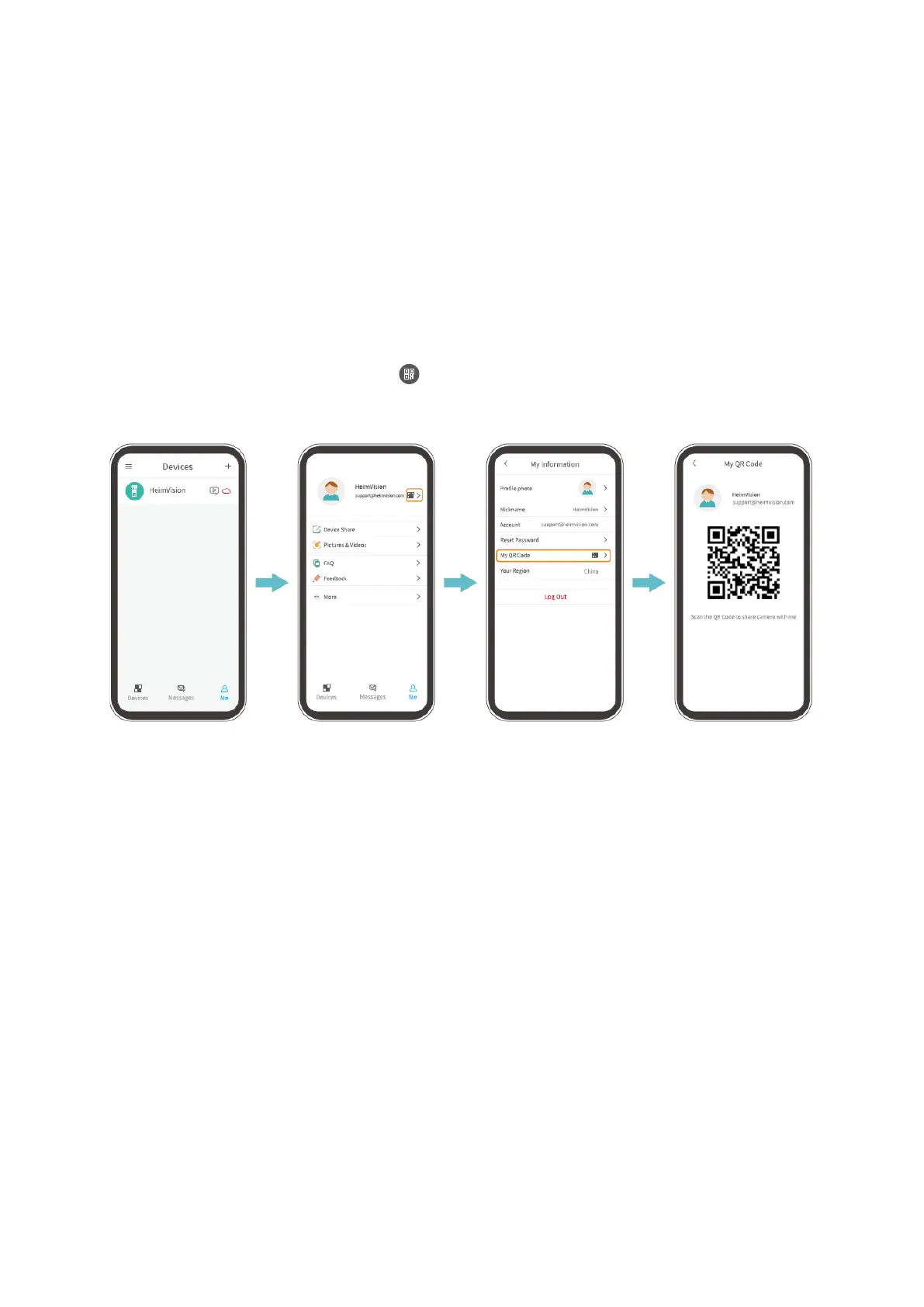
Share by QR Code Scanning
Step 1:
Log in to HeimLife App with your family member’s account on his/her mobile device.
Step 2:
Tap Me on the home page, then tap > My QR Code to find the QR code.
Step 3:
Go to Settings of the App on your mobile device, then select Device Share>Add>Qr code
sharing to scan the QR code to share the doorbell.


 To Next Page