6
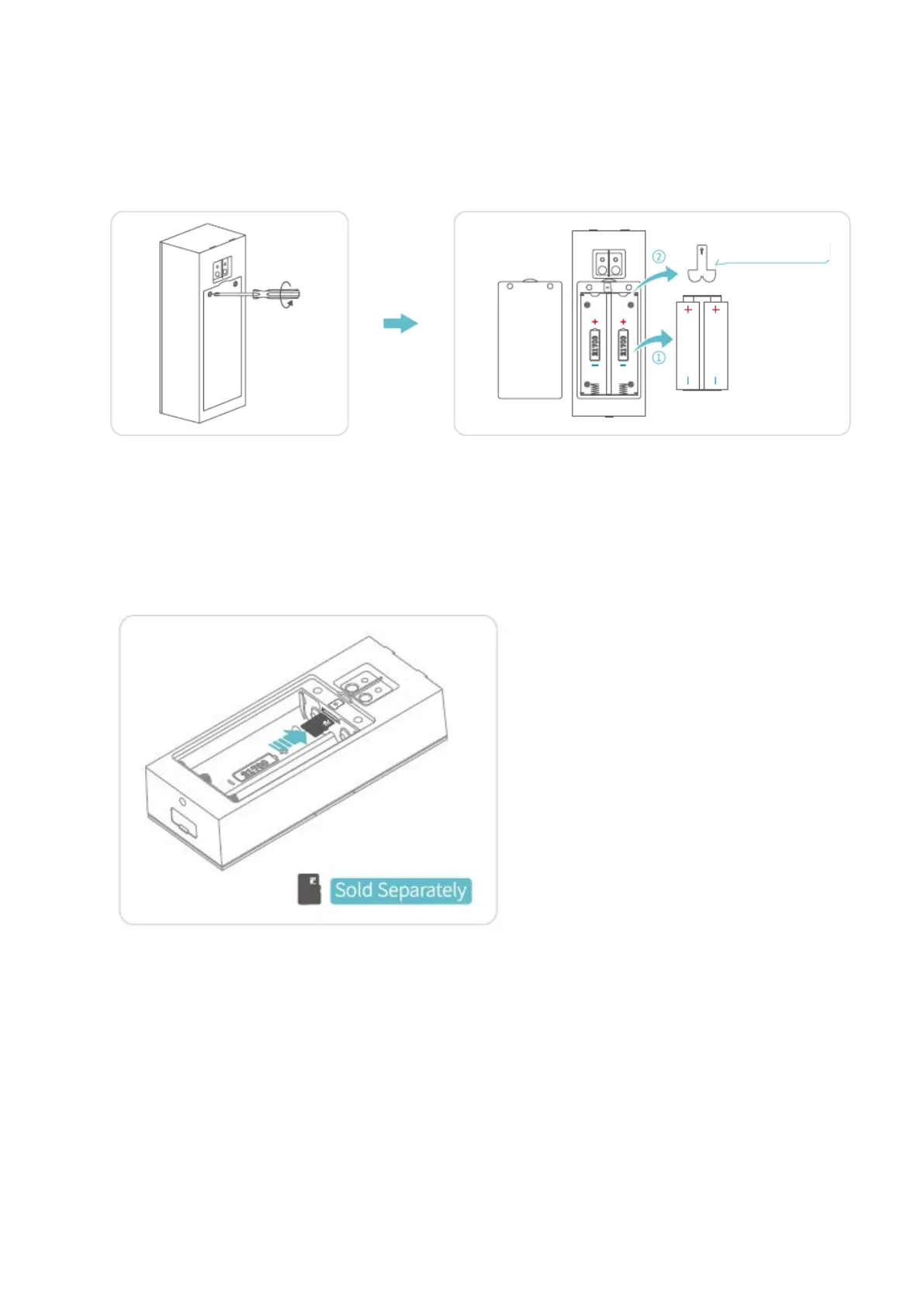
2. Unscrew the Battery Compartment Door with the Phillips Screwdriver, take out
the batteries, then peel off the Insulation Film.
3. Insert a memory card (not included) to record videos. Or you can alternatively
subscribe to a cloud plan via the App
Notes:
• The doorbell accepts a memory card with capacity up to 128GB. If it’s needed,
please contact us or get it from an authorized HeimVision store.
• The doorbell is not designed for 7/24 all day recording. It will be woken up to
record videos according to your setting after you install a memory card or
subscribe to the cloud plan.


 To Next Page