17
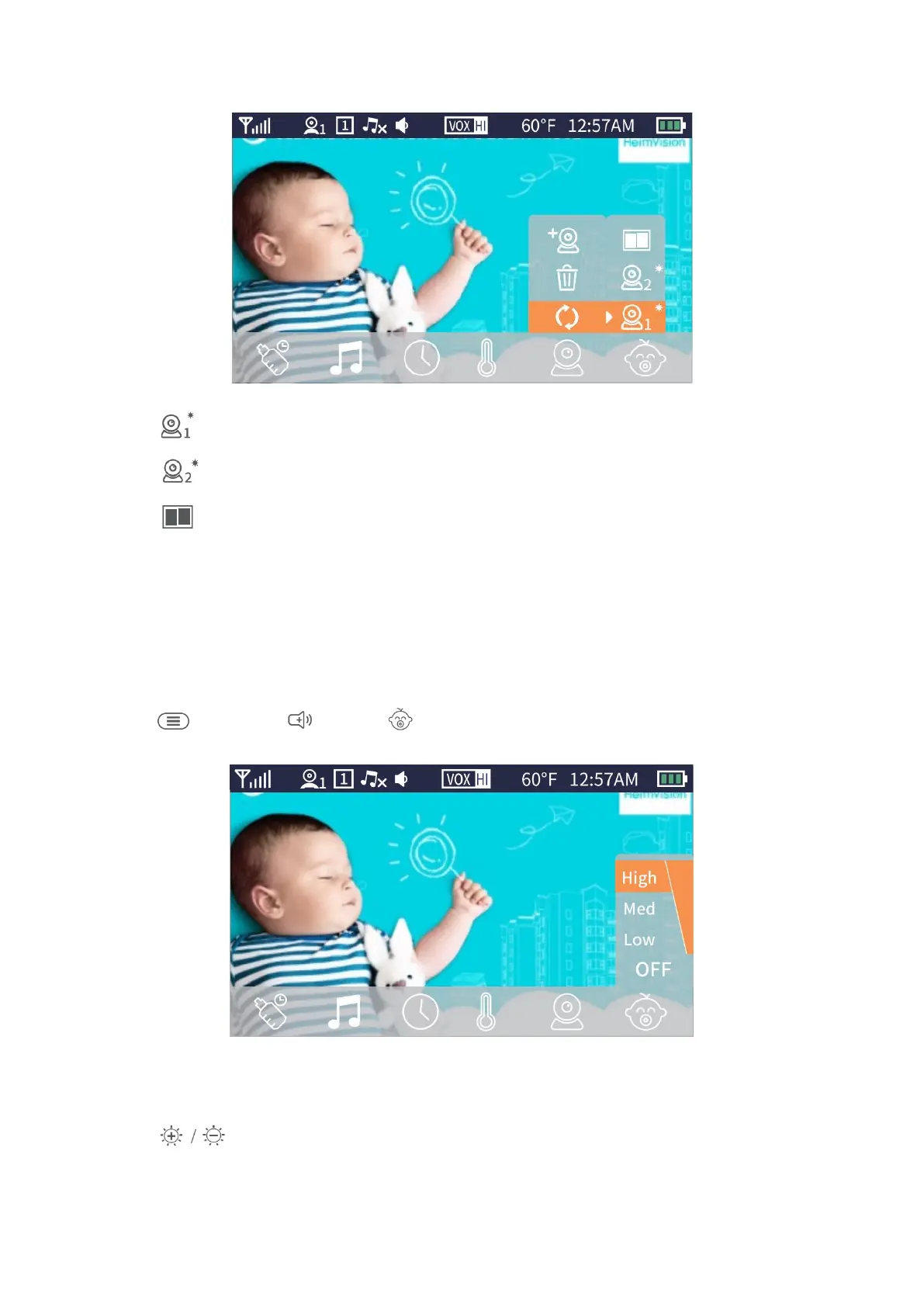
Select to display the live view from camera 1.
Select to display the live view from camera 2.
Select to display the views from both camera with split-screen mode.
Sound Detection
HM132 has a voice operated switch, also known as VOX. If you enable this function, the
screen will be woken up from sleep mode and the Sound Level Indicator will flash when
the voice a certain threshold is detected.
Step 1:
Press , then press to select .
Step 2:
Press to select from OFF, Low, Med and High, then press OK to confirm.


 To Next Page