EasyManua.ls Logo

HeimVision HM132 - Getting Started: Initial Setup; Charging the Monitor and Powering the Camera; Optimal Camera Placement

HeimVision HM132
108 pages
Print Icon
To Next Page IconTo Next Page
To Previous Page IconTo Previous Page
Loading...
7
Notes:
GETTING STARTED
Step 1:
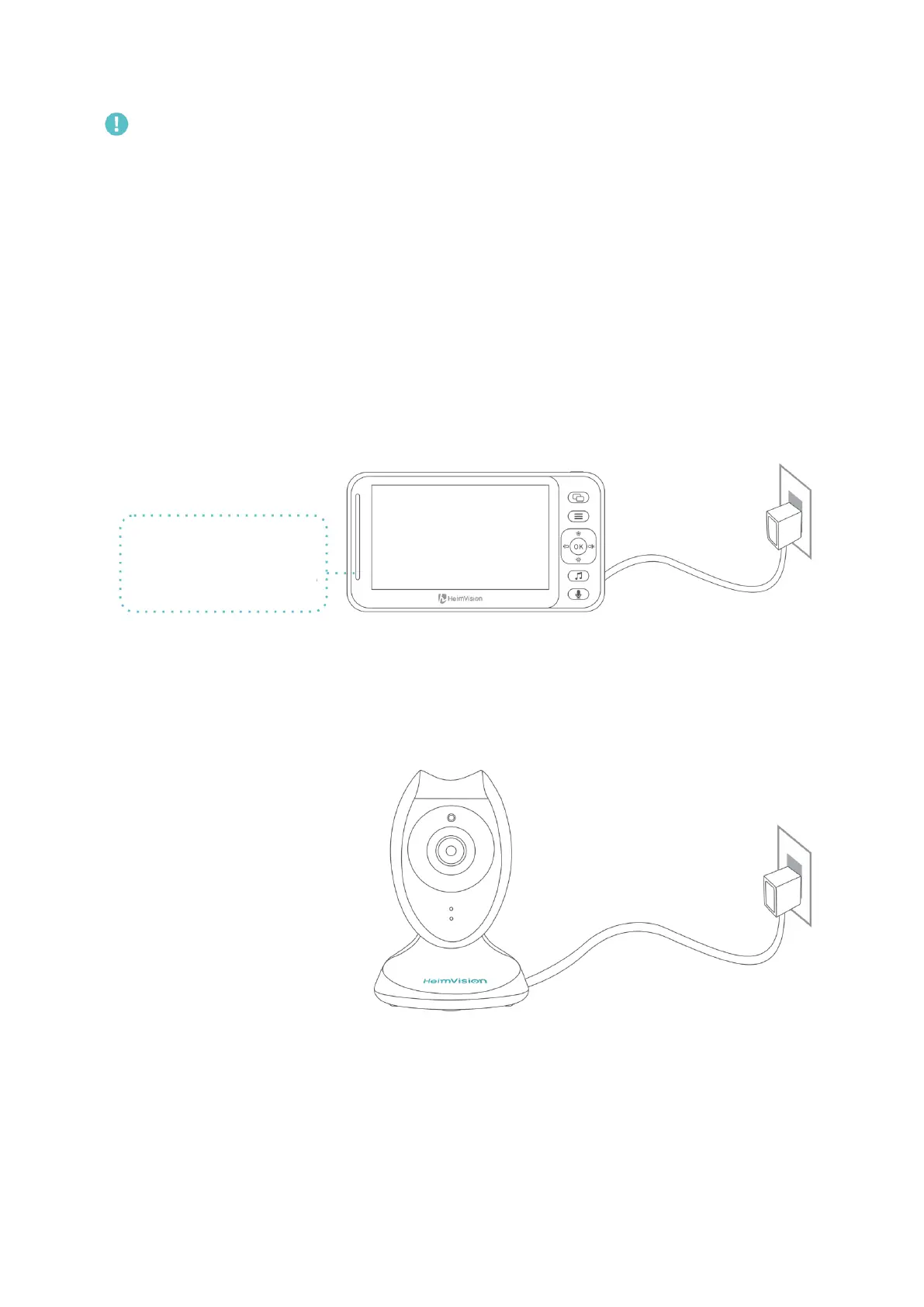
Charge the monitor by connecting the Power Adapter to the monitor and a socket. It
takes about 4 hours for the monitor to be fully charged, and the battery lasts about 4-5
hours.
Step 2:
Connect the Power Adapter to the camera and a socket to power on the camera.
If you RESET with a pin, the monitor will be forced shutdown.
Do not open the battery compartment and replace the battery without official
guidance.
Please unfold the antenna to strengthen the signal and reduce interference.
Press until all the volume bars turn white to turn off the sound from the
camera.
Charging: Red/Pink
Fully Charged: Blue
Step 3:
Place the camera at least 3ft/1m away from your baby.