13
Note:
When the temperature detected by the camera is lower than 68°F (20°C) or higher than
82.4°F (28°C), the monitor will display an icon . The icon will disappear once the
temperature is higher than 68°F(20°C) or lower than 82.4°F (28°C).
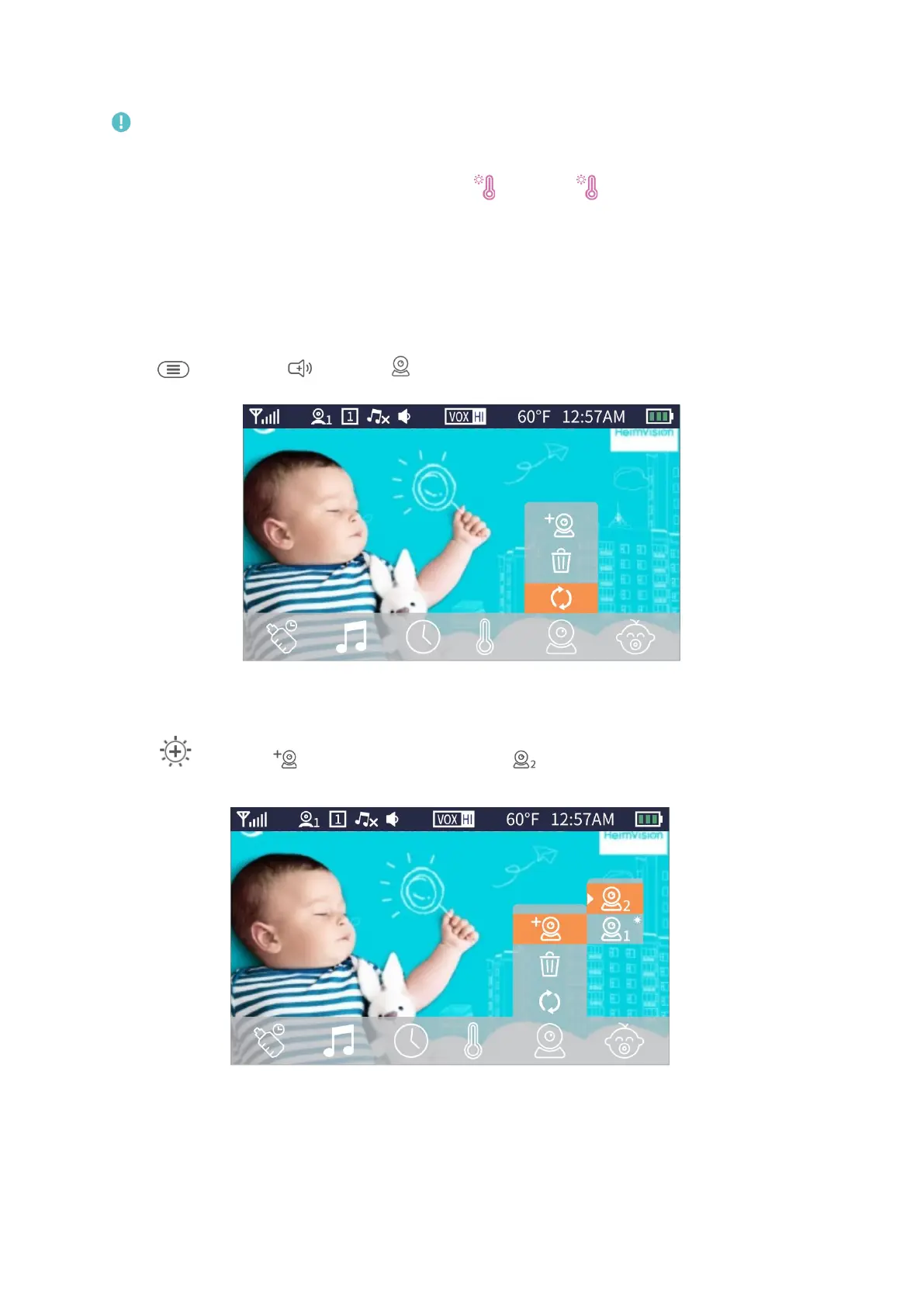
Camera Setting
Pair a Camera with the Monitor
Step 1:
Press , then press to select .
Step 2:
Press to select , then press OK and select .


 To Next Page