17/124MED 235340 2022-11-21 MED 235340 2022-11-21
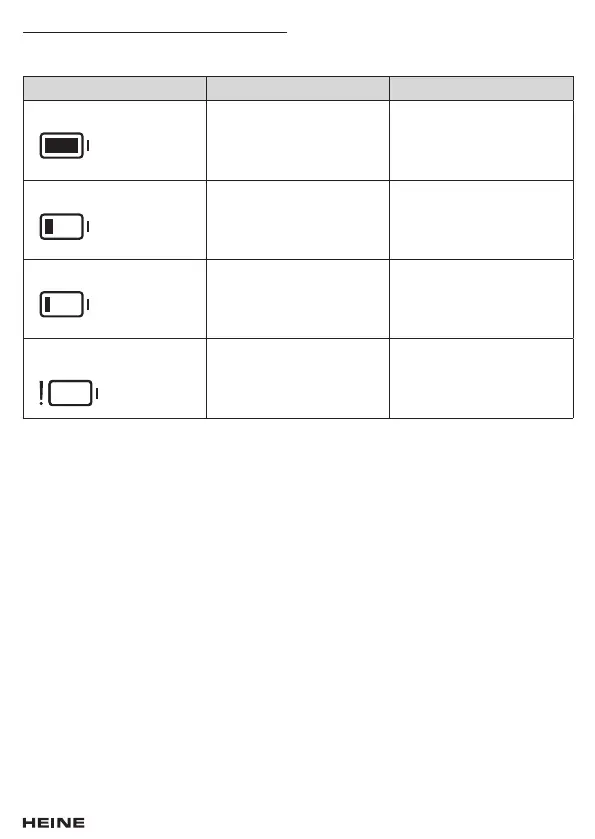
The video laryngoscope’s charge level indicator
The charge level indicator is shown by a battery icon in the top part of the display. A distinction is
made between the following charge level indicators:
Battery bar Meaning Action
Solid green The battery bar is green
when the remaining battery
capacity is between 21 %
and 100 %.
No compulsory action is
necessary.
Solid yellow The battery bar is yellow
when the remaining battery
capacity is between 11 %
and 20 %.
The device should be charged
promptly.
Solid red The battery bar is red
when the remaining battery
capacity is between 6 %
and 10 %.
The device must be charged.
Flashing with a red
exclamation mark
The battery bar flashes
when the remaining battery
capacity is between 5 %
and 0 %.
The device must be charged.
Further intubation is not
possible.
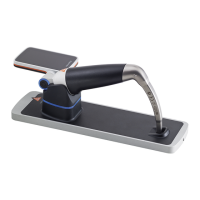
Operating the visionPRO CS1 charging station
To charge, place or hang the visionPRO video laryngoscope or display unit DS1 in the visionPRO CS1
as shown in Fig. 3 or 4. The blue illuminated ring (11) on the visionPRO CS1 (10) indicates that the
visionPRO video laryngoscope is inserted or hooked in and the charging station’s output is switched
on. To ensure that the device is being charged, the illuminated ring on the On/Off button (7) of the
visionPRO video laryngoscope must light up in addition to the charging station, and the display (4)
must briey show the charging state.
During the charging process, the illuminated ring on the On/Off button of the visionPRO video
laryngoscope ashes blue. The illuminated ring on the On/Off button lights up solid blue as soon as
the visionPRO video laryngoscope is fully charged. The charge level in percent is shown for a few
seconds on the visionPRO video laryngoscope’s display when:
- the visionPRO video laryngoscope is inserted or hooked into the visionPRO CS1
- the On/Off button of the visionPRO video laryngoscope is pressed
- the visionPRO video laryngoscope is removed from the visionPRO CS1.
Troubleshooting
If the visionPRO video laryngoscope is not charging, check that the mains plug is connected to
the mains and that the visionPRO video laryngoscope is correctly inserted. If necessary, reset the
charging process by removing the visionPRO video laryngoscope from the visionPRO CS1 for a
few seconds, unplugging the visionPRO CS1 and plugging it back in, and inserting the visionPRO
video laryngoscope. If this error persists, check the electrical contacts for soiling and, if necessary,
clean them carefully with a clean and lint-free cleaning cloth.
If you do not notice any improvement, please contact the manufacturer.


 To Next Page