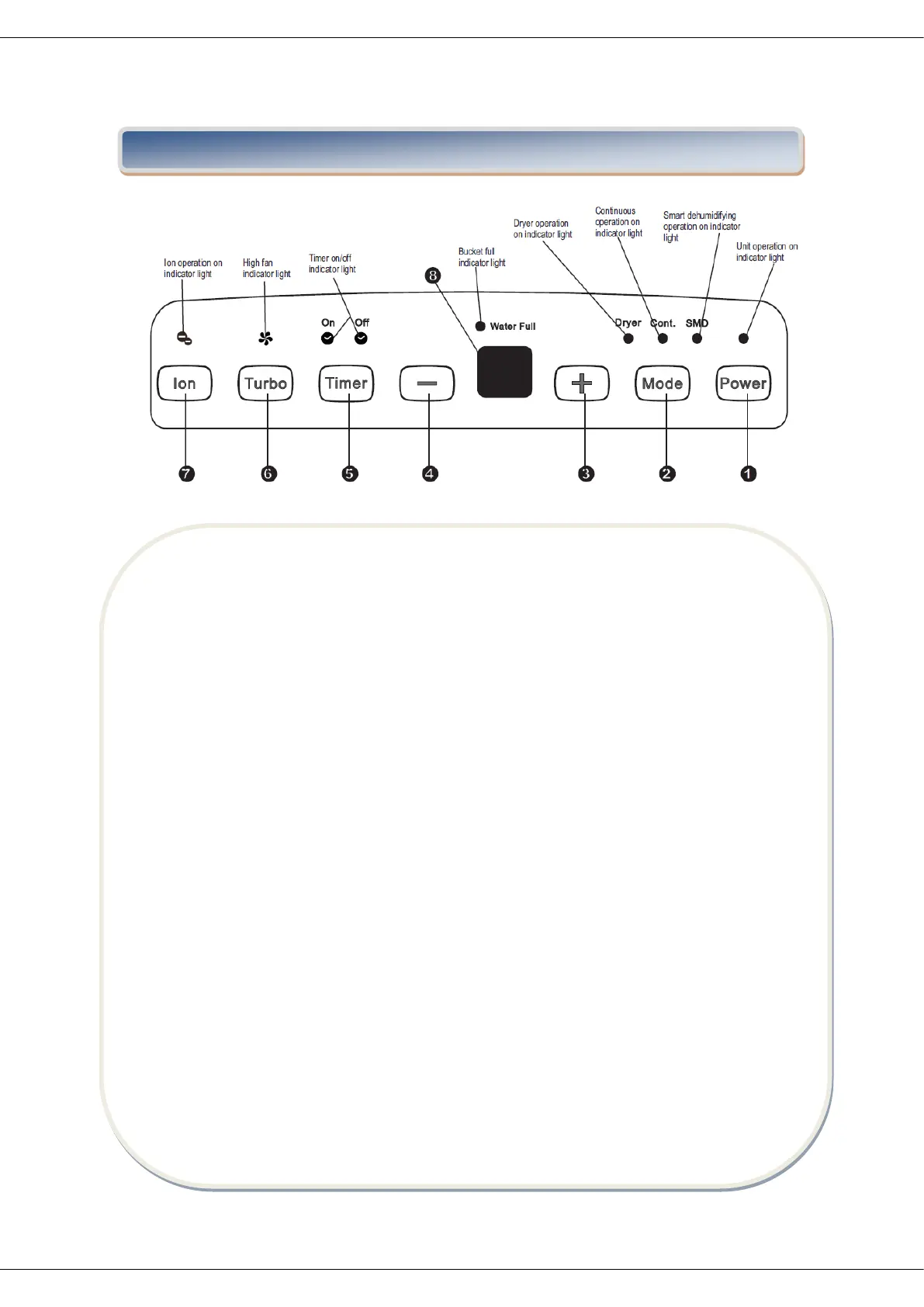
Control pads
When you push the button to change operation modes, the unit will make a beep sound to
indicate that it is changing modes.
1. Power Pad
Press to turn the dehumidifier on and off.
2. Mode Pad
Press to select the desired operation mode from Dehumidifying,Dryer,Continuous
dehumidifying and Smart dehumidifying.
NOTE: Dryer and Smart dehumidifying modes are optional.
3&4. Down/Up Pads
Humidity Set Control Pads
The humidity level can be set within a range of
35%RH(Relative Humidity) to 85%RH(Relative
Humidity) in 5% increments.
For drier air, press - the pad and set to a lower
percent value(%).
For damper air, press + the pad and set a higher
percent value(%).
TIMER Set Control Pads
Use the Up/Down pads to set the Auto start and
Auto stop time from 0.0 to 24.


 To Next Page