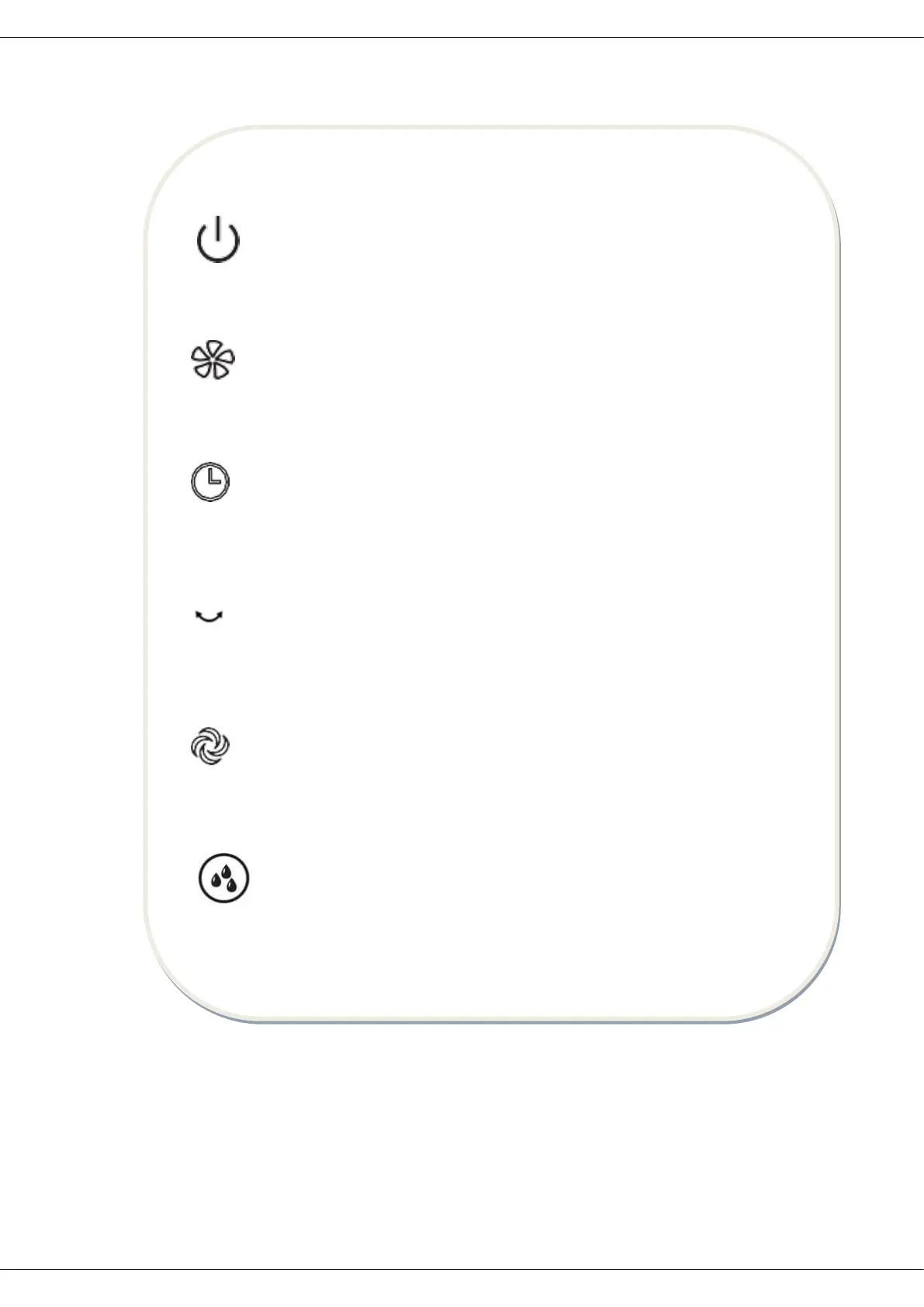
REMOTE CONTROL PANEL
ON/OFF KEY
The ON/OFF key is for switching on the fan. The fan will be started at normal wind.
Press the ON/OFF key if the fan needs to switch off.
SPEED KEY
When the fan started, press this key repeated, the fan will work with „0-1-2-3
(Off-Low-Medium-High)” circulatory.
TIMER KEY
When this key is touched repeatedly or kept in pressed state, the time to be set for air
delivery increased step by step.
OSC KEY
After the fan is started, press this key to oscillate the fan, and stop the oscillation at
desired direction by pressing again. By rotating the fan head by hand, you can get
wider oscillation angle.
MODE KEY
Press this key to select mode. The sequence is normal, natural and sleep when this
key being touched repeatedly or continuously. The light can indicate mode state.
MIST KEY
Press this key could turn on or off the mist function.


 To Next Page