This document provides operating instructions for the Cyber Security Management Renault CAN-Gateway, a device designed to facilitate vehicle diagnostics and ensure IT security in modern vehicles equipped with CAN gateways. The primary function of the device is to unlock the CAN gateway in Renault vehicles, which are increasingly being fitted with protective modules to prevent unauthorized access and manipulation, thereby ensuring IT data protection. While these modules enhance security, they can also restrict access for independent workshops to certain settings and functions crucial for vehicle repair. The CAN-Gateway allows workshops to bypass these restrictions and proceed with diagnostic work.
Function Description:
The Cyber Security Management Renault CAN-Gateway enables the unlocking of the CAN gateway in compatible Renault vehicles. This process involves several steps:
- Registration in the Renault ASOS Portal: Users must first register or have an active account on the Renault ASOS Portal (https://asos.renault.com). This involves entering personal and contact data, accepting terms and conditions, and confirming registration.
- Token Acquisition: A physical token (USB stick) needs to be ordered through the Renault ASOS Portal. This token is essential for the unlocking process and is typically delivered by mail within 10 days.
- Token Software Installation: The "OPEN TRUST IDX SCM" software application must be downloaded and installed to activate the token. Detailed instructions for this installation are provided in the "Renault KIT – Full Internet Installation procedure" document.
- Token Activation: After installing the software, the token needs to be activated. The activation procedure is outlined in the "Renault RNET TOKEN CARD ACTIVATION PROCEDURE" document. If a proxy is used, it must be configured in the network settings of the Opentrust SCM software.
- Gateway Unlock Module Download and Installation: The "Unlock Gateway Module" software, specific to Renault, must be downloaded from the ASOS Portal and installed. This involves executing a "Setup.exe" file and following the on-screen instructions.
- CAN-Gateway Unlocking Procedure: Once all software components are installed and the token is activated and connected to the PC, the gateway unlock module can be opened. The user then confirms "Unlock the gateway," enters the token password, and confirms. The system will then proceed to unlock the CAN gateway. A success message indicates completion.
Important Technical Specifications:
The Cyber Security Management Renault CAN-Gateway is compatible with specific Hella Gutmann Solutions diagnostic devices running software version 60 or higher. These include:
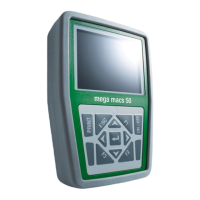
- mega macs 42 SE
- mega macs 56
- mega macs 66
- mega macs 77
- mega macs PC
- mega macs X
System requirements for the PC running the software include:
- System: X86 32 or 64 Bit
- Processor: 1 GHz
- RAM: 1 GB
- Hard disk space: 1 GB
- USB ports: 2 USB ports (2.0 or 3.1)
- Internet connection: At least 8.75 MB/s
A crucial software prerequisite is Microsoft .NET Framework 3.5. If version 4.0 is already installed, version 3.5 must also be installed, as the Renault Gateway unlocking module is not compatible with version 4.0 under Windows 10.
Usage Features:
The device allows independent workshops to perform diagnostic tasks on Renault vehicles equipped with CAN gateways, which would otherwise be restricted due to cyber security measures. The process is guided by clear on-screen prompts and requires user interaction for registration, token ordering, software installation, and password entry. The token acts as a security key, ensuring that only authorized users can unlock the gateway.
Maintenance Features:
Troubleshooting information is provided to address common issues:
- Locked Token: If the token is locked, the user should contact the administrator in the ASOS Portal, who will provide a key for unlocking.
- Token Activation Issues: For help with token activation, an email should be sent to dcs.renaultnet@renault.com.
- CAN Gateway Not Unlocking: Verify that Microsoft .NET Framework 3.5 is installed.
- PassThru Adapter Not Found: Verify that HGS PassThru and Microsoft .NET Framework 3.5 are installed.
- Renault Gateway Unlocking Module Cannot Establish Online Connection: If a proxy is used, its IP address and port must be added to the
proxy.xml file located at C:\Program Files (x86)\SPX\EuroV\Common\Data\Appli\Params\RenaultNet\proxy.xml.
- CAN Gateway Not Locking After Ignition Cycle (Electric/Plug-in Hybrid Models): If the vehicle is being charged with a charging cable, the gateway will not lock after the ignition is switched on and off. To re-lock the CAN gateway, the charging cable must be removed.
Before operation, the VCI/diagnostic module DT 66 must be updated to the latest software version. To prevent errors, the associated diagnostic device (mega macs 42, 56, or 77) should be switched off, or the program (mega macs PC) should be closed. For mega macs 66, the DT 66 diagnostic module must be inserted into its slot, and the diagnostic device must be switched on.

 Need help?
 General

 To Next Page