Need help?
Do you have a question about the Hella Gutmann mega macs 42 and is the answer not in the manual?
Important introductory notes and guidelines for using the manual.
Copyright and usage rights for the manual and software.
Disclaimer regarding completeness, accuracy, and user responsibility.
Covers electrical, suffocation, burn, explosion, injury, noise, and chemical hazards.
Specific safety warnings and precautions for the mega macs 42 device.
Instructions for cleaning and maintaining the mega macs 42 device.
Information on returning and disposing of the device according to WEEE regulations.
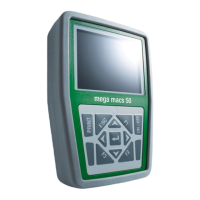
Explains the front view, display, and keypad layout of the device.
Details the various connection ports on the bottom of the device.
Lists detailed technical specifications of the mega macs 42 device.
Critical warnings and precautions for handling lithium polymer batteries.
Steps for applying and replacing the battery pack, including important warnings.
Step-by-step instructions for replacing the battery pack.
Guidelines for the environmentally sound disposal of used batteries.
Explanation of the menu bar and indicator light symbols.
Describes the selection window and its role in navigating menus.
Details the display window for values and the footer for function key options.
Instructions on how to adjust the screen brightness.
Steps for entering the company address for printouts.
Guide to using the virtual keypad for text input.
Details on software, hardware, and device number for identification.
Requirements and important notes before starting the update process.
Steps to select the device and initiate the update on the PC.
Instructions to configure the device for the update process.
Settings for printing company address and network interface.
How to display and operate the device via PC.
How to activate and use the simulation mode for practice.
Displays system parameters like battery voltage and current for fault diagnosis.
Setting up wireless data exchange between the device and PC.
Setting the country and language for the device.
Using the test function to verify the diagnostic plug and connections.
Settings for printing company data and deleting entries in the diagnostic folder.
Instructions for setting the current date on the device.
Exchanging data between the tester and the vehicle's ECU.
Steps for identifying and selecting the vehicle for diagnosis.
Searching for specific vehicle data using the model and engine code.
Choosing the type of diagnostic test to perform (e.g., Fault code, Parameter).
Final steps to establish communication with the vehicle's ECU.
How to request and display fault codes from vehicle modules.
Viewing detailed information about a fault code and deleting it.
Reading and interpreting vehicle parameters for fault diagnosis.
How to select and display multiple parameters, including graphical representations.
Accessing nominal values for comparison with measured parameters.
Using the actuator menu to test specific components in electronic systems.
Performing a manual reset of service intervals for specific vehicles.
Performing an automatic service interval reset for specific vehicles.
Adapting or adjusting component values after replacement.
Procedures for coding ECUs and components for replacement or new functions.
How to view stored vehicle data and diagnostic results.
Loading specific diagnostic types and printing fault code information.
 General
| Brand | Hella Gutmann |
|---|---|
| Model | mega macs 42 |
| Category | Diagnostic Equipment |
| Language | English |


 To Next Page